OBIEE to Power BI migration made easy with Entrans. Our step-by-step guide ensures data accuracy, seamless dashboards, and expert support throughout.

Agentic Unconference 2026 - September 19, Chennai
View Event →


Is your organization still struggling with high costs and slowing down your analytics? This is a common problem faced by Oracle Business Intelligence Enterprise Edition(OBIEE).
Many organizations that rely on OBIEE are struggling with many disadvantages. It includes high licensing costs, limited self-service options, and is not ready to move on to the cloud.
So, they start considering an alternative that offers agility and powerful analytics - Power BI. Power BI provides an intuitive interface and strong data visualization capabilities. It has frequent updates and seamless integration with the Microsoft ecosystem.
This blog provides a step-by-step roadmap for a smooth and efficient OBIEE to Power BI migration.
Legacy OBIEE has served its purpose, but now organizations are finding it difficult to keep up with modern analytics needs. So there is an urgent need for organizations to migrate from OBIEE to Power BI. Its distinctive features include advanced visualization features and scalability. The key advantages that organizations can benefit from are
Migration from OBIEE to Power BI is considered a strategic move, and though it gives a lot of benefits, it comes with its own set of challenges.
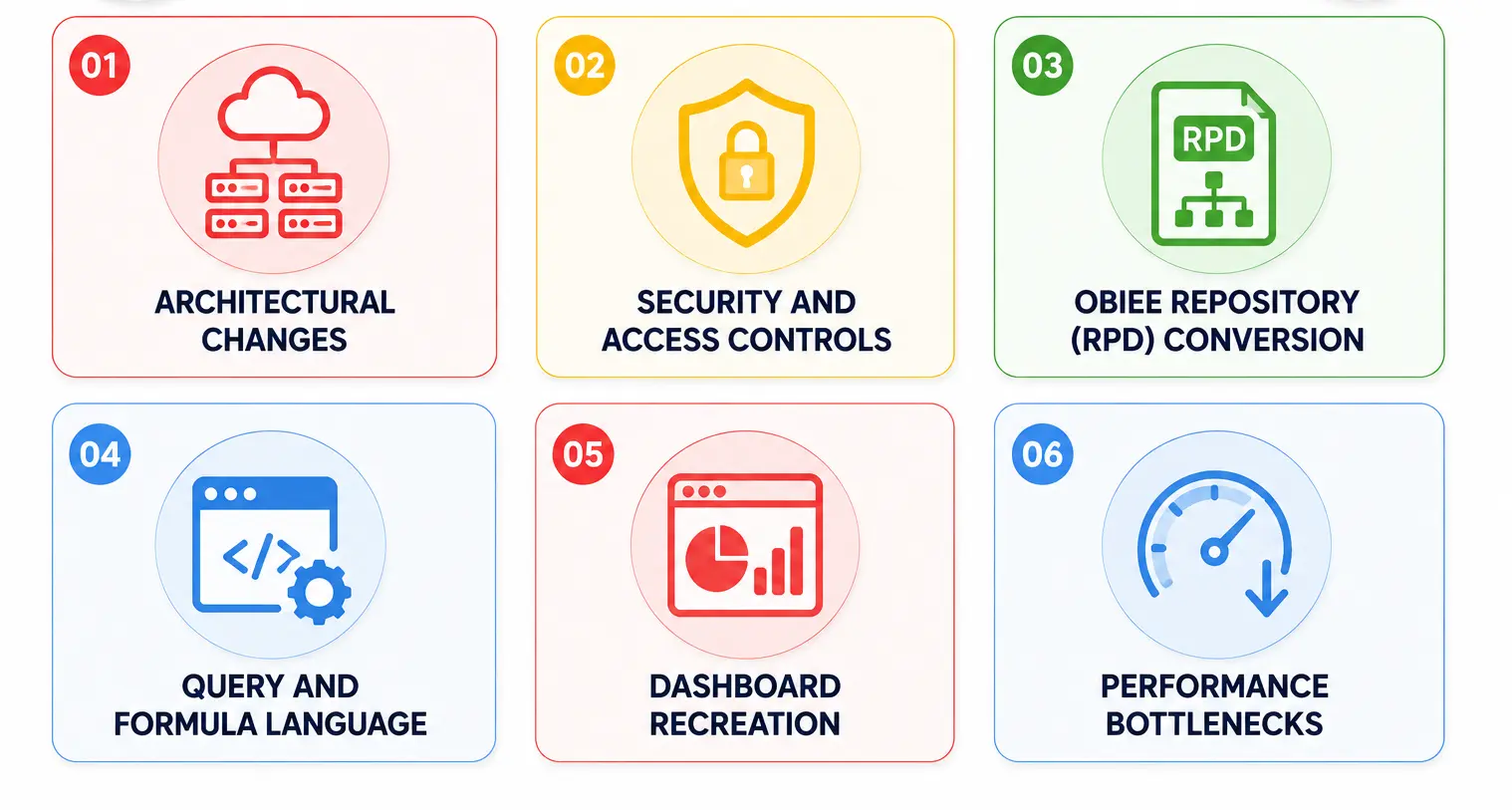
A clear road map of how to proceed with OBIEE to Power BI migration can become a complex and time-consuming process. Below are the best practices for achieving a smooth OBIEE to Power BI migration.
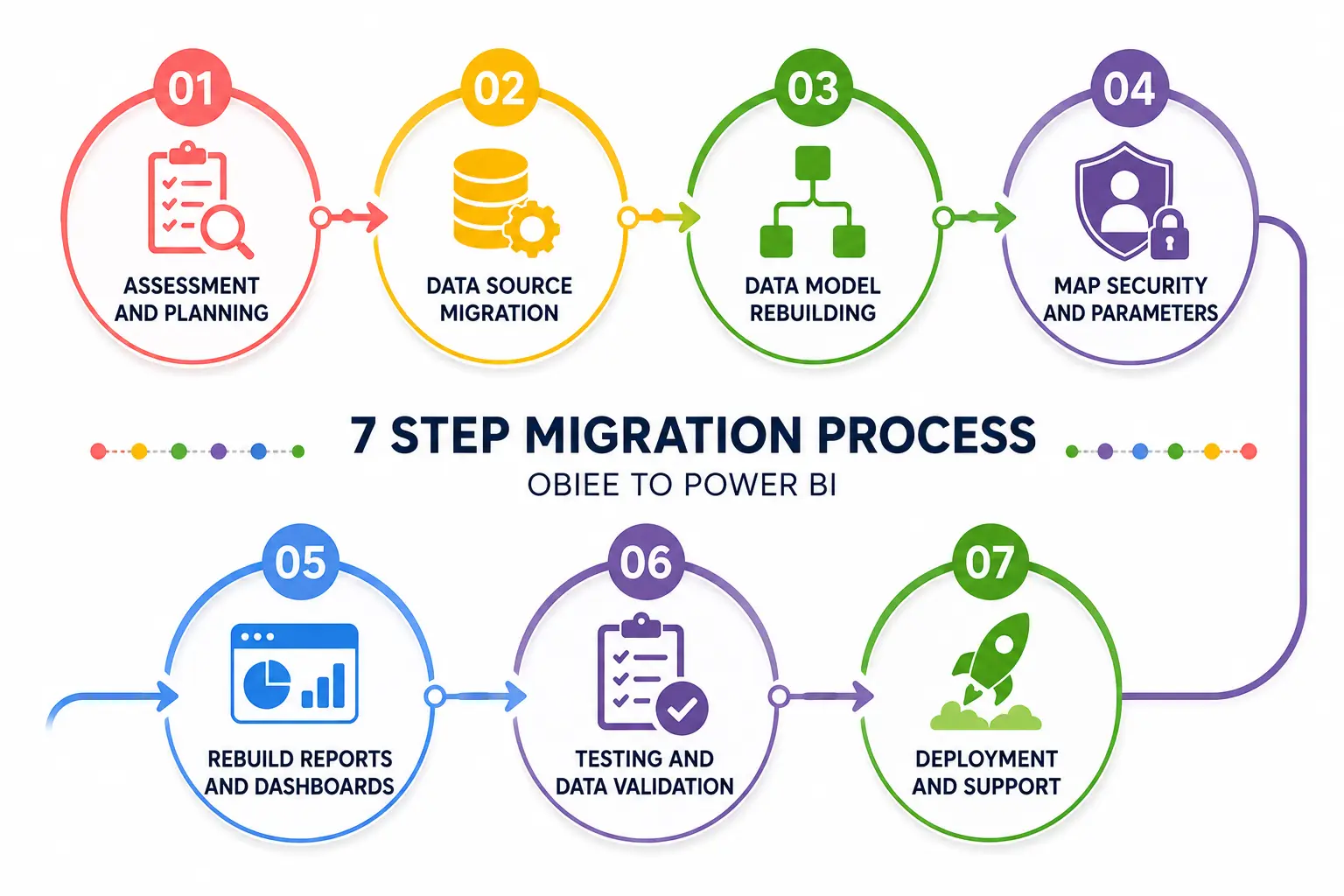
Migration from OBIEE to Power BI involves a structural process that requires careful planning and rebuilding of existing assets. Below is the step-by-step migration process that helps us in a seamless and smooth transition
After a successful migration to Power BI, post-migration steps are very much needed to improve the new platform’s value and to ensure data governance and security. The key steps to be taken after migration are:
Migration from OBIEE to Power BI delivers measurable benefits such as lower licensing costs, improved data accessibility, and faster decision-making. It is a strategic step towards modern cloud-based analytics.
Partnering with a team of migration experts like Entrans takes away the risks that come with manually migrating from OBIEE to Power BI. Our technical team has deep knowledge of both OBIEE and Power BI. From pre-migration planning to post-migration optimization, we ensure a seamless transition and manually rebuild difficult layouts and securely move all your content and images.
Want to know more? Book a consultation call today with no obligation!.

No, it cannot be fully migrated since OBIEE’s RPD logic, roles, and reports require redesign in Power BI. Due to their architectural difference, automation tools can assist in extracting metadata, mapping reports, and accelerating parts of the migration process.
We can verify the Power BI report with OBIEE by comparing side-by-side data and KPI comparisons using a reconciliation checklist. The most common method is to export data from OBIEE reports to CSV or Excel and then validate the data points, their row counts, and totals.
Power BI handles security through Microsoft Entra ID (Azure AD) groups and implements Row-Level Security (RLS) and Object-Level Security (OLS) in datasets.
OBIEE dashboards can be replicated using Power BI reports, slicers, and drill-through navigation. If we need pixel-perfect or operational reports, we should use Power BI paginated reports.
Recreate OBIEE’s Business Model and Mapping (BMM) logic by translating logical columns into DAX calculated measures and columns within Power BI. Validate each calculation against OBIEE results to preserve business logic and reporting accuracy.
No. OBIEE reports cannot be fully converted with a single automated process because both platforms use different reporting and semantic models. Reports, dashboards, and underlying business logic must be audited, remapped, and rebuilt in Power BI manually or semi-manually.
Use Import Mode with incremental refresh policies for historical data or optimize DirectQuery by pushing heavy data transformations upstream into database views. Choose Import, DirectQuery, or a composite model based on data volume, refresh needs, and query patterns.

-1.svg)