Speed up your reports and cut refresh times. Learn how Power BI incremental refresh works, fix common performance bottlenecks, and scale your data.

Agentic Unconference 2026 - September 19, Chennai
View Event →





Building business intelligence dashboards starts with visualization. But the long-term success of a data platform depends on the backend design. Enterprise data often grows into terabytes. Row counts go past hundreds of millions.
The Full Refresh model deletes the whole dataset and reloads it during every update. This method hits a hard limit.
We will explain what you need to know when moving from single-load methods to Power BI Incremental Refresh.
Power BI Incremental Refresh is an architectural solution designed to improve data loading. It works by partitioning the dataset at the semantic model level.
Using Incremental refresh solves the problems that occur when data volume grows into terabytes and removes the need to move large amounts of static historical data across networks
This helps datasets stay within time limits. Power BI Pro licenses have a two-hour timeout for refreshes, and Premium capacities allow up to five hours. Using Power BI Incremental Refresh keeps operations within these limits and also changes the cost profile of data operations. By limiting queries to recent data partitions it lowers costs in cloud data warehouses.
Incremental Refresh in Power BI has major architectural benefits over the standard Full Refresh model. It is the necessary choice for large data analysis that changes the cost of data operations in cloud environments.


To set up Power BI incremental refresh effectively, you must first set the correct parameters within Power Query. This is the base of the partition design. Key steps include:
When building a visual data frame, you must check that the Power Query engine sends your requests back to the source system. If this folding breaks, incremental refresh fails. Key steps include:
Planning your data migration means stating how partitions work within the Tabular Object Model (TOM). Key steps include:
Running the first data move needs careful planning to stop timeouts. This matters most for multi-billion row datasets. Key steps include:
Moving to Power BI incremental refresh has difficulties. Connecting existing data queries is hard. A common problem reported is the Native Query trap. Users often paste complex SQL statements directly into the Get Data dialog. This disables query folding.
This folding failure causes big problems. The mashup engine tries to download the full history for every single partition instead of sending light queries for small slices of data. This causes huge memory usage and timeouts.
You should move changes to the Power Query interface. Or wrap them in Value.NativeQuery with EnableFolding=true. This needs advanced M coding skills.
Moving to a long-running power bi incremental refresh plan is hard because of Dictionary Fragmentation. Power BI shrinks data by making a dictionary of distinct values for each column.
When partitions refresh, the system adds new unique values. But when old data leaves, the system does not remove the linked unique values automatically.
This leads to dictionary bloat. A dataset size can grow by gigabytes even if the row count stays the same. You must watch this. Schedule fix processes using XMLA commands. These force the engine to rebuild dictionaries and free up memory.
Moving from on-premise tools like SSAS to Power BI brings a challenge. The Power BI incremental refresh process is hard to see inside. The standard Monitor hub in the Power BI Service gives a pass or fail status. It lacks detail on which partitions were processed.
This visibility gap causes doubt. You do not know if the incremental policy works or if the system silently runs full refreshes. Advanced users use verification methods to stay on track. They put timestamps in the source. Or they use DAX Studio to query Dynamic Management Views (DMVs) to check partition properties.
Setting up power bi incremental refresh seems simple. But specific data sources cause trouble. SAP HANA users often use complex native SQL to skip slow ODBC drivers. This breaks query folding. Also, the Delta Lake connector queries folders of Parquet files. This limits standard folding.
You need specific design changes for a smooth move. For SAP HANA, you must make Calculation Views at the database level to bring back folding. For Delta Tables, you must partition the files by date at the storage level. This turns on Partition Elimination. This can lower refresh times from 30 minutes to 26 seconds.
A common challenge during the move to incremental refresh is the knowledge gap about advanced designs like Hybrid Tables. This feature lets a single table use mixed storage modes. It uses Import for history and DirectQuery for real-time data.
Setting this up with Power BI incremental refresh requires a deep grasp of the VertiPaq engine and Premium capacity control. Teams might miss the chance to get fast history reporting mixed with real-time analytics without specific training.
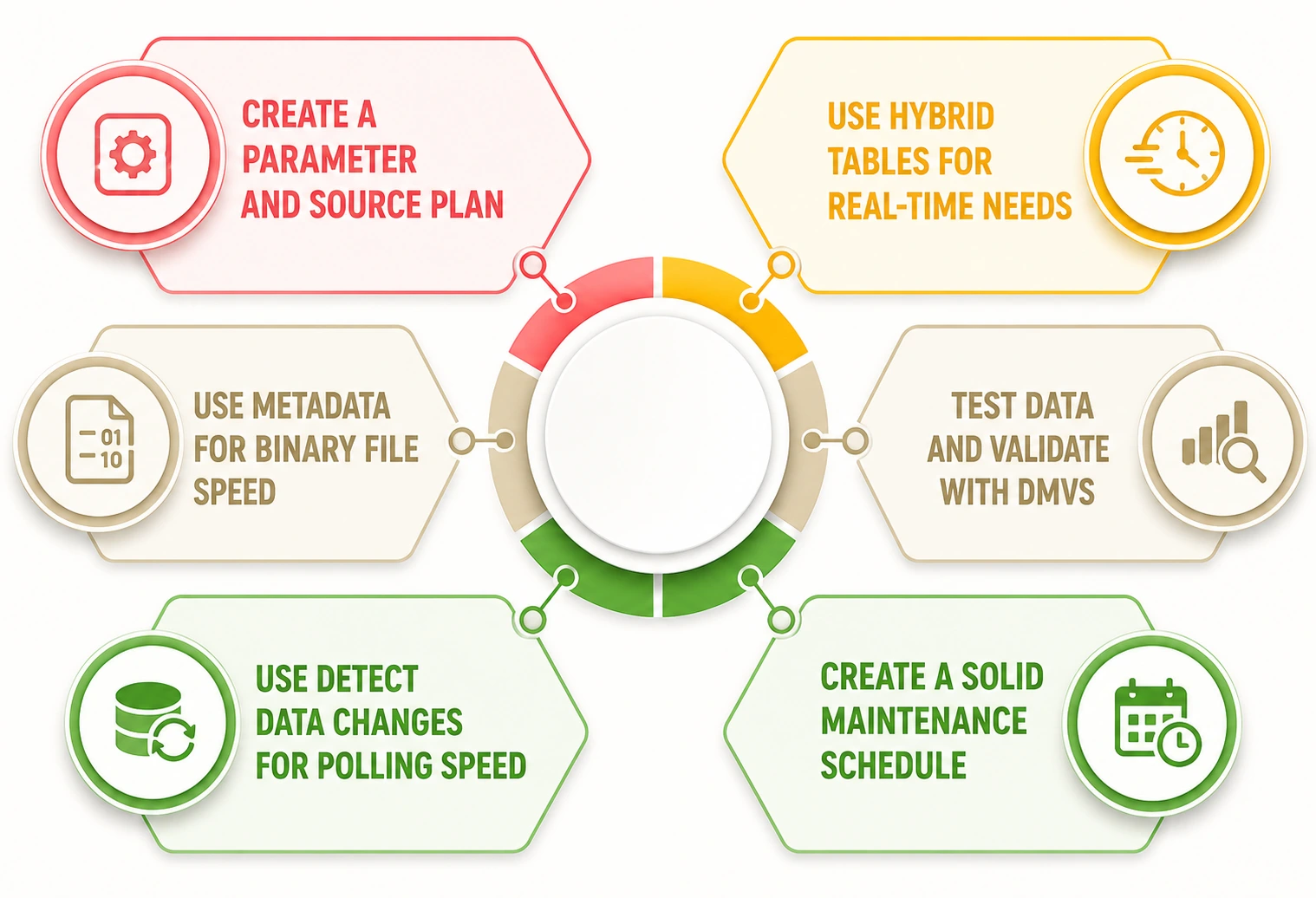
A structured parameter plan is needed when setting up incremental refresh. You must check that your source system can take the injected filter predicates. This helps teams find problems early when setting up Power BI incremental refresh.
Checking that the source system is ready for date-range queries is key. This includes SQL Server, Oracle, or Snowflake. Using backend tuning plans like index tuning on date columns is good. It lowers report refresh times by up to 40%.
Power BI Hybrid Tables act as a key tool for needs requiring historical depth and real-time freshness. You configure history partitions to Import mode. You configure the current day partition to DirectQuery mode. This solves the trade-off between speed and freshness.
This makes reporting simpler. It lets users see transactions as they happen without starting a dataset refresh. Using this feature hides the hard work of handling partitions manually. It needs a Premium workspace to work.
Making a plan for binary files is key if your data lives in CSVs on Azure Blob or SharePoint. People often think that Power BI incremental refresh only works for structured BI databases. But expert methods using file metadata give big gains.
Filter on the file Date Created metadata before pulling content. The Power Query engine can then skip opening files outside the refresh window. Tests show this method cuts processing time by 83%. It drops refresh times from 94 seconds to 16 seconds.
Data testing is key when using automated partition control. The Service UI lacks detail. Building a custom admin report that queries the DMVs of your Premium datasets is a good practice.
This process keeps data trustworthy for migration teams. You should check that only the incremental partitions change their Refreshed Time property during standard updates. This proves that the policy is active. It proves the system is not defaulting to a full refresh due to folding errors.
Recreating polling logic within Power BI is key for datasets where the incremental window is large. But actual changes are rare. The Detect Data Changes feature gives a second layer of speed. It queries the maximum value of a LastUpdateDate column.
At Entrans, we suggest this for compliance data or audit logs. If the value has not changed, the service skips processing that partition. This lowers the number of processed partitions to zero. It results in very fast refreshes.
Making a solid maintenance plan is key to long-term health. Do not treat incremental refresh as set and forget. You must schedule periodic defragmentation operations using the XMLA endpoint. This stops speed loss.
Run a JSON command like { "refresh": { "type": "defragment" } }. This forces the engine to rebuild dictionaries. A solid maintenance framework keeps your dataset size small. It stops query speed from getting worse over time due to artifact growth.
Hiring Power BI consultants during your start of Incremental Refresh can help with the change. Specialists bring deep knowledge of M query folding, XMLA scripting, and Hybrid Table design.
Your Power BI incremental refresh to finish faster and with fewer issues. Why not work with Entran's team of certified Power BI experts? We can make your move as fast as possible.
Want to know more? Why not book a free 30-minute consultation call?

The fact is that Incremental Refresh updates the database using only the data that has been added to or modified in the database since the last refresh session.
Incremental Refresh requires a datetime column along with RangeStart and RangeEnd values and a compatible data source. Effective data modeling is also required in order to gain maximum efficiency.
RangeStart and RangeEnd are Power Query DateTime parameters that define the time window used to filter data for incremental refresh. Both of them are mandatory because Power BI uses them to identify which rows belong in each refresh partition.
Power BI can be configured with change detection to identify updated records and refresh affected partitions. This ensures that corrections and modifications are reflected without reloading the entire dataset.
Yes. Power BI Incremental Refresh is designed for large datasets by refreshing only new or changed data. This shortens refresh times, lowers resource usage, and helps datasets stay within limits.
Incremental refresh partitions have been widely supported across all the basic licensing options, including Power BI Pro, Premium Per User (PPU), Power BI Embedded, and Microsoft Fabric Capacity tiers.
Incremental refreshes should align with how often your data source changes and business reporting needs. Many organizations schedule refreshes hourly, daily, or multiple times per day.

-1.svg)