Learn how restaurants can modernize POS systems using AI in 2026 to reduce costs, recover lost revenue, and improve operations with smart automation.

Agentic Unconference 2026 - September 19, Chennai
View Event →


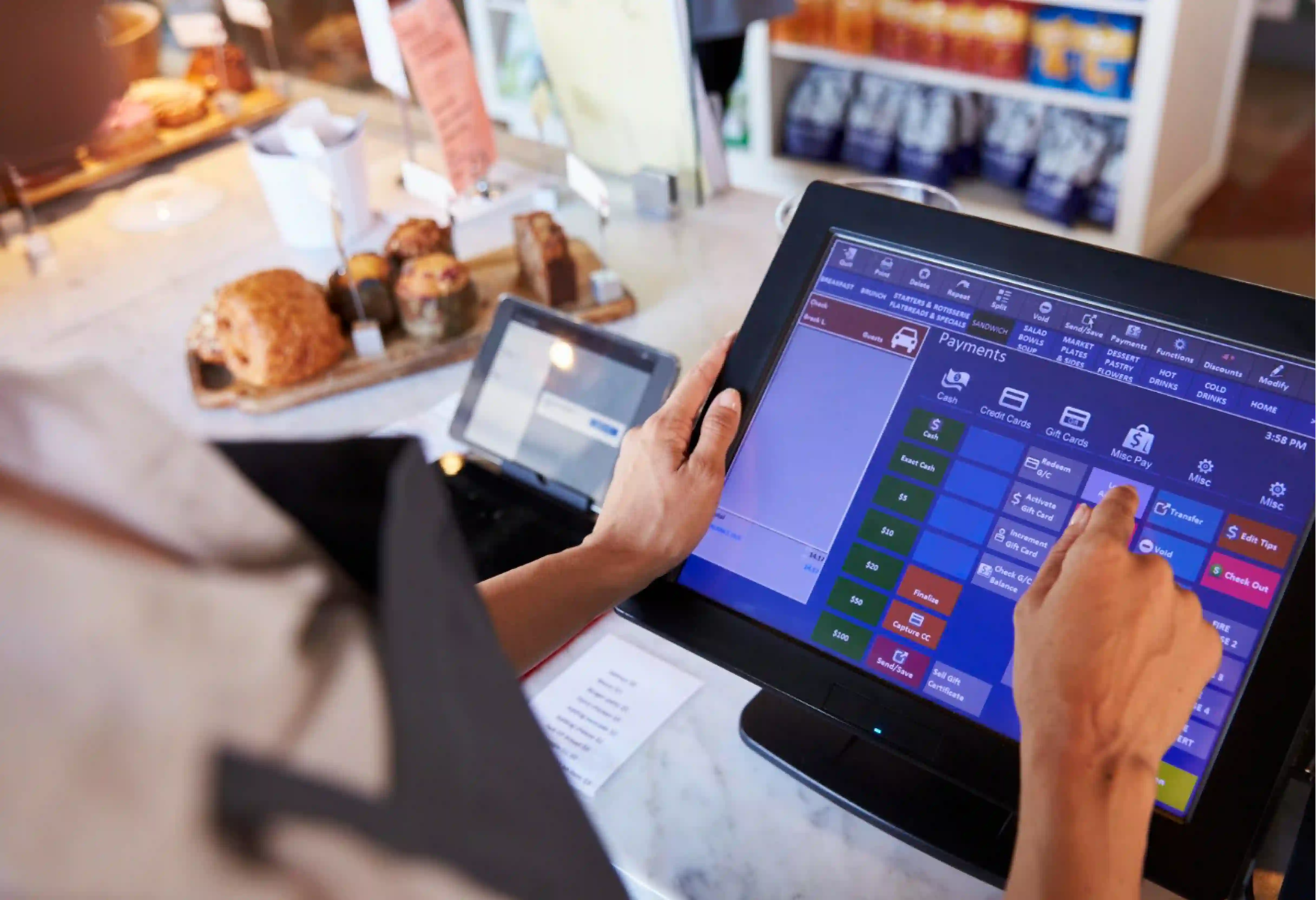


When running a restaurant, breaking the update process into clear steps makes the task manageable.
The reality is that the hospitality and restaurant industry is changing fast, and the fact that 80% of restaurant executives plan to spend more on AI in the coming year is proof of this!
Which is why, learning about using AI for pos systems in restaurants now is a smart move that protects your business from future uncertainty! Here is how the process works:
Updating your restaurant POS system is about more than just buying new screens. The current scenario in restaurants is that fixed costs are going up and customers do not want to pay higher prices!
Meaning - The old way of running a restaurant is becoming too expensive to maintain.
Using AI for restaurant POS systems helps you fight back against these rising costs. This tech brings down your expenses and helps you keep more profit by making your operations faster.
By moving from a basic cash register to a central control hub, the restaurant AI POS system drives your profit instead of just recording your sales.

The first step in updating your restaurant POS system involves checking your current setup. High-level performance is important because you need a system sturdy enough to run advanced software.
This step calls for checking your internet speed and moving from old servers in your back office to modern cloud-based systems.
In this step, operators must sort out old technology issues. Old systems often do not connect to the internet well and lack the power to run modern AI programs.
You start off by switching to cloud platforms like Toast, Square for Restaurants, or Oracle Cloud.
While there are several stages in this process, a major part of data unification is cleaning up your menu and sales records. This involves fixing your menu lists and making certain item names are the same at every location.
Additionally, fixing names like Sm. Coke versus Small Soda makes certain the computer understands exactly what you are selling.
By collecting all data in one place, this step builds up the clear information library that AI needs to work correctly.
Automation involves teaching the system to handle repetitive tasks. This step uses POS AI for restaurants to send orders and data where they need to go without anyone typing them in. This stage is where you start seeing real speed in the modern kitchen.
Execution checks how well the AI works in your actual restaurant. This step is a live test. You turn on specific AI tools for answering phones and scheduling shifts to see if they save money. This phase helps find problems and proves the system works before you put it in every store.
Deployment is the final step where the system starts thinking ahead. The system moves from just reacting to problems to preventing them.
Modern AI for restaurants starts making decisions on pricing and supply instantly. This step connects the system to advanced features like face scanning and changing prices based on demand.
Conversational Voice AI is used for taking orders. This tech replaces annoying phone menus with a computer that understands normal speech. This technology works best when it can handle complicated orders and questions from guests.
To get good results, you put these systems on phones, drive-thrus, and kiosks. SoundHound and ConverseNow use this technology to handle busy times and sell more items.
Facial Recognition technology is great for making checkout faster by letting guests pay with their face.
This system recognizes a registered customer, finds their account, and takes payment without them needing a card or phone.
Platforms like PopID have secured big money from financial giants like Visa and Verifone to do this. This method is replacing older hand-scanning technologies.
Recommendation engines are used to increase the total bill by suggesting extra items.
This works well when the restaurant POS system looks at the order instantly, seeing a burger without a drink and asks the guest if they want the most popular add-on.
Data shows that these smart suggestions can increase upsell revenue by 50%, which works well for big chains like Chick-fil-A.
Automated SMS recovery is a useful tool that handles missed calls. This AI tool works well when your staff is too busy to answer the phone.
Automating this task makes certain the restaurant never ignores a paying customer.
Systems like Numa and ReachifyAI automatically route calls or send text messages back to keep the order going without a human answering.
Drive-thru automation is simple in concept but hard to do because of background noise.
This represents the ultimate goal of automation because drive-thrus are so busy. However, errors still happen, so many places use hybrid models where humans listen in to help the AI.
Smart kiosks help lower wait times and make certain orders are correct.
Automation is useful when you need to serve more people faster. Brands like Whataburger are using technologies like PopID on card machines to make it easier to use.
A great example is how kiosks can now recognize a guest and immediately show them what they ordered last time.
Dynamic pricing is perfect for managing busy times. This changes prices on digital menu boards based on how much food you have and how many people are in the store.
Choosing the right message is important so customers do not feel cheated. Successful execution concentrates on giving discounts during slow times rather than raising prices during busy times.
Many companies are looking at this, with 70% of owners planning to use it soon.
Predictive inventory builds up models based on your recipes and sales to tell you exactly what to buy. This POS AI for restaurants is perfect for stopping waste. Predictive AI for restaurants is very useful when you need to know what to order for next week based on what you expect to sell.
Remember that tools like Supy or Toast’s xtraCHEF automatically read your vendor invoices to update your food costs instantly.
Automated Scheduling is used to match your staff numbers with how busy you will be. This AI for restaurants is most useful for finding times when you are paying staff to do nothing.
When using POS AI for restaurants like 7shifts or Toast Scheduling, make certain the system looks at your sales history in 15-minute blocks. One beach restaurant reported saving $9,000 to $10,000 every month using these smart schedules.
Kitchen Robotics lowers the hard physical work for staff, making it easier to cook the same quality food every time. This tech is best for repetitive cooking tasks like frying.
When using robots, make certain they connect to the restaurant POS system so orders go straight to the machine. This is how Miso Robotics’ Flippy works: it finds the right basket and fries the food automatically.
Automated beverage stations are used in fast-food places to stop drink waste.
This tech works by connecting to the restaurant POS system to pour drinks in the exact order they are sold. When using this tech, servers can just grab a finished tray instead of wasting time filling cups at a soda fountain.
KDS Logic is a smart system for timing the kitchen, best for when timing between stations matters.
This logic works by syncing with when a delivery driver arrives. To get the best results, the KDS sets the pace for the kitchen, making certain food is hot and fresh exactly when the driver walks in.
Waste reduction tools are similar to inventory management but look specifically at food that goes bad quickly.
Algorithm usage is useful when you have too much food that must be sold fast. If a restaurant has fresh fish that must be sold by Sunday, the AI can automatically advertise the item or lower the price. This saves money and food.
Autonomous Supply Chain is a future technique where the restaurant POS system transfers information directly to your supplier's computers.
Automation is a good option when you want to automate ordering completely. When using this, the system bids on and orders new stock based on what it thinks you will sell and the current prices of ingredients.
Whether you are a big chain with 100+ locations needing custom connections, or a smaller business looking for an all-in-one fix, the right partner is key.
Experts can help you connect these old systems to the internet using special POS AI for restaurants that works with what you HAVE rather than throwing everything away and starting over.
This way you can make certain your restaurant POS system stays current.
From setting up voice AI to adding face-pay systems like PopID, specialized consultants handle all the technical work to make your operations a lot more visible and easier to improve.
Want to know more? Reach out to learn how AI can recover up to $292,000 every year per location in missed sales - book a free consultation call!
AI improves the speed of the drive-thru. By letting a computer take the orders, your staff does not have to wear a headset and can stay concentrated on cooking and taking payment. This speeds up the line and makes certain you can sell as much food as the kitchen can cook, without being slowed down by order-taking.
The System Check or Digitization step involves moving from back-office servers to cloud systems. During this phase, old systems that are offline are replaced with cloud platforms to give instant connections and central data storage.
The main job of predictive inventory is to use sales history and recipes to calculate exactly how much food you should use. After the restaurant POS system reads your invoices, the AI predicts what you need to buy next, such as ordering more milk before a hot week.
Dynamic pricing makes managing profit easier by looking at how busy you are and adjusting prices automatically. This tool allows restaurants to raise prices slightly during busy times to manage the crowd, or lower prices to sell extra food, which maximizes your profit and lowers waste.
Steps in the process usually include a system check to test your internet, followed by data cleanup to fix menu lists. Next is automating tasks like delivery and invoices, followed by turning on AI for phones and scheduling. The final step is advanced refinement using face-pay and flexible pricing.
Computer learning plays a major role in scheduling by looking at your sales history in 15-minute blocks. This tech finds waste like paying people when the store is empty and builds up the perfect schedule that matches your staff count to the customer count.
In restaurant AI, the Human-in-the-Loop model is used to make certain the computer is accurate. For example, in drive-thrus, an AI takes the order, but a remote person listens in real-time to fix mistakes before they hit the kitchen screen, which stops customers from getting frustrated.
The first step is Digitization or the System Check. Replacing paper work and old servers with digital, cloud systems carries this out. This step creates the information library the AI needs: without it, the AI cannot work.
AI execution for small restaurants often stays concentrated on fast cloud systems like Toast or Square that have App Stores. Owners can quickly install AI tools or restaurant POS systems for scheduling like 7shifts or voice answering like SoundHound in minutes, allowing them to update faster than some big chains.
In 2026, biometric payment is shifting from hand scanning to facial recognition. Platforms like PopID allow customers to register their face once and pay at kiosks or drive-thrus without a card. This restaurant POS system is being built into standard card machines to speed up the line and link directly to rewards programs.


-1.svg)