On-prem app migration to cloud starts with the right application decisions. Learn how to score, prioritize, migrate, retain, or retire each workload.

Agentic Unconference 2026 - September 19, Chennai
View Event →


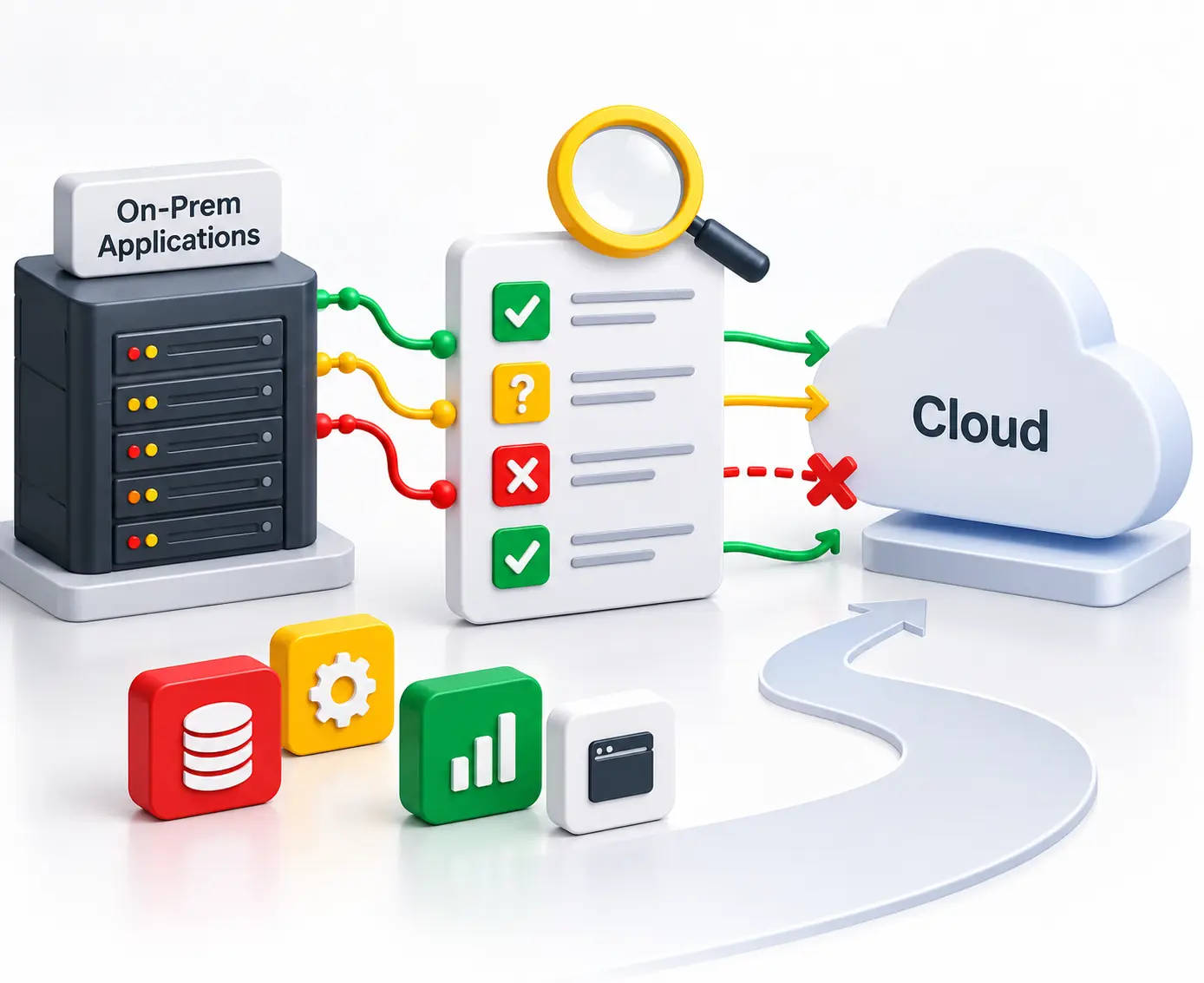


A data center lease ends in 14 months and 340 applications have to be somewhere else by then. That is what an on-prem app migration to cloud looks like from the inside, and it is where most of them stall. The team picks a landing zone, writes a runbook, runs a pilot, and then finds out the mechanics were never the hard part. The hard part was the decision itself. Which of the 340 should move at all? Which move unchanged, which need rebuilding, and which get switched off?
This article gives you that decision. You get a weighted scorecard. It turns seven measurable traits of an application into one disposition. You also get the cost of each disposition, and the cases where the honest answer is to leave an application where it sits.
On-prem app migration to cloud is the process of moving applications off hardware your organization owns and onto infrastructure it rents. The decision is made per application, not per project. Each application receives exactly one of six dispositions: rehost, replatform, refactor, repurchase, retain or retire.
That distinction does most of the work in this article. Migrating a data center is one program with one deadline. Migrating 340 applications is 340 separate decisions that happen to share that deadline. Treating the second thing as the first is how portfolios end up rehosting applications nobody uses and refactoring applications that were about to be replaced.
So the question in front of you is not how to migrate. It is which disposition each application gets, and in what order they move.
Four drivers hold up under scrutiny. A data center lease is expiring. Hardware refresh is due and you would rather not fund it. Your vendor has published an end-of-support date. Or demand is uneven enough that you are paying for peak capacity all year and using it for three weeks.
What you are buying is defined precisely in NIST Special Publication 800-145, which sets out the five essential characteristics of cloud computing. Two of them change your economics directly: on-demand self service, and measured service. Capacity becomes something you request rather than something you procure, and you pay for what you consume rather than what you installed.
Here is the catch. Every one of those drivers is a portfolio-level average, and no single application ever experiences an average. Elastic capacity is worth a lot to a system with a seasonal peak and nothing at all to an internal tool that runs flat. A commodity back-office application and a latency-bound plant system produce opposite answers from the same business case.
That is why the useful question is not why to migrate. It is which applications the case actually applies to. In our delivery work, the on-prem app migration to cloud programs that overrun are the ones that answered that question late.
Every application gets exactly one disposition, and the disposition is really a commitment about who owns the code and the operating cost afterward. AWS defines seven migration strategies in its prescriptive guidance, adding relocate for platform-level moves. Microsoft's Cloud Adoption Framework guidance on rationalizing a digital estate names eight, splitting rearchitect from refactor and adding rebuild. Six is the working set for portfolio decisions, because relocate and rebuild are execution variants of moves you have already chosen.
Move the application without changing it. Fastest path, no code work. It also carries every inefficiency of the on-prem design into a metered world. Those inefficiencies now arrive as a monthly bill. Best fit: a stable application with an external deadline, where the deadline is the lease.
Move it and change one thing, usually the database or the runtime. This has the best ratio of benefit to risk in most portfolios. Best fit: an application whose single worst constraint is one licensed or unsupported component.
Rewrite the application against cloud-native services. Reserve it for applications where that capability is the actual point of the project. And name the tradeoff out loud: deeper use of managed services lowers your operating load and raises your switching cost. Both are real, and pretending the second one away is how teams get surprised three years later.
Replace the application with a SaaS product. Finance likes this disposition and engineering consistently underestimates it, because the cost does not land in licenses. It lands in data migration and in rewriting every integration that pointed at the old system.
Keep it on-prem. This is a decision, not a delay, and the difference is documentation. A retain decision needs a named owner, a review date, and a written trigger that would change it. Without those three things it is just an application nobody got to.
Switch it off. The cheapest disposition available and the one most consistently skipped. Most large portfolios carry applications with no active users, and nobody finds them until someone counts.
Use this table to price the answer. The scorecard in the next section picks which answer applies.
Score each application from 1 to 5 on all seven criteria, multiply by the weight, and divide the total by 100. The result is a number between 1.0 and 5.0 that maps to a disposition band.
Bands, and they are the point of the model:
Two hard overrides bypass the score completely. A legal data residency constraint forces retain no matter what else scores. Zero active users forces retire no matter how elegant the architecture is.
The tie-break rule: when a score falls within 0.1 of a band boundary, the cheaper band wins, unless remaining useful life scored 5. Cheap dispositions are reversible and expensive ones are not, so the burden of proof sits with the expensive answer.
One more rule that costs nothing. Any criterion scoring 2 or below gets named as a risk on the wave plan even when it does not change the disposition.
Discovery has to return three things per application: an owner, a dependency list, and a license record. Most discovery programs return the first and the third and treat the second as a scheduling input.
That is the mistake. Dependency data is a disposition input. An application with 14 integrations, four of them undocumented, and a database license tied to socket count is not a rehost candidate with some complications. It is a retain candidate until somebody documents those four integrations, because you cannot write a rollback plan for a dependency you have not found.
Tooling gets you the inventory, not the decision. Azure Migrate and AWS Application Migration Service will discover servers and map traffic between them. AWS Database Migration Service and the Schema Conversion Tool handle the data once you have chosen. Entrans builds the portfolio view on top of that discovery through its enterprise cloud solutions practice. The tools give you an inventory. An inventory is not yet a plan.
Take a claims intake system. Criticality scores 5, because claims stop when it stops. Cloud-readiness scores 2: it is stateful and writes to local disk. Dependency density scores 2, with 11 integrations and four of them undocumented. Compliance scores 3, since the data is regulated but not bound to a named facility. License portability scores 2, tied to socket count. Annual run cost scores 4 on six-year-old hardware. Remaining useful life scores 5, with no replacement planned.
That totals 325, which divides to 3.25. The band says rehost.
Now the uncomfortable part. License portability scored 2, and a rehost onto cloud instances re-opens a socket-based license negotiation you were not budgeting for. The disposition still holds, because nothing about the architecture justifies a rewrite. But that 2 goes on the wave plan as a named risk, and the renegotiation gets priced before the application moves rather than after.
Archetype predicts the score better than industry does. Here are five, run through the same model to five different outcomes.
Regulated system of record. Usually replatform. Criticality and useful life score high, cloud-readiness scores low, and the low score is almost always the database. One Entrans engagement hit exactly that. In a 50TB EHR platform move off a legacy Oracle stack, PL/SQL stored procedures and triggers sat tightly coupled to the Java and.NET layer. That rules out a straight rehost. The work went into schema conversion and continuous replication, with the application logic decoupled from the database so clinical features could ship independently. Describe the regulatory context around systems like this, and be careful never to claim that any architecture makes an organization compliant. It does not.
Latency-bound operational system. Usually retain. A manufacturing execution system talking to equipment on the plant network has a physical latency floor that no region selection fixes. Move its analytics tier and leave the control path alone.
Commodity back office. Usually repurchase. Expense management, HR, service desk. Criticality is moderate, differentiation is zero, and a mature SaaS product already does it better than your 2014 implementation.
Custom internal tool. Usually rehost, occasionally retire. These score low on criticality and high on useful life because somebody depends on them. Count the active users before you assume.
End-of-life system. Retire, or retain until the replacement lands. The trap is refactoring something already in procurement to replace. It happens more often than anyone admits, because the migration team and the procurement team are looking at different spreadsheets.
Sequence by dependency cluster first, then by disposition, then by business risk. Applications sharing a database move together or they do not move at all.
Microsoft's migration wave planning guidance makes one recommendation worth repeating, because most teams get it backwards. Start with simpler workloads to build the process, but put one or two genuinely complex applications in an early wave anyway. Saving every hard application for the end means you discover your real failure modes in month nine, with no schedule left to absorb them.
Three things belong in every wave and get skipped under deadline pressure. A rollback plan, which expires the day you decommission the on-prem hardware, so write down that date. Post-cutover data integrity checks run against the source system while it still exists. And right-sizing, where the cost case is won or lost. A rehosted application provisioned for its 2019 peak bills you for that peak every month, until somebody resizes it. One recent Entrans migration cut infrastructure cost 50 percent, and most of that came from right-sizing instances nobody had revisited since they were provisioned.
Once disposition is set, the execution detail is a different exercise, and we have written it up separately as the step-by-step migration roadmap.
This model does not apply everywhere, and three conditions make it the wrong tool.
A hard latency floor tied to physical equipment. If the application controls machinery on a local network, no amount of scoring changes physics. Keep it on-prem and move only the analytics tier. The scorecard will tell you to retain, but you should not need a scorecard to know that.
A license tied to hardware identifiers, or a vendor already at end of support. Here the migration is a commercial negotiation wearing an engineering ticket. Run the negotiation first. Teams that migrate first routinely find their license invalid on the new infrastructure and no leverage left to fix it.
An application that costs less to run than to assess. A small internal system on depreciated hardware with 40 users can genuinely cost more to evaluate, plan and move than it costs to leave running. Leave it. Revisit when the hardware fails or the last user stops logging in.
One thing Entrans would tell a client not to do. Never start a portfolio migration in the same quarter as an ERP cutover or a fiscal close. The engineering does not conflict. The people who approve each disposition are simply unavailable, and an unapproved list stops the whole program.
Bring in help when disposition itself becomes a project, usually past 50 applications. Or when a rule makes a wrong call expensive. Below roughly 25 applications with no regulatory exposure, most teams are better off doing this themselves and keeping the knowledge.
Four questions separate a migration partner from a staffing vendor. Ask them to disposition 10 of your applications before the contract is signed. What do they do when discovery contradicts the business case that funded the project? Who owns rollback, by name? And can they give you the run cost 90 days after cutover, not at cutover? The first number is marketing. The second is the truth.
If you are building a shortlist, we maintain a benchmarked comparison of cloud migration providers with the selection method written out.
An on-prem app migration to cloud goes wrong at disposition far more often than at cutover, and a wrong disposition does not announce itself until the third month of cloud billing. Entrans runs a cloud migration assessment. It scores your portfolio against the seven criteria in this article, maps dependency clusters into a wave plan, and sets a run-cost baseline before a single application moves. One recent migration cut infrastructure cost 50 percent, most of it from right-sizing instances provisioned for a years-old peak. Book a 20-minute consult and talk to an Entrans cloud architect.

On-prem app migration to cloud is the process of moving applications that run on hardware an organization owns into cloud infrastructure it rents. It is decided one application at a time, and each application gets one of six dispositions: rehost, replatform, refactor, repurchase, retain or retire.
Score every application on business criticality, cloud-readiness, dependency density, compliance constraint, license portability, run cost and remaining useful life. Move the low-dependency, low-criticality applications first to prove the process, then move dependency clusters together. Never sequence by application size, because size does not predict difficulty.
Four drivers hold up under scrutiny. An expiring data center lease. A hardware refresh you would otherwise fund. A vendor end-of-support date. And demand uneven enough that you pay for peak capacity all year. Cost savings on their own rarely justify the project.
Three types. Applications with a hard latency floor tied to equipment on the same physical network. Anything whose data is legally required to stay in a named facility or jurisdiction. And any system whose annual run cost is lower than the cost of assessing and moving it. Each one is a retain or retire decision, not a delay.
Let the binding constraint choose. A licensed component as the worst constraint means replatform. If the architecture itself is the problem, and cloud-native capability is the point, refactor. A credible SaaS product means repurchase. Nothing actually wrong plus an external deadline means rehost. A law or a latency floor means retain.
Per-application cost follows the disposition, not the application size. Rehost cost concentrates in testing and cutover. Replatform adds a data conversion. Refactor is a rewrite budget. Repurchase moves the cost into data migration and integration rewrites. Price the disposition first, then adjust for the application.
Duration is set by the disposition mix, not the application count. A portfolio that is mostly rehost and retire finishes far faster than a smaller one that is mostly refactor. Build the schedule from the disposition list, and treat any timeline produced before discovery as a placeholder.
A rehosted application can usually be reversed while the on-prem environment still exists. That is why the rollback window closes the day you decommission that hardware. Refactored and repurchased applications cannot be reversed in any practical sense, because the original no longer has a runtime to return to.

-1.svg)