What Informatica PowerCenter to Cloud migration means (and why it is urgent in 2026)
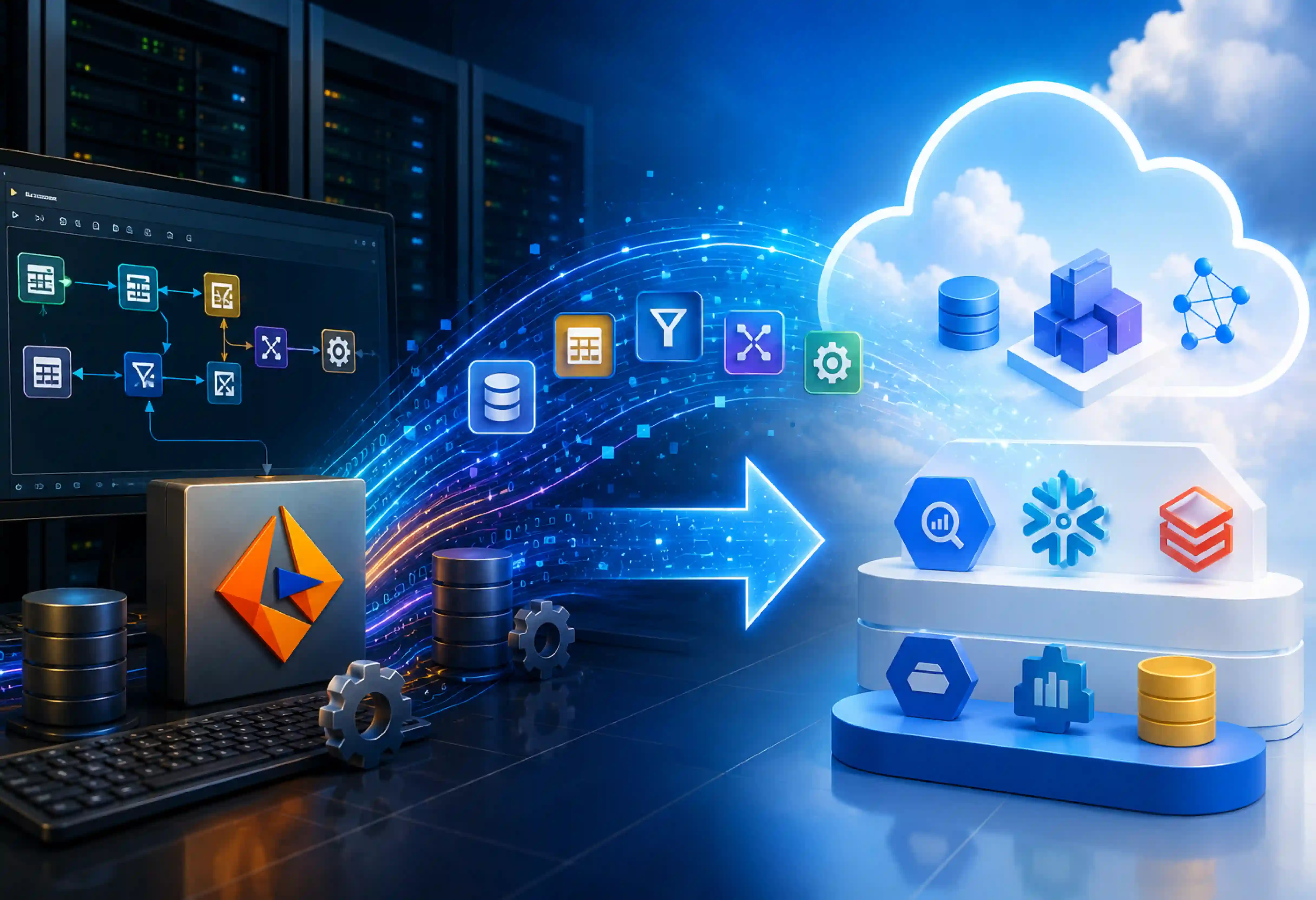
Informatica PowerCenter to Cloud Migration consists of transferring all your ETL resources running within the Informatica PowerCenter platform to the Informatica cloud infrastructure. This procedure entails migration of your ETL artifacts, mappings, and workflows. It also transfers your sessions, connections, and ETL jobs.
The goal is to modernize your data integration. You move away from aging PowerCenter environments and support constraints. Therefore, this move is a true modernization, not just a basic "lift and shift."
Why it is urgent
Informatica PowerCenter standard support ended on March 31, 2026. For enterprises still running PowerCenter, waiting creates growing pressure:
- No new features or Innovations: On-premises PowerCenter is functionally frozen and receives no new updates. It is not connected to contemporary cloud-based technology. This includes real-time AI computation, serverless scalability, and cloud-native integration.
- Higher maintenance costs: Older systems become harder to maintain, debug, and update. This obviously results in increased maintenance costs.
- Security and Compliance exposure: Updating infrastructure may require more work for maintenance. Keeping the high standards of compliance and audit readiness gets tougher and tougher.
- Increases migration risk: Big ETL estate needs discovery, mapping of dependencies, conversions, testing, and cutover planning. Delay reduces time for all that before the end of the extended support period.
The End-of-support timeline and what to do before the deadline
The date of end-of-support for Informatica PowerCenter is March 31, 2026. The extended end-of-support date is March 31, 2027. This extended support period will carry an additional charge. Furthermore, Informatica has not been selling PowerCenter to its customers since 2023.
What to do?
Begin migration immediately; use extended support just as a short-term solution where necessary. Inaction will result in security breaches, non-compliance, and a dwindling number of PowerCenter experts.
PowerCenter vs Informatica IDMC: what actually changes
Migration from Informatica Power Center to Informatica Cloud will lead to a lot of changes. There will be changes in the technology stack, the way of operation, licensing, and data integration.
| Area |
Informatica Power Center |
Informatica Intelligent Data Management Cloud (IDMC)/ Cloud Data Integration |
| Deployment |
PowerCenter is an on-premises ETL platform with a perpetual license with fixed infrastructure |
IDMC is a cloud-native SaaS platform that extends its ETL capabilities with ELT, data governance, real-time integration, and AI/ML-enabled capabilities through a subscription model |
| Data Integration |
Primarily ETL |
ETL and ELT patterns |
| Data Processing Model |
Heavy ETL focus (extracts, transforms via engine, loads) |
Hybrid ETL, ELT (pushdown optimization to cloud warehouses), and streaming |
| Infrastructure |
Customer-managed servers and software |
Informatica-managed cloud service |
| Maintenance |
Patching, upgrades, and server management handled by IT |
SaaS platform with managed updates |
| Processing Paradigm |
Primarily batch-oriented scheduled pipelines |
Real-time, event-driven, API, streaming, and batch workflows |
| Licensing & Cost Model |
Perpetual license per core/CPU + annual maintenance fees |
Consumption-based subscription using Informatica Processing Units (IPUs) |
The Operating-Model Shift
Informatica PowerCenter to IDMC migration shifts the team's core responsibility from infrastructure engineering to data delivery:
- Infrastructure maintenance: Using PowerCenter, IT teams typically manage servers, application versions, patches, upgrades, capacity, and supporting components. In this respect, the operational management burden is largely alleviated by IDMC's SaaS approach, where Informatica takes care of all the necessary platform and update management processes.
- Unified Governance: Rather than deploying different pieces of software for metadata, data quality, and enterprise cataloging separately, IDMC provides a unified management approach whereby governance policies get automatically applied.
Pricing
The financial model can also change significantly. A perpetual PowerCenter license is generally planned as a software investment, while IDMC can use consumption-based pricing tied to usage and IPUs.
Cloud migration needs a new approach to track workload consumption, set usage controls, monitor costs, and factor expected growth into their financial planning.
Your migration options (The decision most guides skip)
By assessing each workload based on complexity, business value, modernization, goals, timeline, and existing Informatica skills, migration to the cloud will give measurable results.
| Migration Option |
When to Use |
Effort |
Risk |
| CDI-PC (Cloudification) |
Immediate bridge to manage PowerCenter workloads in IDMC without converting code. Ideal for rapid cloud compliance. |
Low (Deploy Secure Agent and connect repository) |
Very Low (Zero changes to underlying ETL logic or metadata) |
| PC2CDI Modernization |
Transitioning logic natively to Cloud Data Integration (CDI) while preserving Informatica investments. |
Low-Medium (70–90%+ handled by factory tools) |
Low (Preserves validated business logic; requires regression testing) |
| Re-Architect to Cloud-Native ELT |
Complex, heavy batch mappings targeting modern cloud warehouses (Snowflake, BigQuery, Databricks). |
High (Manual refactoring into pushdown optimization or SQL/dbt) |
Medium-High (Requires rewriting complex transformations) |
| Re-Platform to Alternative Tool |
Broader IT mandates to standardize on non-Informatica tech stacks (e.g., dbt, Matillion, Azure Data Factory). |
Very High (Complete codebase rewrite from scratch) |
High (Loss of historical lineage, mapping logic, and team skill sets) |
When to stay with Informatica?
Consider not migrating when
- You have hundreds or thousands of mappings, complex transformations, and deeply embedded business logic where a manual rebuild represents unacceptable business disruption.
- Using CDI-PC and PC2CDI lets you reuse up to 90%+ of your existing mapping logic and metadata automatically, saving years of manual redesign work.
- Your engineering team already knows the Informatica paradigm; moving to IDMC requires upskilling rather than a complete hiring/training overhaul.
When to switch to alternatives?
Informatica PowerCenter migration to cloud will give measurable results when
- Your enterprise is moving away from traditional ETL engines toward software-engineering-first approaches.
- If consumption-based IPU pricing models exceed budget constraints for your specific data volumes, or if contract negotiations make staying unviable.
- Your PowerCenter environment consists mainly of simple point-to-point data movements that do not utilize complex Informatica transformations.
A phased PowerCenter to cloud migration roadmap
Migration from PowerCenter to Informatica Cloud is a complete modernization of your company's data platform. Since you have legacy systems whose support ends soon, migrating to Informatica IDMC will make your data platform future-ready. For a successful migration, here is an 8-step migration strategy for PowerCenter to the cloud migration process.
Step 1: Assess and Inventory
- The beginning of a successful migration starts with having visibility into the current situation.
- Produce a detailed report on the repository for all mappings, sessions, workflows, mapplets, UDFs, and database connections.
- Classify workloads based on their complexities, priority in business, criticality, and preparedness for migration.
- Identify custom transformations, unsupported features, external dependencies, and high-risk jobs.
- Use Informatica’s assessment capabilities and ROI calculator to estimate migration effort and potential value.
- Build the business case around licensing, maintenance, cloud costs, migration effort, and operational impact.
Step 2: Set Up IDMC foundations
After that, it is time to configure the IDMC environment for migrating the workloads.
- Firstly, create an IDMC Organization, configure Single Sign-On via SAML/OAuth, and configure Role-Based Access Control with fine granularity.
- Configure Secure Agents for secure data processing in the internal network or cloud VPC.
- Set up SSO and OAuth authentication where required.
- Policies should be implemented for encryption, RBAC, audit logging, and for GDPR, HIPAA, CCPA, and others similar to them.
- An environment for development, testing, and production should be set up.
- Encryption of data both at rest and while in transit is essential for regulatory compliance as per GDPR, HIPAA, CCPA, etc.
Step 3: Choose an Approach per workload
Not all solutions are created equally. Determine your inventory, then select the right migration approach for each workload type.
- Lift-and-shift low-priority, stable legacy pipelines to run managed directly within IDMC without converting underlying code.
- Run standard operational ETL pipelines through Informatica's automated modernization service to convert them directly into native Cloud Data Integration (CDI) assets.
- Optimize some workloads by leveraging cloud native ELT design patterns along with IDMC technologies.
- Consider choosing the solution depending on workload complexity, business importance, legacy technology debts, and risk considerations.
Step 4: Convert and Migrate Assets
With strategies assigned, begin the systematic conversion and execution process across defined migration waves.
- Run PC2CDI automated conversion for suitable PowerCenter assets.
- Review generated assets and manually rework unsupported transformations, custom logic, and complex dependencies.
- Recreate or update connections, parameters, schedules, workflows, and security settings.
- Use Mass Ingestion for suitable high-volume data movement requirements.
- Use DX Loader where relevant to the migration and data-loading scenario.
Step 5: Validate and Test
The complete process of testing ensures that the migrating pipelines are functionally equivalent bit-by-bit and helps achieve high-performance SLAs.
- Use Informatica Cloud Data Validation (CDV) to detect missing, unpaired, or redundant rows.
- Check metadata and conversion accuracy between PowerCenter and the cloud implementation.
- Perform unit, integration, performance, end-to-end, and user acceptance tests.
- Test data quality, data transformation process, interdependencies, scheduling, error management, and recovery processes.
- Document exceptions and resolve defects before production cutover.
Step 6: Cut Over
- Transition your operational workloads safely while minimizing downtime and business interruption.
- Execute cutover in scheduled application waves rather than a single big bang release.
- Define rollback procedure for each wave.
- Run legacy PowerCenter pipelines and new IDMC workflows in parallel for a designated cooling period, maintaining clear fallback procedures if anomalies arise.
- Archive historical metadata, shut down legacy PowerCenter servers.
Step 7: Decommission
- Monitor production jobs closely after each cutover.
- Decommissioning can stop unnecessary PowerCenter operating and maintenance costs.
Step 8: Optimize and Govern
Migration does not end at cutover. Maximize value by establishing long-term governance and operational efficiency. Post-migration work should focus on getting lasting value from the cloud platform.
- Track IDMC consumption and right-size workloads to control ongoing costs.
- Establish data governance, lineage, metadata management, and access policies.
- Use Cloud Data Governance and Catalog to improve visibility into data assets and lineage.
- Monitor pipeline performance, failures, usage, and data quality.
- Train teams on IDMC, cloud-native data integration patterns, governance, and operational practices.
Migration tools and automation, decoded
PowerCenter-to-cloud migration does not have to mean manually rebuilding every mapping and workflow.
Where Third-Party Accelerators Fit
Third-party tools such as Next Pathway and Leapwork/LeapLogic can help translate ETL logic and accelerate migration across complex legacy estates. They can add value when native conversion tools have limited coverage, when multiple platforms are involved, or when the target platform is not Informatica IDMC.
How much does Automation really do?
Automation can handle a share of repetitive migration work. Around 90% automation, such as complex transformations, custom logic, unsupported features, dependencies, performance tuning, and business-specific rules, can require human rework.
What automated conversion will not do (Limits and Rework)
- Some custom or highly nested transformations may need manual redesign.
- Some components may not have a direct cloud equivalent and require alternative logic.
- The mapping that is built on highly customized SQL overrides provided by vendors (such as PL/SQL or T-SQL functions) is not possible to parse automatically and requires manual SQL refactoring.
- Legacy adapters that are no longer supported any more (including old mainframe connectors or third-party plugins) will be dropped during conversion.
- Automation cannot understand the complex rules involved.
- Cross-workflow dependencies, scheduling logic, and external scripts may require manual review.
- Environment-specific parameters, variables, and runtime configurations may need adjustment.
- Cloud agents enforce tighter schema strictness and data-type validations.
- Automated tools convert PowerCenter into traditional row-by-row ETL mappings rather than taking advantage of modern cloud warehouse pushdown optimization.
- Roles, access policies, encryption, audit controls, and governance settings need separate configuration.
- Automated conversion cannot replace functional, integration, performance, regression, and user acceptance testing.
- Duplicate, outdated, or poorly documented PowerCenter assets may need manual cleanup before migration.
- All the workload must go through technical review and validation of the business logic before moving to production.
Cost and ROI: What a PowerCenter migration really costs
An Informatica PowerCenter-to-cloud migration involves two core costs: One-time migration services - $50K - $300k and ongoing IDMC consumption fees via Informatica Processing Units (IPUs).
However, ROI is achieved quickly. Moving to IDMC delivers 30% to 50% TCO savings by eliminating legacy hardware, costly server upgrades, and ongoing OS patching.
Power migration costs depend on the number of mappings and workflow complexity, data volumes, conversion approach, testing, and target platform.
Data validation, governance, and compliance during migration
Migration from Informatica PowerCenter to Informatica Cloud requires strict data validation and compliance to prevent business disruption and security breaches. Teams should compare source and target records, metadata, transformations, and business results to identify missing, unmatched, or extra data.
Cloud Data Validation can support automated reconciliation, while functional, performance, and user acceptance testing confirm pipeline accuracy. Governance should cover data ownership, lineage, access controls, encryption, audit logs, and retention policies. Compliance requirements such as GDPR, HIPAA, and CCPA should be mapped to migration controls from the start.
How to choose a PowerCenter to cloud migration partner
The best partners for Informatica PowerCenter to Cloud migration must satisfy the following qualities.
- Look for a Migration Partner who has proven experience with complex PowerCenter estates, including mappings, workflows, sessions, transformations and dependencies.
- Check out the IDMC hands-on expertise with Informatica IDMC, Cloud Data Integration, CDI-PC, PC2CDI and related services.
- Look for a clear process covering discovery, assessment, conversion, testing, cutover and decommissioning.
- Check how the migration partner uses automated discovery, conversion, metadata migration and validation tools.
- Review their approach to RBAC, encryption, SSO, audit controls, GDPR, HIPAA, CCPA, and other applicable requirements.
- Prefer partners who can mix CDI-PC, PC2CDI, re-architecture, and re-platforming based on workload needs.
- Ask how they handle parallel runs, rollback plans, downtime, and production cutover.
- Choose a partner that balances PowerCenter knowledge, cloud skills, automation, migration experience, and long-term support rather than focusing only on price.
Where PowerCenter migrations go wrong (and how to de-risk)
The challenges may arise in Informatica PowerCenter to cloud migration, such as incomplete discovery, dependencies, weak testing, and choosing the same migration approach for each workload.
- Treating every workload the same: Migration is carried out in the same way for every workload. We need to treat every workload very differently. To overcome this, classify the workloads based on complexity, criticality, dependencies, and business value. Use CDI-PC for workloads that need minimal change.
- Incomplete PowerCenter Discovery: Teams migrate mappings but overlook workflows, sessions, connections, schedules, parameters, external scripts, or downstream dependencies. To overcome this, build a complete inventory before conversion. Map dependencies between pipelines and applications.
- Business Logic: Mapping conversion through automation tools can produce different results. This may arise because business rules were misunderstood or changed. To overcome this, document important business rules before migration, and compare source and target outputs.
- Underestimating data validation: Teams check whether pipelines complete successfully but do not verify whether the resulting data is correct. To overcome this, check missing, unmatched, and extra records. Validate transformations and aggregations. Use cloud data validation wherever appropriate.
- Weak Security and Governance Planning: Security and governance are addressed late, creating delays or compliance gaps before production cutover. To overcome this, define RBAC and access policies early. Configure SSO and authentication requirements.
Accelerating a safe PowerCenter migration with Entrans
With Informatica PowerCenter reaching end-of-support, building an in-house migration capability is a high-risk delay. Building in-house will increase budget and lead to missed SLAs. Choosing a migration partner like Entrans accelerates a safe transition using AI-driven repository assessment, automated code conversion, and expert logic refactoring.
- Our migration specialists bring experience across data-platform modernization and cloud migration.
- We de-risk the move by utilizing a proven track record in data-platform modernization and large-scale cloud migrations to transform complex enterprise data estates with minimal business disruption.
Beat the end-of-support deadline with confidence!. Book a consultation call with us.






-1.svg)