Migrate SSIS packages to Azure Data Factory with a per-package call on lift, rewrite or retire, real runtime costs, and what breaks on the way across.

Agentic Unconference 2026 - September 19, Chennai
View Event →




Your SSIS estate works. That is the problem. Hundreds of packages have run nightly for a decade, and the people who wrote them have moved on. Now a datacenter contract or a SQL Server end of support date says the packages have to move.
So you go looking for the button that will migrate SSIS packages to Azure Data Factory. What you find is documentation that explains the mechanics well and never says which packages deserve the trip.
That decision is where the money is. Lift the wrong package and you pay a cloud run rate to host the same fragility. Rewrite the wrong one and you spend six weeks on a job nobody reads.
This article gives you three things the ranking pages do not. A triage matrix that routes each package to lift, rewrite or retire. A real monthly run rate for the integration runtime, with the arithmetic shown. And a list of what actually breaks on the way across.
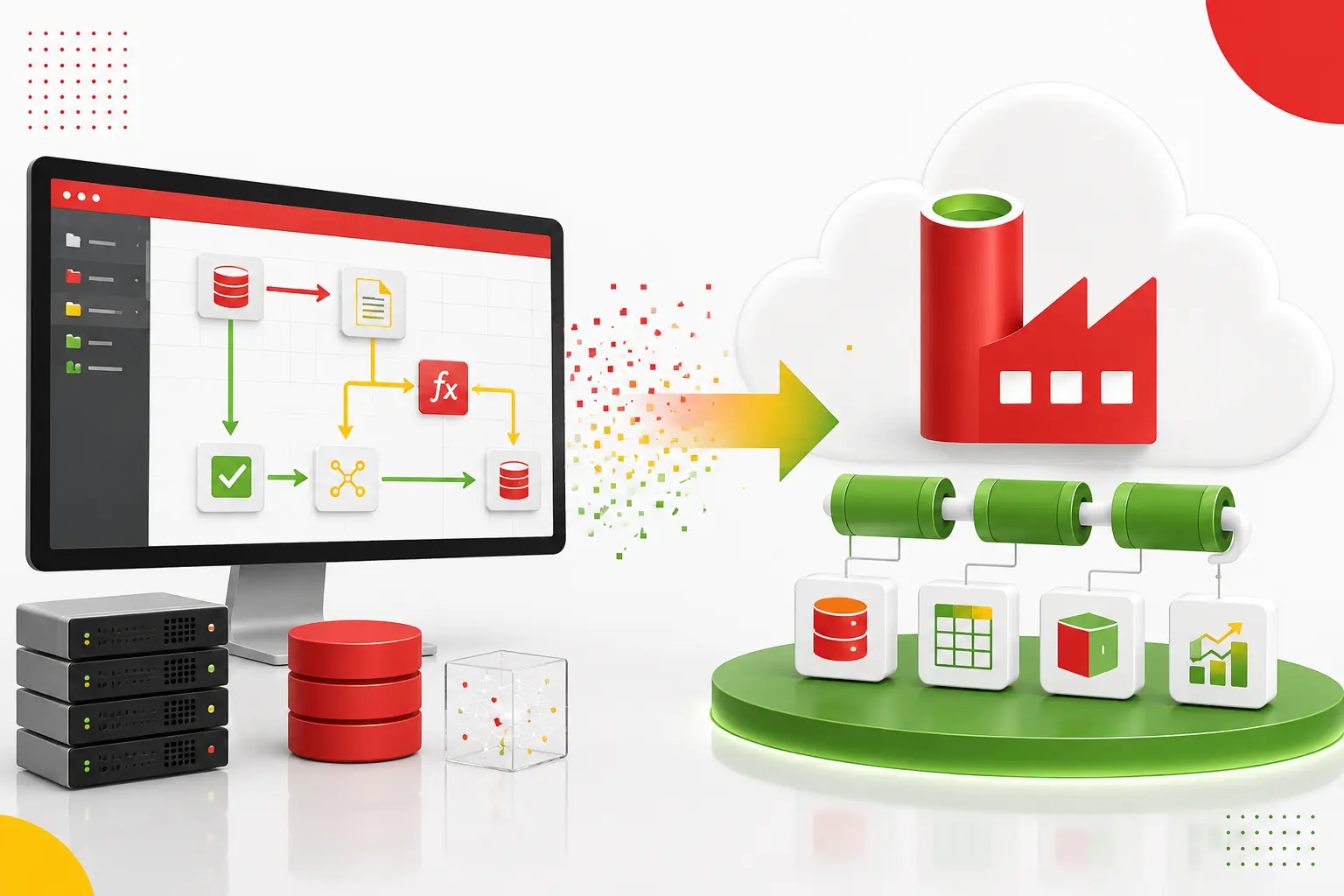
To migrate SSIS packages to Azure Data Factory means running your existing SQL Server Integration Services workload in Azure. Two routes exist. Lift and shift runs packages unchanged on the Azure-SSIS Integration Runtime. A rewrite rebuilds each package's logic as native Data Factory activities. Most estates need both.
Microsoft's SSIS in Azure overview frames the change in one line. The significant difference from on-premises SSIS is the separation of storage from runtime. Your packages live in a catalog database in Azure. The engine that runs them is a cluster you size and pay for by the hour.
That split is why the two routes cost such different amounts. Lift and shift keeps the engine, so you keep a bill that runs whether or not anything executes. A rewrite drops the engine and pays per pipeline run instead.
Most guides on this topic cover the first route and treat the second as a footnote. The reader ends up with a click path and no position on the only question they own.
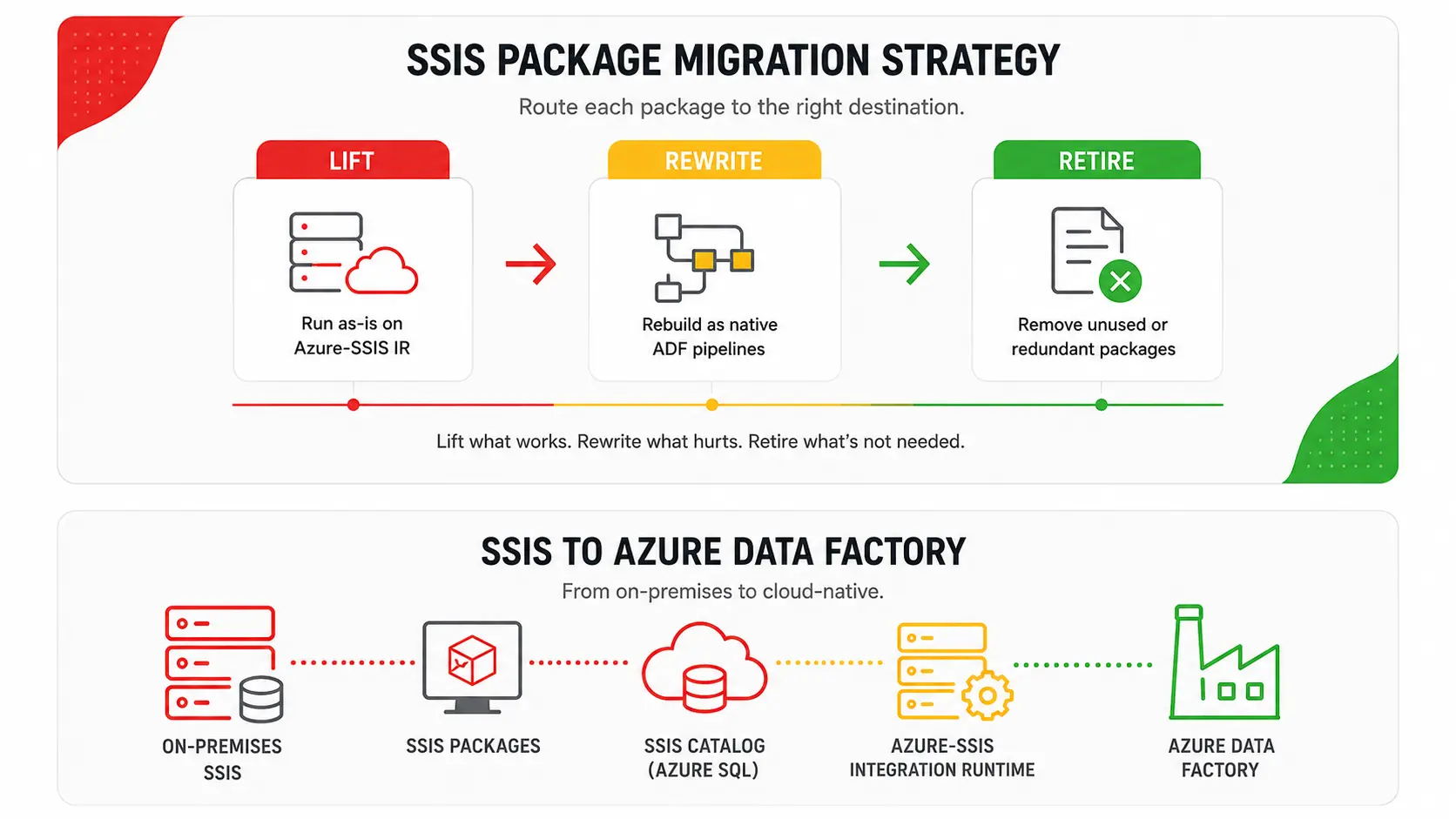
Route each package on its own. Estate-wide calls are what produce a migration nobody is happy with, because one estate usually holds packages that belong in three different buckets.
The attributes that decide a route are observable. You can read most of them out of the package XML and the job history without opening Visual Studio. Use the table as a triage sheet. Walk the inventory once, tag every package with a route, then sequence the work by route rather than by business area.
The retire row is the one people skip. It is often the fastest return in the project. In a decade-old estate, some share of packages write to tables no report reads anymore, and finding them costs one query against your BI tool's usage log.
A warning about how this decision gets framed elsewhere. Several guides present infrastructure as a service against platform as a service, SSIS on an Azure VM against the managed runtime, as though that were the migration decision. It is a hosting choice. You can make it well and still have moved a fragile package you should have rewritten or switched off.
Build the package inventory first. It feeds every other decision in the project. Provisioning a runtime before you have one means sizing a cluster against a workload you never measured.
There is a wrinkle here that catches teams out. Microsoft's own SSIS migration overview still tells you to get Data Migration Assistant, or DMA, and assess your packages with it. The same section carries a callout saying the tool is deprecated.
It is worse than deprecated. Microsoft's DMA retirement notice puts the date at July 16, 2025. It points instead at Azure Database Migration Service and the Azure SQL migration extension for Azure Data Studio. Neither does package-level triage.
So the inventory is yours to build. Capture these per package, because each one maps to a column in the triage table.
Then check whether each package still does anything. A package can report success while reading and writing nothing. That happens when a source view was renamed years ago and the error was swallowed.
Job history will not show you this. Row counts and destination write timestamps will. In our cloud and data engineering work the dead-package share usually surfaces in week one, and it reshapes the plan.
Lift and shift SSIS to Azure in four moves. Provision the runtime, stand up the catalog, redeploy the projects, then repoint the schedules.
The catalog goes on Azure SQL Database or Azure SQL Managed Instance. Both work. Microsoft is explicit that you have to provision the catalog and the runtime before you can deploy or run anything. Managed Instance is the right host when you also need SQL Agent, cross-database queries, or CLR that Azure SQL Database will not give you. Otherwise Azure SQL Database is cheaper to run and simpler to patch.
Then redeploy. Here is the requirement that no third-party guide on this topic states, and it is the most common surprise in the exercise. Microsoft requires the project deployment model, not the package deployment model, for a catalog in Azure. If your packages are configured through package configurations rather than project parameters, that whole layer has to be rebuilt before anything runs. Deployment also upgrades each package to the current package format, so version pinning is not an option.
Once the projects are in, an ADF pipeline calls each one with the Execute SSIS Package activity. A schedule trigger replaces the SQL Agent schedule. The SSMS job migration wizard handles the bulk conversion of Agent jobs, with one constraint worth knowing first: it supports a package location of file system only.
The runtime bills per node per hour whenever it is not stopped. Microsoft's Azure-SSIS pricing adds two details: usage bills in per-second increments, and the catalog database is paid for separately. Two switches decide most of the bill. Which license option you pick, and whether the cluster runs all month or only during its batch window.
Rates below are East US pay-as-you-go in US dollars, checked in August 2026. They vary by region and they change, so the arithmetic is the reusable part.
Read the last three rows again. The same two-node Enterprise cluster costs $5,961 a month or $417 a month. That is a fourteen-fold spread, and the workload never changed.
The license lever is the bigger surprise. Azure Hybrid Benefit lets you bring a SQL Server license you already own, and its hourly rate is the same for Standard and Enterprise. A D8 v3 node costs $4.083 an hour with an Enterprise license included and $1.158 with hybrid benefit applied. If this project retires on-premises licenses anyway, the edition premium disappears.
The scheduling lever is easier and gets forgotten. A nightly batch estate does not need a runtime awake for 730 hours. Start the cluster before the window and stop it after. Put that in the pipeline, not in a runbook nobody maintains.
Four things break when migrating SSIS packages to Azure Data Factory. None of them appear in the body copy of the guides that rank for this topic.
Components you did not write. A fresh node has no custom, open-source or third-party components on it. Adding them means a standard custom setup. That is a script named main.cmd at the top level of a blob container, with its files alongside it. The runtime reaches the container through a SAS URI carrying read, write and list permission.
Two limits matter. Custom setup times out after 45 minutes, including download time. If you install assemblies into the GAC, you have to ship gacutil.exe yourself. Microsoft also names outright exclusions, among them administrative shares and the IBM iSeries Access ODBC driver.
Anything that assumed a Windows machine you controlled. Sources still on-premises need a self-hosted integration runtime or VNet injection to be reachable at all. File shares under Windows authentication need explicit configuration. Protection levels encrypted with a user key stop decrypting the moment the executing identity changes, which it does.
Schedules, quietly. The SSMS job migration wizard is useful, and it drops things without stopping. Built-in Agent jobs are out of scope. Execution options other than Use 32-bit runtime are ignored. Verification defined in a job step is ignored.
Second-level schedule intervals go too, along with "start automatically when SQL Server Agent starts" and "start whenever the CPUs become idle". One behavior change deserves its own test. An ADF schedule trigger fires whether or not the previous run finished. SQL Agent's daily frequency did not.
Region availability. The runtime is not offered in every Azure region. Confirm yours before the landing zone is signed off.
Start with the correction, because half the pages on this topic imply otherwise. Nothing converts SSIS package logic into native, editable Data Factory pipelines. Microsoft's supported path runs your packages as they are. The job migration wizard converts schedules into pipelines and triggers, not transformations into activities. A rewrite is hand work, and any plan that assumes a tool will do it is already late.
Mapping Data Flows is the usual native target, and a real one for set-based work. It is weaker where SSIS was strongest: row-by-row logic and custom scripting inside a data flow. Test one representative package before committing a family of them.
The payoff shows up in operations rather than at cutover. On one insurance data platform modernization, a Virginia carrier came off on-premises Oracle with 14-hour ETL windows across a 45TB environment. The fragile PL/SQL procedures were replaced with modular ELT pipelines rather than moved.
That Oracle to Snowflake migration moved 4,500 tables and 12B+ rows. It now runs nightly loads and backfills at a 99.9 percent success rate, with an 85 percent drop in DBA maintenance and manual tuning. The cutover was two weekends. The 85 percent is the part that repeats every month.
So sequence it this way. Rewrite the packages that already hurt, lift the ones that work, and switch off the ones nobody reads.
Send the packages to Azure Data Factory. Fabric is a candidate for what you rewrite, not for what you lift.
The reason is specific. Data Factory in Microsoft Fabric does not run SSIS packages. Microsoft's own Fabric migration guidance tells Fabric customers to execute SSIS packages using Azure Data Factory pipelines and call them from Fabric. The Azure-SSIS IR is still the only managed way to run a package you did not rebuild.
Microsoft does call Fabric Data Factory the next generation of Azure Data Factory, which is why the question keeps coming up. It has published no retirement date for Azure Data Factory. Treat Fabric as the destination question for your rewrites, and weigh it as you would any ETL cloud migration target. Do not hold a datacenter exit hostage to a platform debate.
There is no honest single number, and package count is the weakest predictor in the set. An estate of 400 simple packages against three source systems moves faster than 80 packages against 20.
Four drivers set the calendar.
Sequencing shortens the calendar more than staffing does. Inventory and triage come first. Then run one thin end-to-end slice, a single package through a provisioned runtime into a real destination, so the plumbing arguments happen once. Clear the retire list next. Group the remaining batches by source system.
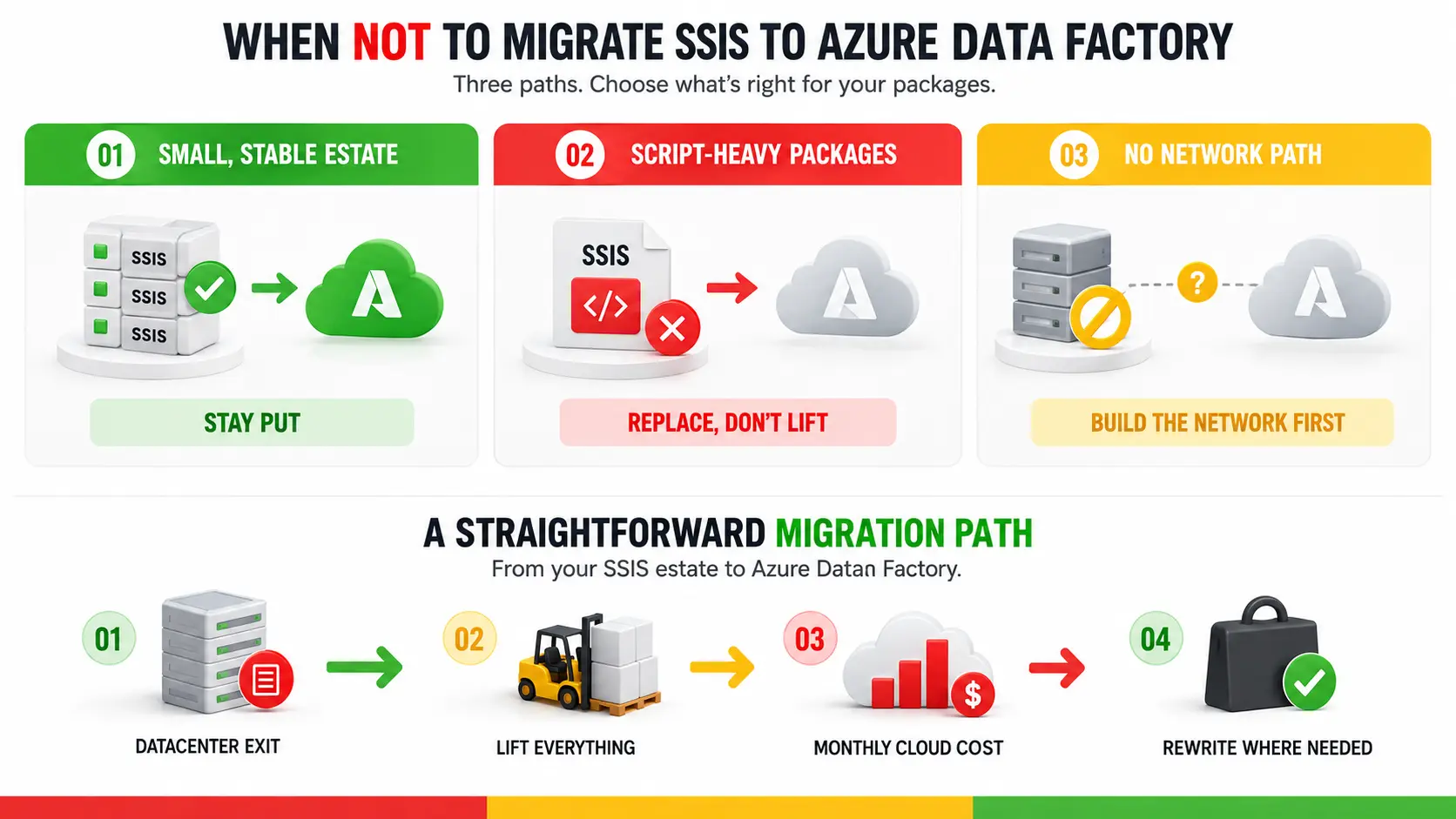
Three conditions where the decision to migrate SSIS packages to Azure Data Factory is the wrong one.
A small estate on a supported SQL Server with years of support left. Thirty packages that run in an hour do not justify a runtime and a migration project. The run rate plus the engineering time costs more than you get back. Better: stay put, and revisit at the license renewal or the hardware refresh, whichever lands first.
Packages that are mostly script tasks and custom components. Lifting these keeps every bit of the fragility and adds a cloud bill and a setup script on top. Better: replace the integration rather than migrate it, and treat the package as a specification rather than an asset.
Sources that are all still on-premises with no network path in place. You will pay for a cluster that waits on a hop through a self-hosted runtime. Every performance conversation will be about the network. Better: land the Azure network and the data platform first, following the usual on-premises to Azure migration sequence, then bring the packages.
One thing we would advise a client against, plainly. Do not lift the whole estate to hit a datacenter exit date on the promise of rewriting later. Once the packages run in Azure the rewrite stops being urgent and the budget goes elsewhere. You have bought a monthly bill for the architecture you were trying to leave.
If the inventory is the part you keep deferring, that is the part worth buying. Entrans runs a two-week SSIS migration assessment. We inventory every package against the attributes that decide its route, hand back a triage list with a per-package call of lift, rewrite or retire, and size the runtime and its monthly run rate against your real batch window rather than a default. One recent insurance data platform modernization moved 4,500 tables and 12B+ rows, and now runs nightly loads at a 99.9 percent success rate. Talk to an Entrans architect and bring your package count.

No. Microsoft still documents and supports running SSIS packages in Azure on the Azure-SSIS Integration Runtime, and it updated that migration guidance in March 2026. What has moved is where new capability lands. Microsoft now calls Data Factory in Microsoft Fabric the next generation of Azure Data Factory and invites existing workloads to upgrade.
Lift and shift a package when it works, its components are supported in Azure, and the business value is the datacenter exit. Rewrite it when it is slow, fragile, or built on script tasks and custom components. The choice belongs to each package rather than the estate, which is why inventory comes before any provisioning.
No. Nothing converts SSIS package logic into native, editable Data Factory pipelines. Microsoft's supported path runs packages as they are on the managed SSIS runtime inside Azure Data Factory. The SSMS job migration wizard converts SQL Server Agent jobs and schedules into pipelines and triggers, not transformations into activities. Rebuilding a package as native activities is manual work.
It bills per node per hour while running, in per-second increments, and the database hosting the catalog is billed separately. In East US in August 2026, one Standard D4 v3 node costs $0.969 an hour with a SQL Server license included, or $0.579 with Azure Hybrid Benefit. Left running, that is roughly $423 a month.
No. Hosting the SSIS catalog on Azure SQL Managed Instance gives you a catalog, not an execution engine. Microsoft's guidance is that you must provision both the SSIS catalog and its integration runtime before you can deploy and run packages in Azure. That runtime lives inside Azure Data Factory, so it is required either way.
Only after you install them. A newly provisioned runtime carries none of your custom, open-source or third-party components. You add them with a standard custom setup: a main.cmd script and its files in an Azure Storage blob container, reached through a SAS URI. Custom setup times out after 45 minutes.
Migrate the packages to Azure Data Factory. Data Factory in Microsoft Fabric does not run SSIS packages, and Microsoft's own upgrade guidance tells Fabric customers to execute them from Azure Data Factory pipelines and call those from Fabric. Microsoft has published no retirement date for Azure Data Factory, so no deadline forces the question.
There is no single figure, and package count is a weak predictor. Effort tracks the number of distinct source systems, the share of packages needing a custom setup, whether usable test data exists, and the parallel-run window the business will fund. Inventory first, then estimate against those four drivers.

-1.svg)