NetSuite cloud ERP modernization and migration from legacy systems: the phased roadmap, data decisions, costs, and how to pick a partner.

Agentic Unconference 2026 - September 19, Chennai
View Event →





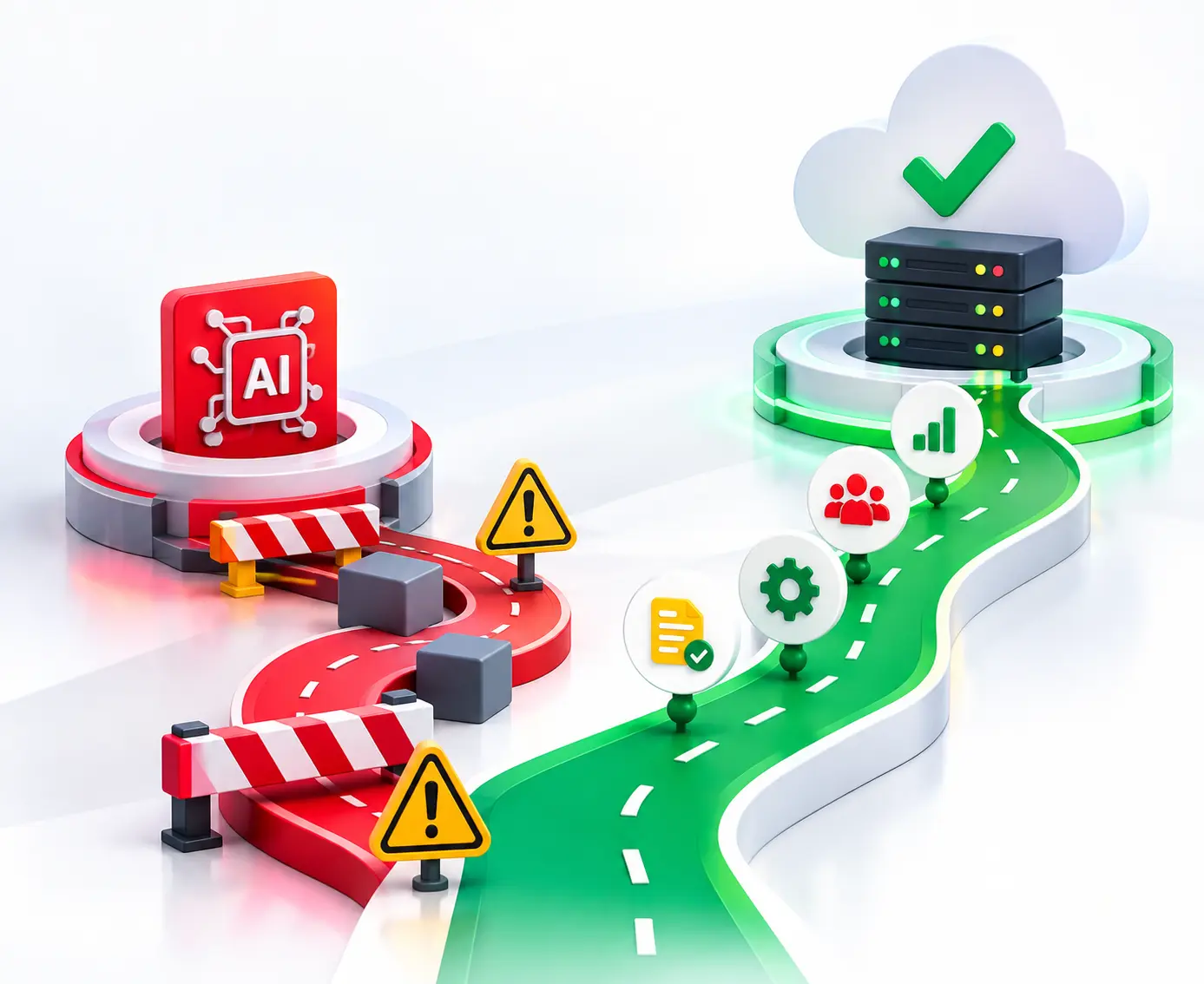
Do you agree that a company obviously reaches its tipping point where its legacy software stops growing and starts acting as an anchor? Outdated ERPs, fragmented databases, and endless spreadsheets make it even worse. Legacy system migration to NetSuite gives you a chance to rethink those processes. The main aim of NetSuite ERP modernization is about cleaning up what you have, redesigning it, and building a better way to run the business.
This post uncovers the step-by-step strategy for NetSuite cloud ERP modernization and migration from legacy systems.
NetSuite Modernization and legacy migration mean moving data from an outdated system to NetSuite. It enhances inflexible workflow processes and substitutes them with spreadsheet-driven intelligent analytics. The aim here is to make things simpler and build a better platform for future growth.
Though legacy ERP systems run core business processes, they often become harder to maintain. Disconnected applications, manual work, outdated customizations, and slow reporting make it even worse. Moving to Oracle NetSuite makes them think about how their ERP works instead of simply replacing old systems. The main reasons to consider migrating are
NetSuite may just be perfect for you if your current ERP and QuickBooks setup are hindering your business from growing and reporting. But before choosing NetSuite, it is better to be aware of the following questions.
The basic differences between legacy ERP and NetSuite are:
Migrating from legacy ERP to NetSuite will make us rethink how work gets done by adopting proven practices. We are going to redesign NetSuite.
NetSuite's SuiteSuccess methodology enables this transformation. It is basically a phased implementation methodology built around leading practices and prebuilt industry editions. Teams use established workflows, configurations, and industry-specific capabilities as a starting point. For companies scaling off QuickBooks, SuiteSuccess Financials First offers the ideal stepping stone, establishing robust financial controls and real-time visibility before expanding into supply chain or CRM functionality.
A typical modernization program follows a greenfield approach:
Migrating from legacy ERP to NetSuite represents a shift in operations. With a well-planned process, we will be able to reduce disruptions, maintain data consistency, and fine-tune our operations to make them scalable.
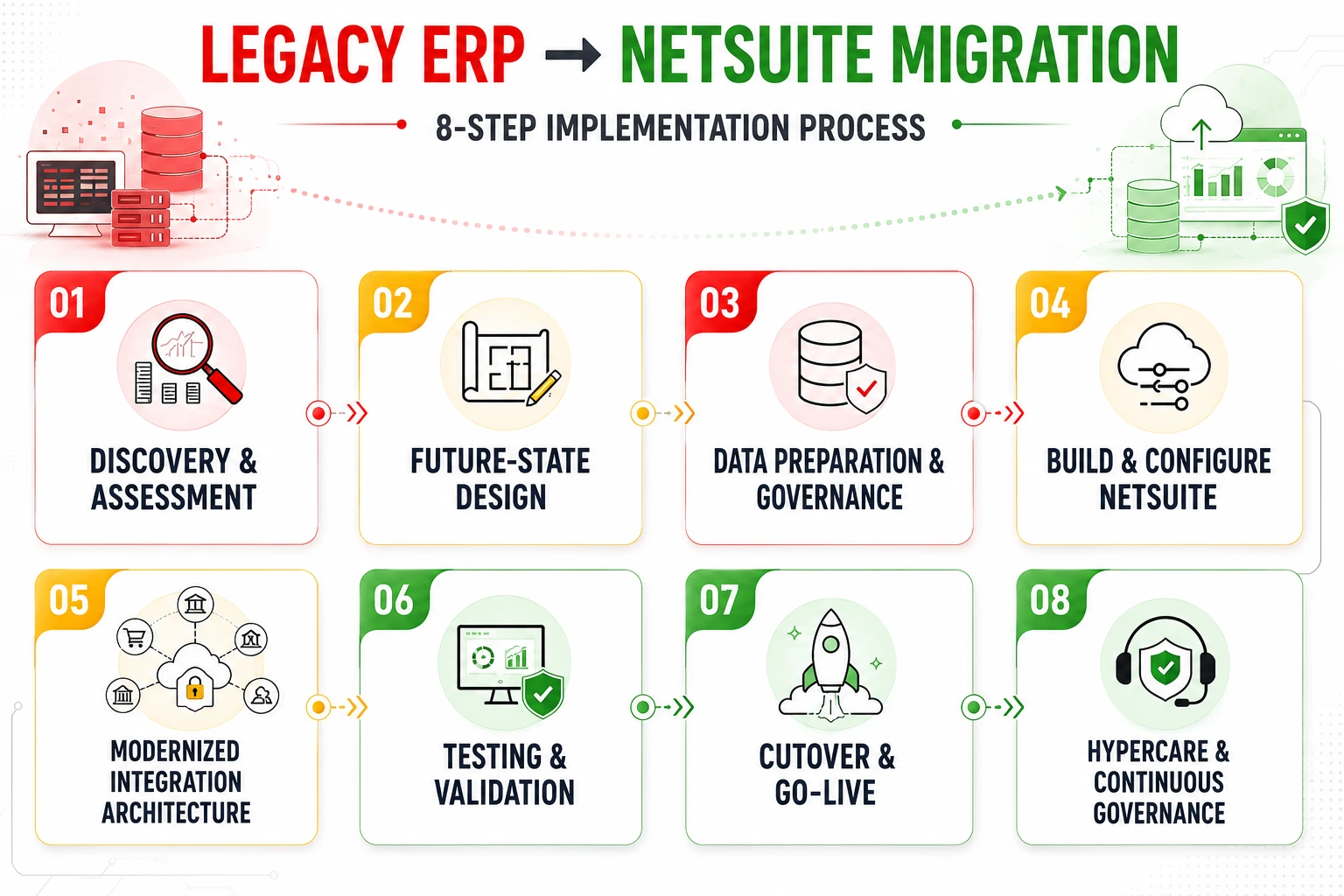
The first thing that needs to be done for a successful migration is the evaluation of the existing state of affairs. The ERP systems, applications, databases, and integrations should be audited. Workflows should be defined from end to end. Existing issues should be detected.
Next, we need to design the future state around industry-leading practices. This defines how the business should operate in NetSuite. Map current processes to NetSuite leading practices. Align workflows to standard NetSuite processes to minimize custom coding.
Create the account structure, sub-accounting systems, job functions, access levels, and security system. Consider the security of the API for connections from outside programs such as CRM, e-commerce, and banking. Define access levels based on role-based permissions and segregation of duties.
Data quality is an important factor that can make or break a migration. Audit and remove outdated customer records. Map legacy fields to NetSuite native data schema. Ensure consistent definition of data across all departments through standardization. This should be done through the creation of a data dictionary, which will provide field definition, data source, and mapping information.
Use the relevant SuiteSuccess edition as the starting point for configuration. Deploy industry-specific SuiteSuccess templates. Use SuiteCloud tools (SuiteScript, SuiteFlow) strictly for processes that provide a true competitive advantage. Set up financials, subsidiaries, workflows, roles, dashboards, and other required capabilities. Avoid recreating every legacy customization. Tailor user interfaces and role-based dashboards to match functional responsibilities.
The legacy interfaces are built on older technology, custom scripts, or point-to-point connections. Build the integration afresh based on the new NetSuite architecture by using SuiteTalk, REST APIs, or iPaaS systems like Celigo and Boomi. Test data flows, error handling, authentication, and business logic in the connected applications.
The testing should be done based on the migration cycles and not during the last cutover period. By performing the testing, you will be able to be sure of how the platform will operate in the real world. Perform the data loading test in a dry run to help improve your mapping and scripts.
Perform the UAT test of your daily activities and edge cases. Run detailed balance checks to ensure migrated financial data matches source legacy records. Execute a trial financial close simultaneously in both systems to confirm accounting accuracy.
Execution during go-live requires meticulous timing to minimize operational downtime. Select a low-traffic time for the final migration phase. Lock the transaction process in the old system, perform the final data migration, verify balances, and move all integrations to NetSuite. Have a documented rollback plan in case any serious problems occur. Maintain the old ERP in read-only access mode.
Post-go-live support ensures operational stability and rapid user adoption. Provide real-time support to address user issues, system tweaks, and edge-case fixes. Enforce the data management standards established in Phase 3 from day one. Once operations settle, shift from hypercare to ongoing governance. Keep data ownership, quality rules, access reviews, change control, and process reviews in place from day one.
Legacy data migration can be the fastest way to spoil your NetSuite implementation. The use of legacy data inflates your budget, delays your project, and fills your brand-new cloud ERP system with out-of-date formats and duplication.
NetSuite data migration (best practices) requires a strict execution sequence: Loading master data (customers, vendors, items), followed by open transactions, and finally summary history.
A clean import log does not guarantee accuracy. It is mandatory. Create reconciliation reports for accounts receivable/payable, trial balance, inventory, and bank balance, followed by approval by the business. The absence of an error in the import log simply indicates that the data was successfully imported.
Each of the legacy systems comes with its own set of structural problems that may arise during migration to NetSuite. It varies depending on the system from which you are migrating.
QuickBooks migration focuses on customers, vendors, accounts, open invoices, bills, payments, items, and opening balances. The key challenge is restructuring flat class/department tracking into NetSuite’s multi-dimensional segments (Subsidiaries, Classes, Departments, Locations).
Sage accounts can include records spanning many years that relate to finances and operations in various versions. The first step is to map out the chart of accounts, customers, vendors, products, and any open transactions. Be very diligent about tax codes, currency, fiscal periods, and historical balances.
Migration of Dynamics may require more complex architectures, customizations, workflows, and linked applications. Carefully map the entities and customizations before you determine what functionalities will be re-engineered within NetSuite and what functions of the legacy system will become obsolete.
SAP data migrations generally entail more elaborate planning due to the sheer magnitude and intricacies involved in financial, supply chain, procurement, and master data. There is a need to define proper migration boundaries and focus on active master data, transactions, balances, and compliance history.
Data validation and relationships cannot be accomplished in spreadsheets. You need to normalize the data for its inconsistencies, find any duplicates, and enforce proper data governance before importation.
Migration cost and time schedules for NetSuite will be dependent on the number of entities and modules required, as well as the amount of data to be migrated, among others. Realistically, an average project will take between four and six months for deployment to occur.
It must go beyond software savings. Evaluate speedier financial close, reduced manual activities, enhanced reporting, decreased legacy system maintenance, higher data quality, and increased scalability. Make the case based on quantifiable before-and-after differences, assuming realistic estimates for effort within your organization and continuing NetSuite expenses.
The success of NetSuite migration services depends on human resistance and poor adoption. Users should become familiar with spreadsheets, legacy screens, and established workarounds. User adoption should happen earlier with clear communication about the things that get changed. They should also be informed of how daily work will be affected.
Training must be oriented to real responsibilities and procedures rather than product characteristics. Those whose responsibility is finance, sales, procurement, and operations activities must practice what they normally do. Super users will assist in answering questions, give feedback, and help their colleagues switch over.
Some common mistakes that can derail a project are
A successful legacy ERP to NetSuite migration requires business ownership, training, repeated testing, and post-live support.
Migrating to NetSuite is rarely a simple lift-and-shift task. Many companies are moving from a legacy ERP through a greenfield re-implementation, while also handling data migration, integrations, testing, user training, and change management. But now the question arises: which one to choose, either in-house or a NetSuite migration partner?
Choose In-house teams if the team knows how to tackle the business but often lacks the specialized NetSuite, data migration, and transformation skills needed to manage all the pieces together. A capable NetSuite migration partner fills those gaps and helps the internal team stay focused on day-to-day operations.
A good partner should first assess your systems, data, customizations, integrations, and target-state requirements before proposing the migration plan.
Entrans brings together AI-assisted data cleansing and migration, a reconciliation and validation harness, and expertise across NetSuite, data engineering, and change management.
Ready for a seamless, low-risk ERP transition? Book a consultation call with us.

NetSuite ERP modernization refers to the process of modernizing traditional systems and methods by shifting them to the cloud-based NetSuite ERP system.
On the other hand, NetSuite ERP migration from legacy systems is the process of migrating the existing data and applications to the NetSuite ERP system.
Legacy-to-NetSuite migration timelines vary based on data volume, number of source systems, and complexity. Typically, small to midsize businesses take a few months to complete. Larger enterprises often take 12 months or more. Data cleansing and validation, not the load itself, usually drive the timeline.
NetSuite migration costs 10 to 15 percent of the overall ERP budget. It varies based on data volume, customizations, integrations, modules, and the complexity of reimplementation.
From legacy systems, we need to migrate master data (customers, vendors, items, chart of accounts), transactional data (open invoices, purchase orders, sales orders, and balances), and historical data (prior financials and summary trial balances needed for reporting, audits, and compliance).
NetSuite data migration primarily relies on native features like the CSV Import Assistant (for standard entity/transaction records) and SuiteTalk REST/SOAP Web Services or RESTlets (for custom API-driven scripts). The right tool depends on data volume, complexity, source system, and the type of records being migrated.
Yes. Moving to NetSuite is typically treated as a greenfield re-implementation because business processes are redesigned to fit modern cloud standards rather than copying legacy workflows. SuiteSuccess is NetSuite’s industry-focused implementation methodology.
NetSuite migrations fail due to poor data quality, weak mapping, excessive customization, inadequate testing, and business requirements. One can de-risk migration by enforcing strict data reconciliation across multiple sandbox cycles and aligning workflows to SuiteSuccess standard practices.

-1.svg)