What on-prem to GCP migration means
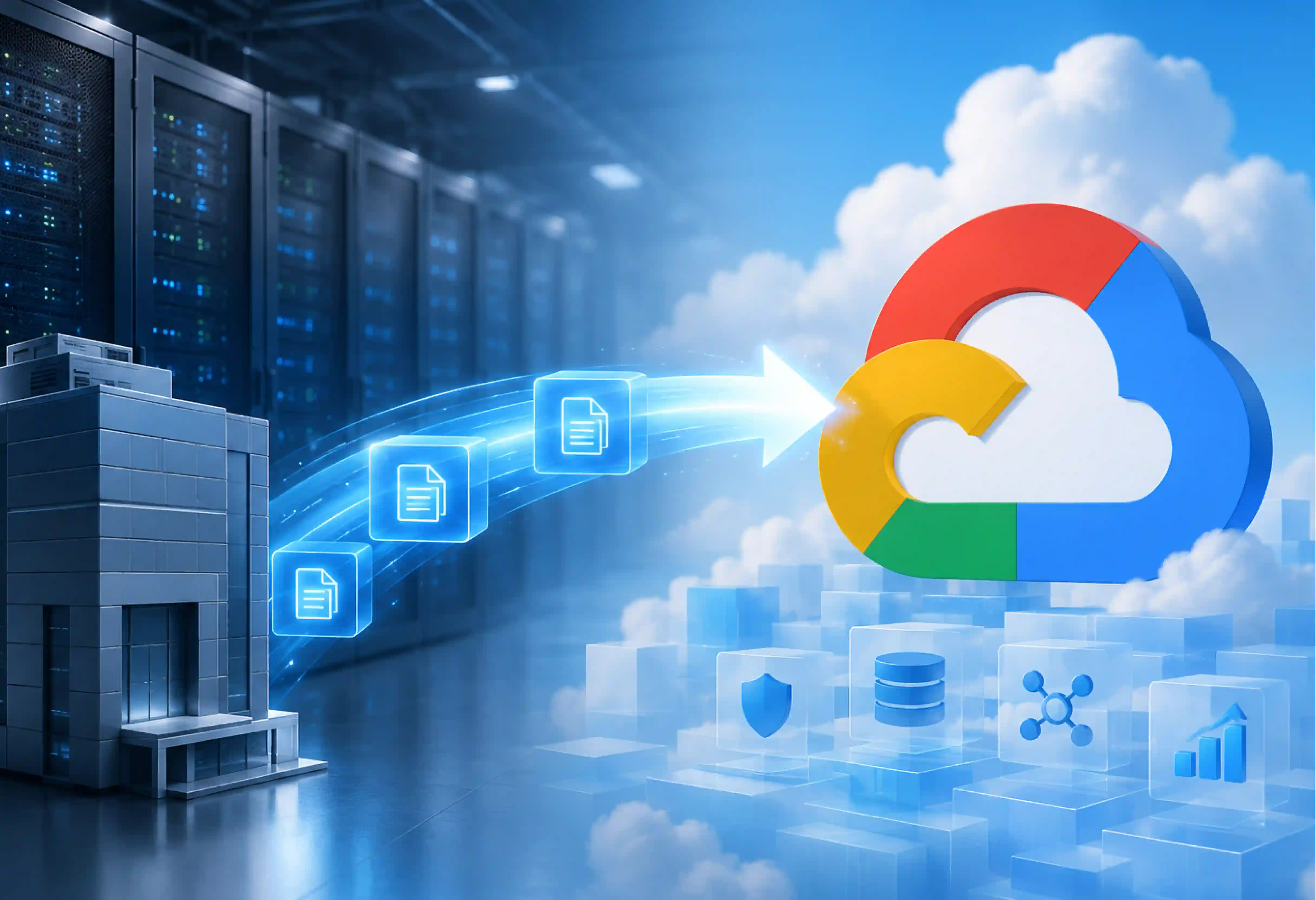
On-Prem to GCP migration involves moving several critical elements. The software applications, servers, databases, and IT management are moved to Google Cloud.
This move provides high scalability and reduces hardware maintenance costs. It also increases security and gives access to advanced AI and data analysis tools.
Why enterprises are moving to Google Cloud
With an increase in market demand, businesses find it tough to keep traditional infrastructure. Google Cloud offers several key benefits.
- Scaling: Businesses need to adapt quickly. Google Cloud lets applications scale up during peak traffic. This flexibility helps sustain performance without extra hardware investments.
- Lower Infrastructure and Operating Costs: There are costs involved in maintaining the hardware in the office since there are costs associated with the hardware, including electricity, cooling, and maintenance. The company, Google Cloud, usesthe pay-as-you-go pricing strategy whereby the company pays for whatever it uses.
- Security and Compliance: Companies that deal with highly regulated industries like banking, healthcare, and retail need to have secure infrastructure. Services like encryption, access control, threat detection, and security management are offered by Google Cloud. With these features, many industries can work securely.
- Modernizing Legacy Applications: Many companies run migration projects to update old software. Apart from data migration, companies may employ containers, Kubernetes, databases, and serverless computing.
- Artificial Intelligence and Machine Learning: Google Cloud provides enterprise-level services that combine MLOps, customized models, and generative AI deployment. Companies migrate to Google Cloud for quicker adoption of enterprise-level artificial intelligence.
- Future innovation: By migrating to Google Cloud, businesses gain opportunities to explore future innovations like AI and real-time analytics.
GCP migration strategies: the migration types (the R's)
One-size-fits-all mentality leads to budget overruns and conflict within the organization. Google Cloud classifies migration strategies by the R’s extended model to determine which strategy is right for each workload, whether to migrate, modernize, replace, or retire workloads.
| Migration Strategy |
What it means |
Typical GCP Target |
Example |
Effort/Risk |
| Rehost (Lift and Shift) |
Move workloads as-is without modifying code or underlying system architecture |
Compute Engine, VMware Engine (GCVE) |
Migrating legacy enterprise software on Windows/Linux VMs directly to cloud VMs |
Low |
| Replatform |
Make minor optimizations or configuration changes to utilize managed services without altering core code |
Cloud SQL, AlloyDB, Memorystore |
Transitioning an on-premises Oracle or MySQL database to managed Cloud SQL |
Medium |
| Refactor |
Restructure and optimize existing application code to better utilize cloud-native properties |
App Engine, Cloud Functions, Cloud Run |
Breaking monolithic application code into modular API-driven serverless components |
Medium to high |
| Re-architect |
Fundamentally redesign application architecture for cloud-native agility, microservices, and distributed systems |
Google Kubernetes Engine (GKE), Cloud Run |
Deconstructing a legacy enterprise monolith into microservices running on managed Kubernetes |
High effort |
| Rebuild |
Discard the existing codebase entirely and rewrite the application using cloud-native frameworks from scratch |
Cloud Run, Firestore, BigQuery |
Completely rewriting an outdated on-prem portal as a serverless, event-driven web application |
High |
| Repurchase |
Replace custom or legacy software with a third-party Software-as-a-Service (SaaS) solution |
Google Workspace, Google Marketplace (SaaS) |
Replacing an on-premises custom email/chat server or CRM with Google Workspace or Salesforce |
Variable effort / Low-Medium risk |
| Retain |
Keep critical or non-migratable workloads on-premises due to compliance, latency, or dependency constraints |
Anthos (Google Distributed Cloud) |
Retaining sensitive mainframes or specialized hardware subject to strict data-residency laws |
No Migration effort / zero migration risk |
| Retire |
Identify and eliminate redundant, obsolete, or low-value workloads before cloud execution |
N/A (Decommission) |
Shutting down abandoned test servers, redundant analytics engines, or deprecated apps |
Low |
Rehost
This is the fastest path to data center exit. By using automated tools like Migrate to virtual machines, one can migrate Compute Engine instances with minimal modifications.
When to choose: Opt for this approach when speed is top priority.
Replatform
This strategy eliminates infrastructure management burdens without requiring application code rewrites. For example, migrating a self-managed MySQL database to Cloud SQL reduces administrative work.
Re-architect
This represents a shift to cloud-native agility. Instead of viewing a workload as virtual hardware, teams break it into microservices and containerize it. Businesses migrate workloads to GKE, Cloud Run, and other serverless services to boost performance and scalability.
Choosing the strategy
Choose the strategy depending on the business needs. For example, use rehost for a quick data center exit; use re-architect for customer-facing applications that give better scalability. Retire outdated software.
Best Practices for Successful On-Prem to GCP Migration
- All of them need to be examined prior to thinking about cloud migration.
- Create a team that consists of representatives from different departments, including IT, security, finance, and operations.
- Choose a specific migration strategy for each application rather than a single general approach.
- Identify critical applications and migrate them gradually. Start by moving low-risk applications first.
- Have your properly architected landing zone set up for your subscriptions, resource groups, naming, tagging, etc., before you move any workloads.
- RBAC (role-based access control) must be implemented to restrict access to management and destruction of the underlying infrastructure.
- Utilize the Google Cloud migration tools to automate migrations for workloads and databases wherever feasible.
- All your data must be encrypted both when it is being transferred and while it is being stored through Cloud Key Management Service (Cloud KMS).
- Testing should happen in the staging environment.
- Before transferring any resources to production, ensure that they are working well.
- There should always be a way to roll back your migration just in case anything fails.
- Remove unused resources for cost optimization.
Step-by-Step On-Prem to GCP migration
Migration of On-premises applications to GCP needs well-planned execution in order to prevent any interruption to business operations. A properly planned On-Prem to GCP migration will reduce any business risk, remove any technical debt, and give immediate cost benefits.
Step 1: Assessment and Discovery (Laying the Foundation)
You must be aware of everything about your surroundings and requirements before proceeding with anything further. An inventory should be created for all your applications, databases, servers, storage, and networking. The inventory of IT assets, dependency of applications, business and technical requirements, and migration candidates need to be determined.
Step 2: Define Business Goals
Goals for the migration process are clearly laid out, such as cost reduction, scalability of the process, application upgrade, or even improvement of the disaster recovery process. Then select the right migration approach with the 7Rs model.
Step 3: Select Migration Strategy
Evaluate each workload and determine the appropriate migration approach. Some applications will have a very easy time being migrated using rehosting, while some applications would be better off using replatforming or refactoring.
Step 4: Build your GCP Landing Zone
Start establishing the GCP organization node. Map out folders for environments and create individual projects within those folders, and segregate workloads and control costs. Google Workspace should be federated with your enterprise directory.
SSO, multi-factor authentication, and least privilege should all be configured. Cloud connectivity through Cloud VPN/Cloud Interconnect needs to be established.
Step 5: Prepare the migration environment
The preparation of landing zones, storage, networks, backup, and a disaster recovery plan is crucial. Make sure that migration tools are prepared and all the requirements are met, including target services like Google Compute Engine, Cloud SQL, or GKE.
Step 6: Data and Database Migration
Transferring data requires time and careful execution to avoid data loss or extended downtime. Move unstructured and file data using gcloud storage or the Google Cloud Console over a direct connection.
In the event that the size of the data is larger, it is advisable to use the Storage Transfer Service in order to transfer data in parallel through Cloud Interconnect or the VPN. The virtual machines, file storage, and applications will be migrated while data consistency and application functionality are validated during the migration.
Step 7: Executing the cutover
Virtual machines and the application code must be migrated to the cloud through controlled waves and not a riskier “big bang” migration process. The application’s performance, integration, security, user access, and disaster recovery processes must be validated in the staging environment. User load migration to the cloud must occur during the scheduled maintenance window.
Step 8: Optimize Cloud Resources
After migration, scale compute resources appropriately, ensure optimal storage settings, analyze database performance, and enable autoscaling. Eliminate unnecessary resources for improved efficiency.
Step 9: Modernize and Continuously Improve
Migration is the first step towards cloud transformation. Improve your application through modernization using managed services, containers, serverless computing, AI services, and automation.
GCP migration tools, decoded
Google Cloud offers different migration tools for different jobs. One tool cannot migrate everything. In reality, VM migration, database migration, storage transfer, and migration planning each require a different service.
For large enterprise programs, Google also offers the Rapid Migration and Modernization Program (RaMP). RaMP offers a framework to execute, partner assistance, and financial incentives like Google Cloud Service Credits and third-party professional service funding.
How to connect your on-premises network to Google Cloud
- Ensure your bandwidth, latency, security, and availability requirements are met.
- Select Cloud VPN for secure and encrypted connectivity via the Internet for applications with low bandwidth usage.
- Go for Partner Interconnect for applications that require variable bandwidth less than 10 Gbps.
- For high-bandwidth use, use dedicated Interconnect for a private physical connection between your data center and a Google facility.
- Be very selective about the range of IP addresses to prevent possible collisions between the on-premises network and the Google Cloud network.
- Establish Virtual Private Cloud (VPC) networks and subnets in your cloud infrastructure.
- Set up firewall rules to allow only authorized traffic.
- Implement IAM policies for managing access to the resources in the network.
- Secure data in motion by means of VPN tunnels or private Interconnects.
- Establish redundant networking for achieving greater availability and business continuity.
- Validate network connectivity, routing, and application communications before moving the production workloads.
- Monitor the state of the network for detecting any problems using Cloud Monitoring and Cloud Logging.
- Optimize the routing and the bandwidth after migration for achieving better performance and cost control.
Database migration strategies: on-premises to Google Cloud
Not every database migration follows the same approach. The database migration strategies from on-prem to GCP Cloud are listed below
Classification of Migration Approaches
- Homogeneous Migrations (Same Engine): Moving from an on-premises database to the same engine in GCP. Schema structures remain identical, minimizing refactoring risks.
- Heterogeneous Migrations (Engine Change): Switching database engines during migration. It requires schema transformation, SQL rewrite, and extensive data type mapping.
- Near-Zero-downtime (Live migration): CDC technology enables live transaction migration from an on-premises setup to GCP without disrupting the source system, allowing application migration in minutes with no downtime.
- Offline migration (Lift and Shift Batch): Stops the source database, migrates all data, and brings the target database online. It is simple to execute, but requires a downtime window.
Google Cloud Database Migration Tools
- Migrate your MySQL, PostgreSQL, SQL Server, and Oracle databases to Google Cloud using Database Migration Service (DMS).
- Make use of Datastream for capturing changes and replicating them using CDC, and do so in a way that causes minimal disruptions.
- Conduct schema conversion while migrating databases across different databases.
- Verify the migrated schemas, stored procedures, indexes, and compatibility of applications.
- Test the migration performance in staging before production migration.
Moving files and large datasets to Cloud Storage
Below are the key points and options for moving files and unstructured datasets to Google Cloud Storage (GCS).
- Evaluate the volume of data, the available bandwidth, and time to migrate.
- Employ Storage Transfer Service for online migrations from on-premises or cloud-based storage.
- Select Transfer Appliance for migrations involving petabytes of data or when bandwidth is insufficient.
- Choose the gcloud storage command-line interface for script, automation, or small file migration.
- Employ BigQuery Data Transfer Service to import periodic analytics data into BigQuery.
- Migration can be either one-time bulk or continuous synchronization before go-live.
- Off-peak migration is done to prevent network congestion.
- Access is allowed through IAM with least privilege assignment.
- Encryption of sensitive data can be achieved using customer-managed encryption keys (Cloud KMS).
- Apply VPC Service Controls for an additional data security layer.
- Ensure that the data is encrypted during both transit and at rest while performing the migration process.
- Use temporary credentials or managed identities instead of using static access keys.
- Check the progress of migration and re-perform any failed migrations if needed.
- Verify the migrated data by performing comparisons of files' count and checksum.
- Perform application access tests after migration before decommissioning on-premises storage.
- Tune up Cloud Storage classes after migration.
Cost, TCO, and GCP-specific savings levers
Achieving total cost of ownership (TCO) optimization on Google Cloud Platform (GCP) relies on combining proactive architecture rightsizing with specific billing levers.
Google Cloud offers several cost-savings options, including committed use discounts, sustained use discounts, autoscaling, spot virtual machines, and storage lifecycle policies. Choosing managed services such as Cloud SQL or Cloud Run can also lower administration costs. By using regular cost monitoring, rightsizing resources, and removing unused workloads, we will be able to maximize long-term savings and improve cloud efficiency.
Governance, security and compliance
Maintaining governance, security, and compliance during an on-prem to GCP cloud migration creates a zero-trust environment.
- Define governance policies before migrating workloads.
- Apply Identity and Access Management (IAM) using the principle of least privilege.
- Deploy VPC Service Controls to build secure isolation perimeters around sensitive data.
- Utilize Assured Workloads to automatically configure regulatory compliance frameworks and enforce geo-specific data residency.
- Configure firewall rules and private networking to restrict unauthorized access.
- Use Security Command Center to identify security risks and misconfigurations.
- Regularly review access permissions and remove unused accounts.
- Meet compliance requirements such as GDPR, HIPAA, PCI DSS, and SOC standards.
- Automate policy enforcement and security checks where possible.
- Continuously monitor, audit, and update security controls after migration.
Where On-prem to GCP migrations go wrong (and how to de-risk)
Moving to Google Cloud can improve scalability, agility, and cost efficiency. But the full potential of Cloud cannot be obtained if the challenges faced during migrations are ignored.
- Every workload is not the same: The same migration strategy does not work for all applications. While some workloads are ideal for simple lift-and-shift, others need replatforming, refactoring, or retirement. To overcome these challenges, do a proper assessment of the application and choose the right migration strategy according to the workload.
- Avoiding Application Dependency Analysis: Missing dependencies between servers, databases, APIs, and third-party services can cause unexpected outages after migration. To mitigate this, create a complete application inventory and map infrastructure and application dependencies. Map infrastructure and application dependencies.
- Ignoring network readiness: Network bottlenecks, poor routing, or insufficient bandwidth can slow migration and affect application performance. To mitigate this, assess bandwidth requirements early. Choose cloud VPN, Partner Interconnect, or dedicated Interconnect based on workload needs.
- Security and Governance: Security policies applied for On-premises may not automatically apply in Google Cloud. Missing access controls can increase operational risk. To overcome this, define IAM policies before migration, and encrypt sensitive data in transit and at rest.
Turn the migration into a data and AI modernization.
A successful On-prem to GCP cloud migration does more than relocate workloads; it lays the foundation for data and AI-driven transformation. Modernizing the platform creates a strong foundation for analytics, machine learning, and AI-driven applications. Choosing a migration partner such as Entrans helps enterprises turn cloud migration into a long-term modernization initiative.
- Starting from migration assessment and workload planning, database modernization, application transformation, and AI-ready data architectures, we handle every stage of the journey.
- With our Google Cloud expertise and proven migration frameworks, we handle automation and data engineering capabilities.
So, along with AI-driven automation and expert guidance, we help organizations complete GCP migrations faster.
Want to know more about how we handle GCP migrations with greater accuracy, lower risk, and better long-term business outcomes?. Book a consultation call with us.






-1.svg)