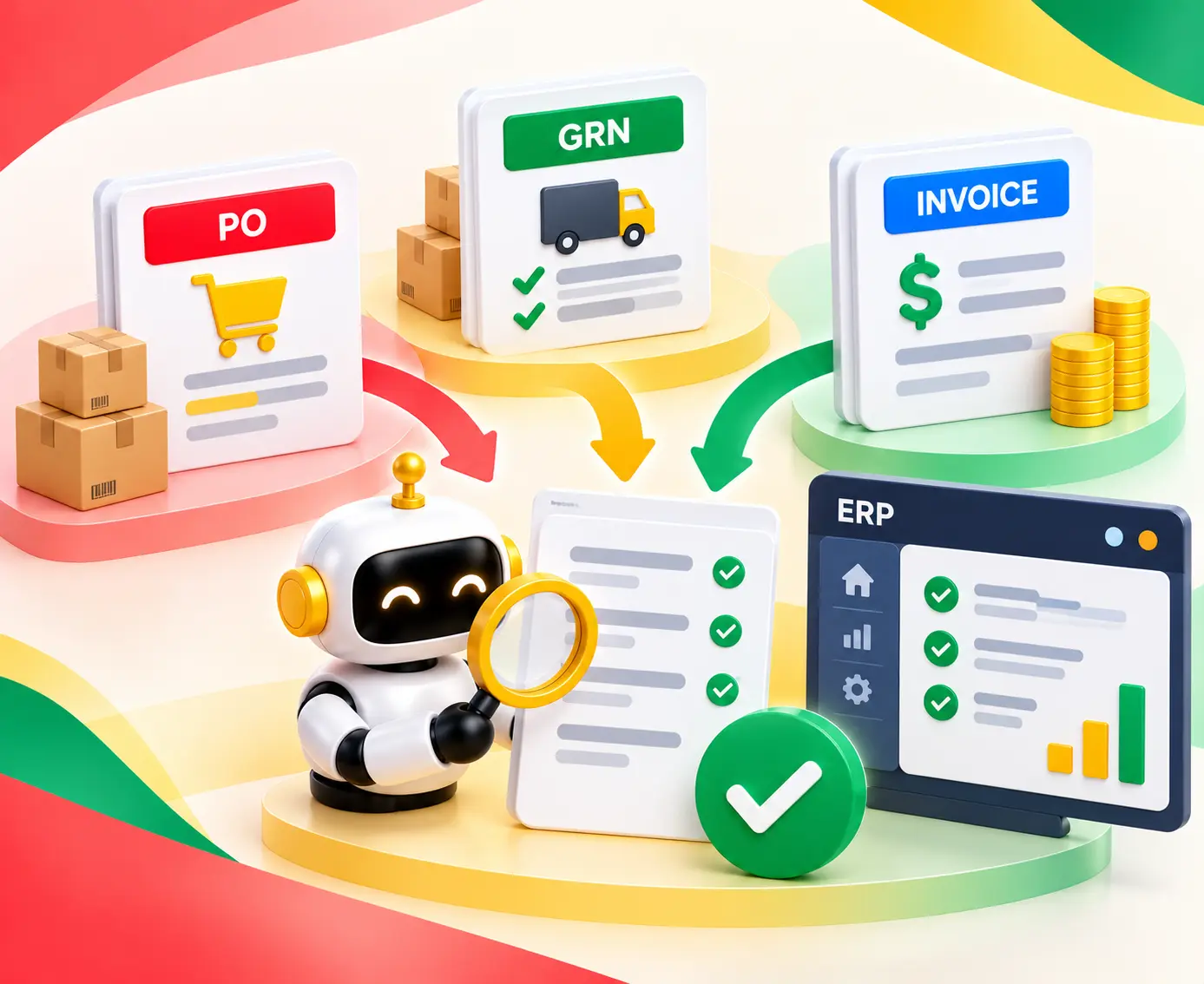
Automated invoice reconciliation with AI helps reduce manual work, match invoices faster, and manage exceptions. Explore the process, tools, and benefits.

Agentic Unconference 2026 - September 19, Chennai
View Event →


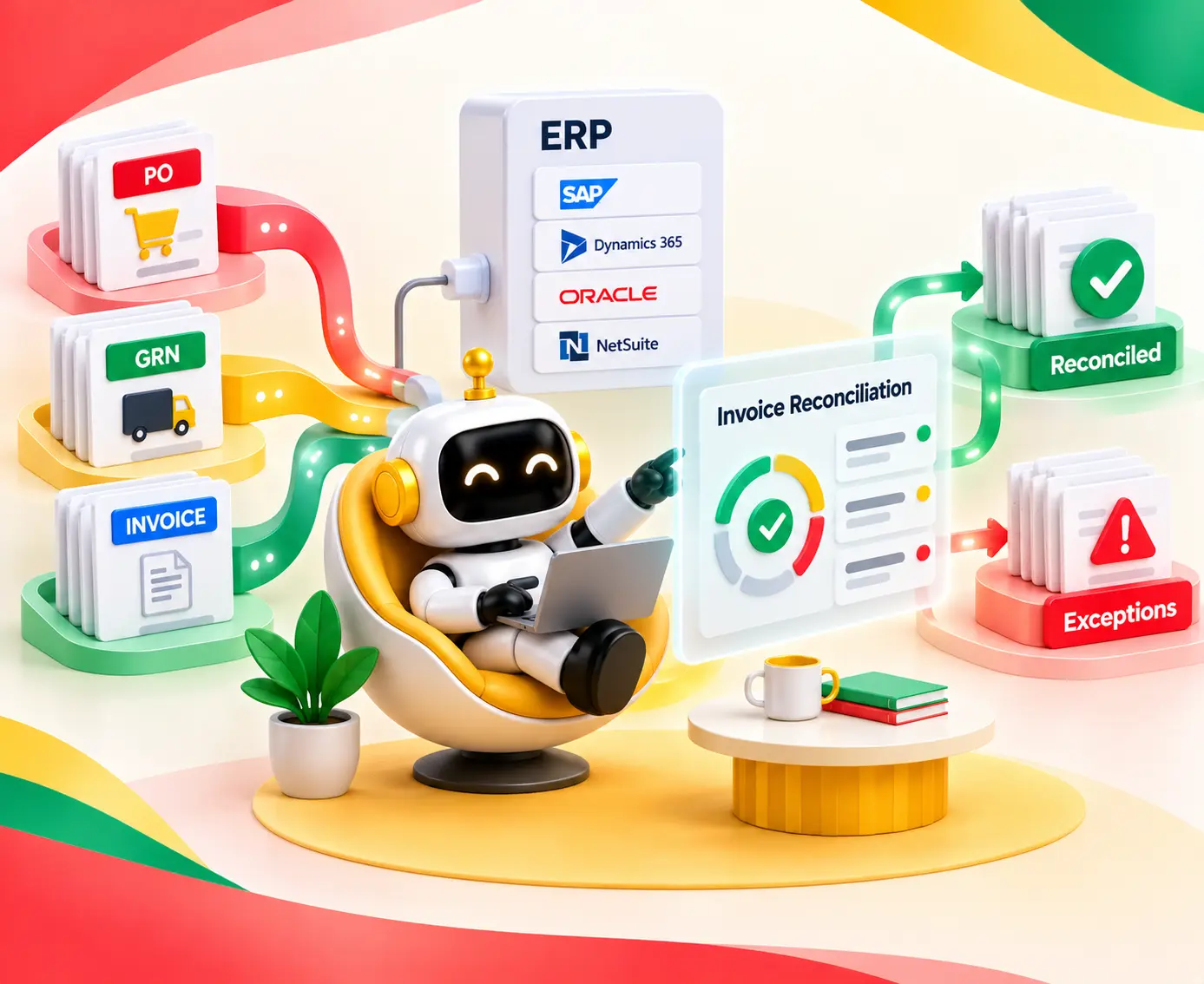


For major companies, the accounts payable department receives thousands of invoices a month.
The good news?
With AI invoice matching, there’s less need for human involvement in processing an invoice.
Here are some tips to help make sure your AP team isn't wasting time manually reconciling every invoice.
We’ll also be explaining exactly how AI invoice matching works and when building custom software would make more sense than buying off-the-shelf tools.
First, let's define automated invoice reconciliation. In accounts payable processes, automated invoice reconciliation means using software.
This is to confirm that a supplier invoice has been correctly raised and therefore should be paid, before actually paying.
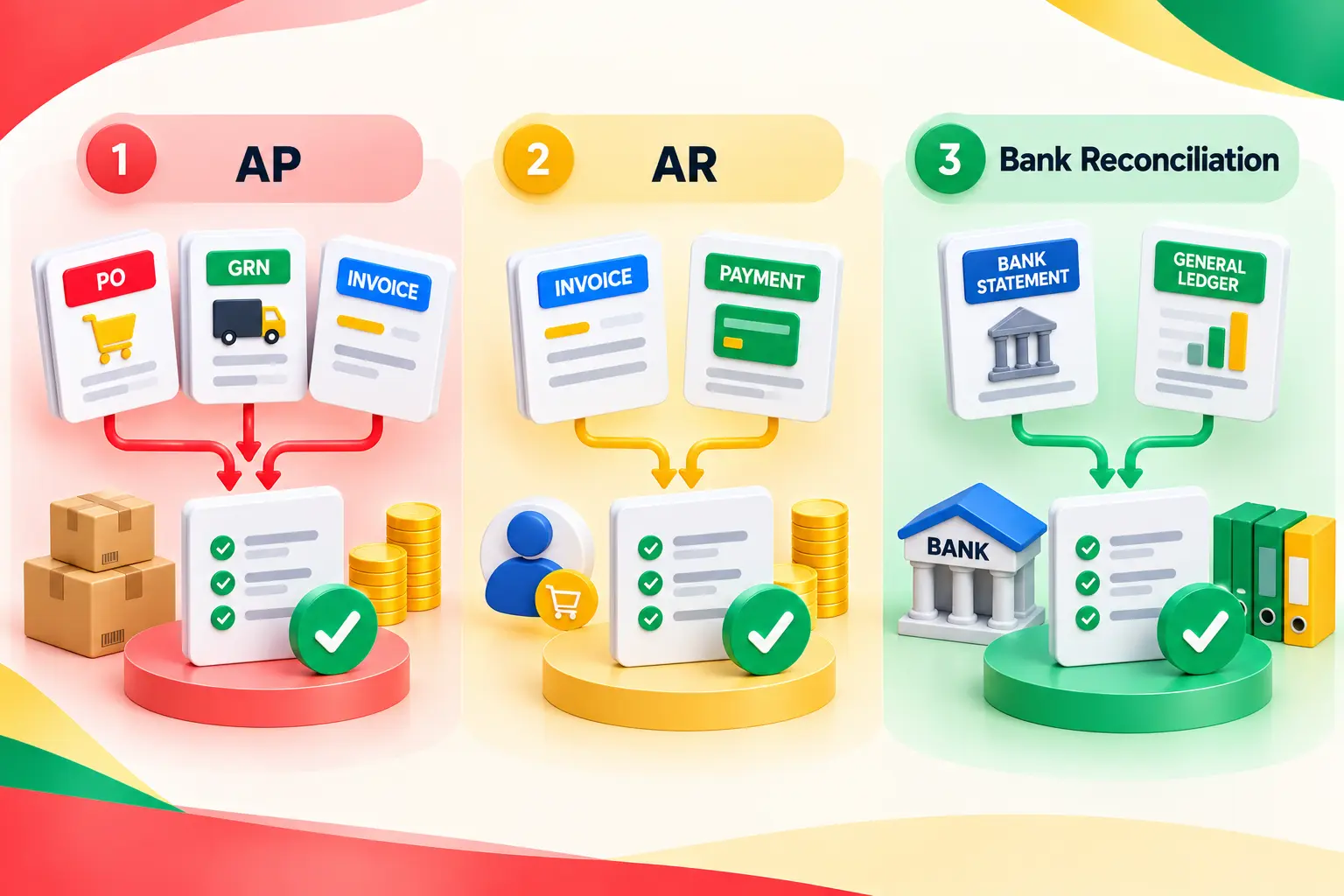
It’s important to remember that there are three different types of reconciliation tasks depending on whether we’re talking about accounts payable (AP) or accounts receivable (AR), plus banking-related tasks involving checking the books against the actual money coming out of a bank account:
Two-way matching compares the invoice with the PO only. It suits services and other items where no physical receipt exists. Three-way matching adds the GRN, so the company pays only for goods that were ordered, received, and billed at agreed terms.
Automated 3-way invoice matching runs this comparison line by line - quantity, unit price, and totals - inside the tolerance limits set in the ERP.
SAP handles receipt-versus-invoice gaps through its GR/IR clearing account, and NetSuite supports matching within accepted tolerances too. For a deeper walk-through, see 3-way matching in accounts payable.
There are three ways of automating invoice matching since not all teams need the same kind of thing — here’s how you might approach them:
Ultimately, there isn’t an obvious victor here. You need to compare different options depending on how well they integrate with your ERP system and your requirements
There are five key stages to building an AI invoice reconciliation system: Ingestion, Extraction, Matching, Exception Management & ERP Posting.
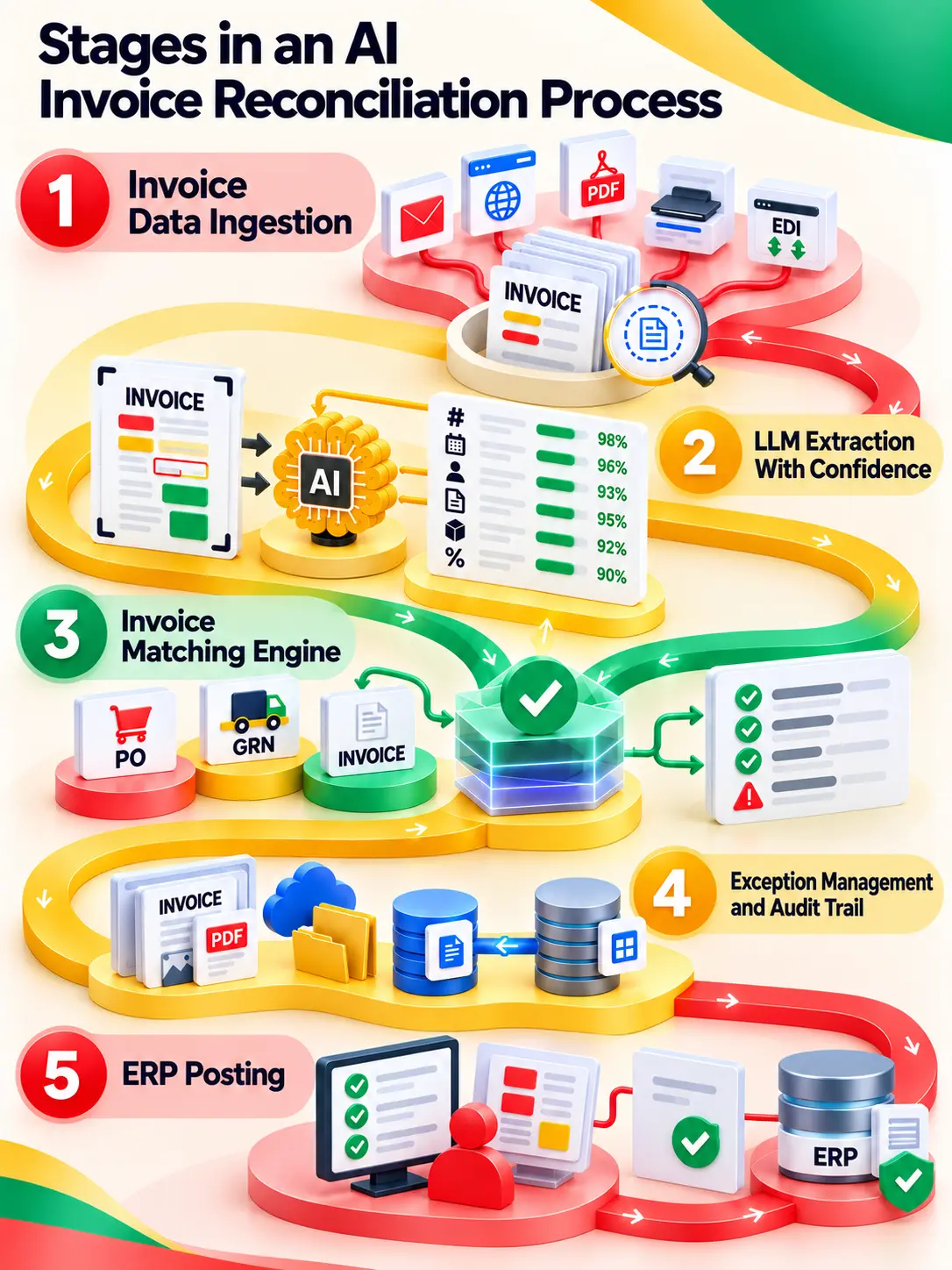
Invoices come in all shapes and sizes (shared AP inboxes, supplier portals, EDI feeds, scanned paper, PDFs, exports from accounting systems, etc.).
So, they need proper classification of documents and identification of suppliers.
The first stage involves turning invoices (or their images) into text using optical character recognition (OCR), then classifying those documents.
Then, it’s identifying which are invoices, which are credit notes, or other documents that need different handling.
This phase typically includes duplicate invoice detection. You can certainly catch the same invoice going over email and through the portal if you do it when the invoice comes in, but don’t wait until it’s been paid.
Most invoice data extraction platforms still rely solely on optical character recognition (OCR). But OCR isn’t enough.
An invoice scanner will read every pixel, but what about knowing whether this particular number represents a PO number or a tax? What if the company changes its format and breaks templates used to extract specific data?
LLMs, or Large language models, add immense value through context, so the system can pull out and understand which ones are:
Models can be hosted in several ways. AWS Bedrock is one option, not a mandatory architecture. Machine learning invoice matching also improves as reviewers correct fields. For more on document-processing patterns, see these intelligent document processing use cases.
The engine compares extracted data against POs, GRNs, contracts, supplier records, and pricing information. In doing so, it uses several methods together:
Partial receipts, quantity differences, and price variances are where simple rules struggle. The engine can split a PO line when goods arrive in stages. Tax validation then checks rates and amounts, which matters more as rules like the EU’s ViDA package push cross-border B2B invoicing toward structured formats by 2030.
We store our invoice document (original) and the extracted data (structured data) differently, since they serve distinct purposes.
To store the original invoice, we need a document store - an open source solution would include MongoDB. Structured transactions along with the matching results are stored in a relational database management system (RDBMS) like PostgreSQL.
The key takeaway here is that this allows us to match each invoice with its corresponding line on the general ledger (GL), enabling GL validation of account codes, cost centers, and tax codes,
Now comes the fun part! When you enable exception-based processing, you ensure that clean invoices pass right through the system.
This means only flagged exceptions get presented to users, and during human-in-the-loop reviews, you will see which invoice has been processed, what records have been matched against it, and why the record was flagged.
And all of these decisions, whether done manually or automatically by the system, are logged, giving you full visibility over it. Here’s what os usually flagged:
With proper setup, a reconciliation layer taps into POs, GRNs, vendor master data, and other relevant payment info coming out of your ERP system via supported connection types.
While it can pull up that data, our module only pushes changes back using approved methods.
And in doing so, you can go about keeping your finances synced without needing direct DB access.
In SAP, you’d use the Invoice Matching functionality to reconcile receipts vs invoices, passing them through GR/IR clearing accounts.
Because of limited capabilities around posting processes, say through APIs such as those used by BAPIs like BAPI_INCOMINGINVOICE_CREATE that lack many online checks typical with SAP systems (like being able to identify potential duplicates at runtime), we recommend implementing extra validations wherever applicable.
For Microsoft Dynamics 365, most integrations happen through OData endpoints, utilizing business events while ensuring all processes related to matching and holds stay within the ERP environment itself.
For those familiar with NetSuite’s capabilities, automation can be achieved by using the SuiteTalk REST & Soap APIs along with SuiteScript.
In this case, we wanted vendor bills, item receipts, and POs as our match criteria and to keep bill approvals inside NetSuite so that our entire audit trail lives inside NetSuite.
We don’t want to blindly post whatever the AI finds interesting and approve it because you need predefined rules to validate and then approve such entries to clear your invoice from posting.
If your extraction was wrong, and your system still clears it out based on what the AI found, you might end up in a ledger mess.
Our strategy also involved implementing some kind of “draft” statuses with approval limits.
This way, we prevent adding a second payable with the exact same data when the initial attempt failed.
I’m going to tell you how Entrans approached building this AI-powered invoice and GRN reconciliation workflow for my enterprise finance team.
We were dealing with fragmented invoice formats and extremely slow manual 3-Way-Match processes.
The main goal here was to create an automated invoice and GRN reconciliation process powered by LLMs while integrating seamlessly into their current ERP system through APIs (instead of completely overhauling their financial systems).
We ended up leveraging Amazon Bedrock’s powerful large language models for PO/GRN matching, mismatch flagging before payment, and an exception review queue.
It connected to the client’s existing ERP instead of replacing the finance system.
The results were an 80% reduction in manual effort, 2X faster payment processing, and 90%+ matching accuracy.
These are reported results from one deployment, not independent industry benchmarks. Read the full AI invoice and GRN reconciliation case study.
We recommend running this check on your current reconciliation process first. By doing this, you can measure accuracy for at least one entire close cycle, giving you good reference points.
The APQC estimates that the average manual processing costs around $6.00 per invoice. Industry reports suggest best-in-class automation will cost closer to $2.67.
Once you get into the flow of measuring accuracy, you’ll want a large enough dataset with which to make comparisons.
Do not present OCR extraction accuracy as invoice matching accuracy. An invoice can be read perfectly and still be matched to the wrong PO.
Straight-through processing, meaning invoices posted with no human touch, is the headline number. But report it alongside the false clear rate, since a high rate means little if the clears are wrong.
Acceptable thresholds depend on document quality, transaction volume, business rules, and the cost of an incorrect clearance. A small error rate may be tolerable on low-value consumables and unacceptable on large capital purchases.
Exceptions are where the value shows. Any mismatch that blocks automatic clearance needs a reason, an owner, and a next step.
Behind each row sits a specific capability:
An AI agent can resolve an exception on its own when an approved business rule covers it, like a price variance within tolerance or a duplicate with an identical reference.
Human approval is necessary for variances beyond tolerance, bank detail changes, new suppliers, high-value invoices, and anything no rule covers.
Give the AI the access a careful new hire would get, and nothing extra. Before automating, put these controls in place:
No honest guide can give a flat price or a fixed go-live date, because both move with scope. What actually drives them:
Our recommendation is to scope one invoice type first - PO-based invoices from a handful of high-volume suppliers - and price that, rather than the whole AP function at once.
A custom AI layer starts to make sense when you have a legacy ERP, customized financial workflows, unusual matching requirements, or complex document formats that packaged tools handle poorly.
Custom is not always the answer. An off-the-shelf invoice reconciliation or AP automation platform is usually the better choice when:
Entrans builds custom AI layers rather than reselling AP software.
With Forward Deployed Engineers to work alongside finance operations and ERP teams, we build reconciliation workflows around the systems already in place.
The work covers live invoice data, PO and GRN matching, exception handling, ERP connectivity, and controlled automation.
The result is that finance staff spend time reviewing genuine exceptions instead of checking every invoice by hand.
In the Entrans case study, the reported outcome was 2X faster payment clearance.
Want to see how Entrans can help you? Book a free consultation call!

Yes, with limits in place. Invoice reconciliation automation uses OCR and AI extraction to read the invoice, matching rules to compare it with POs and GRNs, and ERP connections to fetch the records. Clean invoices clear automatically, and exceptions go to a reviewer. Payment approval still stays with finance staff.
There is no single best tool. AP automation suites suit standard workflows, ERP-native tools suit teams that want to stay inside one platform, and custom AI layers suit complex ERPs and unusual matching rules. Compare each on ERP compatibility, invoice formats, matching rules, exception handling, and workflow fit.
No. OCR only turns an image into text. Reconciliation means checking that text against POs, GRNs, contracts, supplier records, and accounting systems, then deciding what to do when they disagree. An invoice can be read perfectly and still be wrong.
Layered controls limit the damage. Confidence thresholds send uncertain fields to review, validation rules catch arithmetic and tax errors, and exception queues hold flagged invoices. Human approval covers high-risk items, and audit trails record every decision. Payment controls in the ERP also ensure a match alone never triggers payment.
On the whole, yes. API connections, middleware, database access, and custom integration layers can connect AI invoice matching workflows to legacy ERP systems without a complete replacement. Use supported interfaces where possible, limit writes to drafts or controlled updates, and add checks the legacy system lacks, like real-time duplicate detection.
It depends, and no universal period applies. Invoice volume, ERP complexity, document formats, exception rules, data quality, and integration requirements all move the timeline. A narrow first phase, such as one invoice type from a few suppliers, usually reaches production sooner than a full AP rollout.