Explore 18 real-world intelligent document processing use cases across finance, healthcare, insurance, and logistics with real examples and results.

Agentic Unconference 2026 - September 19, Chennai
View Event →




In most cases, the leadership groups have already realized that their workers spend most of their time retyping data from various documents like invoices, claims, medical referrals, and loan packets. Why? OCR technology works fine with one form but not with another. RPA can hit similar limits. And those exciting GenAI pilots? Some never get through security review.
So where does document AI actually make sense? These intelligent document processing use cases show what is possible in real business settings.
This guide contains 18 examples of intelligent document processing applications that have been successfully applied to business process workflows.
Intelligent Document Processing uses a combination of AI and machine learning methods along with computer vision to develop a structure for handling unstructured data in the form of invoices, faxes, medical records, and other types. Thus, automation can be achieved in various industries without any human involvement.
Therefore, IDP is regarded as an instance of AI because it relies on the use of technology like machine learning, computer vision, and LLMs to understand documents.
In 2024, LLMs and vision-language models have influenced how IDP has used documentation. As noted by market researchers at Mordor Intelligence, cloud-based AI deployments now account for over 74% of the IDP market share as enterprises pivot toward foundational model processing. It has become possible for companies to use documentation without having to follow any specific template because the documentation is unstructured.
However, it’s important to note that these models may have false confidence, so it’s crucial to carry out validations.
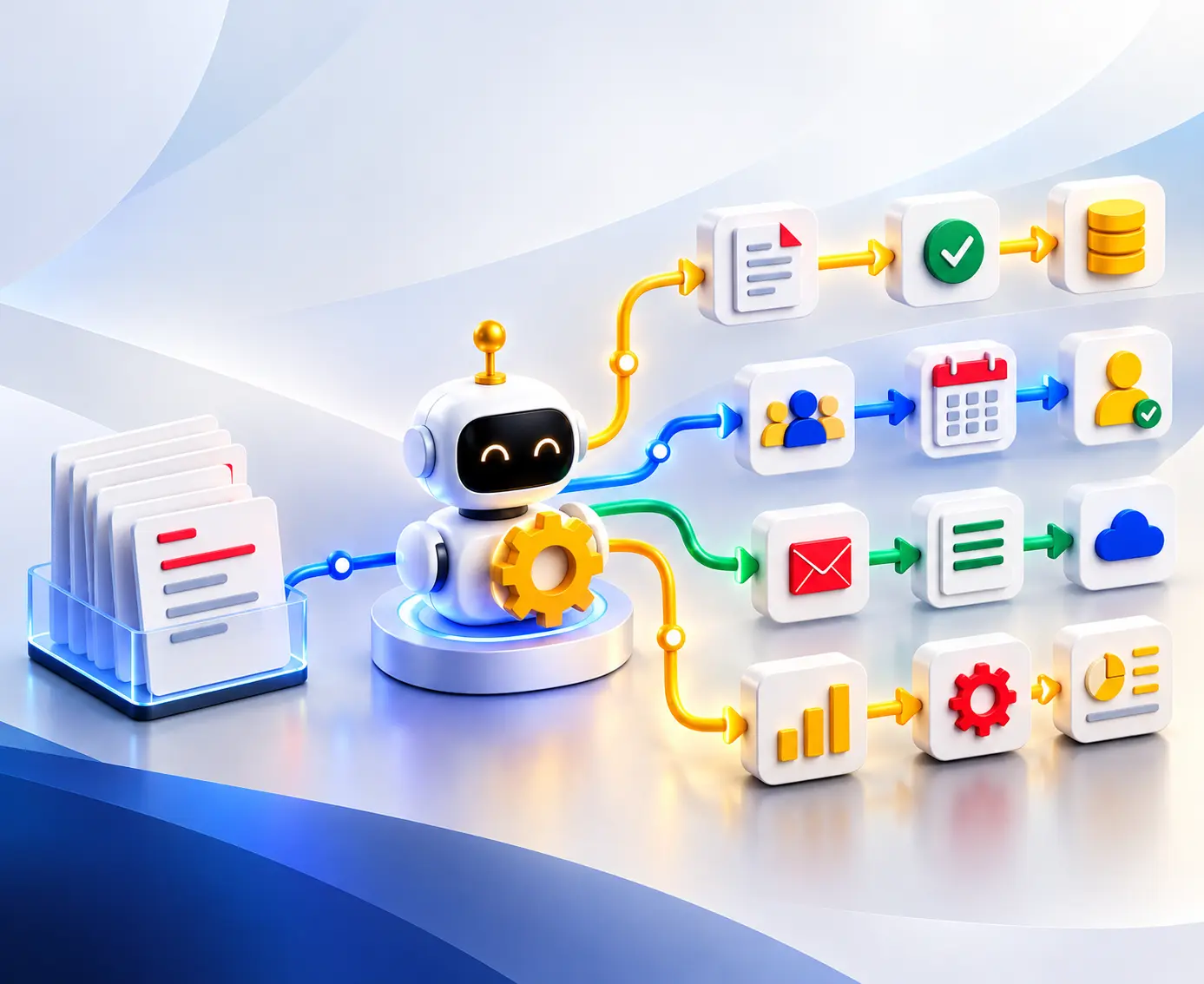
Document processing automation can help ensure that every document gets processed without requiring any manual interaction. The process follows the sequence described below:
Ingest -> Classify -> Extract -> Validate -> Human review-> Integrate -> Learning
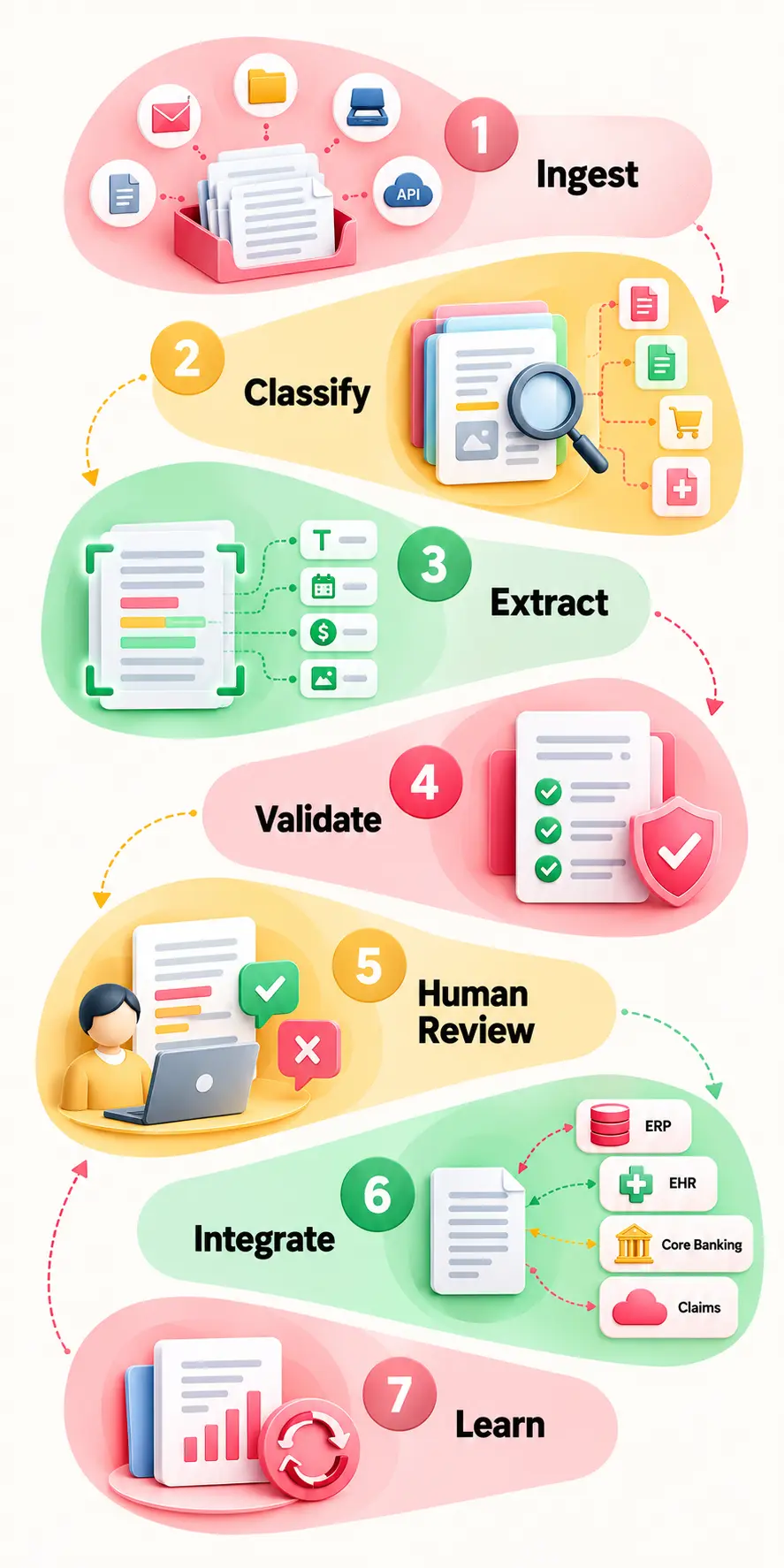
1. Ingestion: This involves the collection of documents using means such as emails, portals, scanning, fax, or API's.
2. Classification: The first thing that is done is the classification of the document, which can be an invoice, claim, purchase order, among others.
3. Extract: Then it extracts relevant data, which includes document type and page splitting.
4. Validate: Validation is done by checking the extracted data against business rules and confidence thresholds.
5. Human Review: Not all documents need to go through manual review. Straight Through Processing is the point at which the document goes through without any interruption if the data has been extracted successfully.
The confidence score determines at which point the system should hand over the item for review by humans. This may include high-confidence invoices, which will pass automatically, while others go into a review queue.
6. Integration Makes the Difference: The most valuable use can be made only if extracted information reaches the system where work is performed.
An effective document processing automation process is associated with integration with ERP systems, EHRs via FHIR/HL7, core banking systems, and claims systems.
7. Learn: Information about the mistakes that occur during document review can come back into the process, making this processing more efficient in the future.
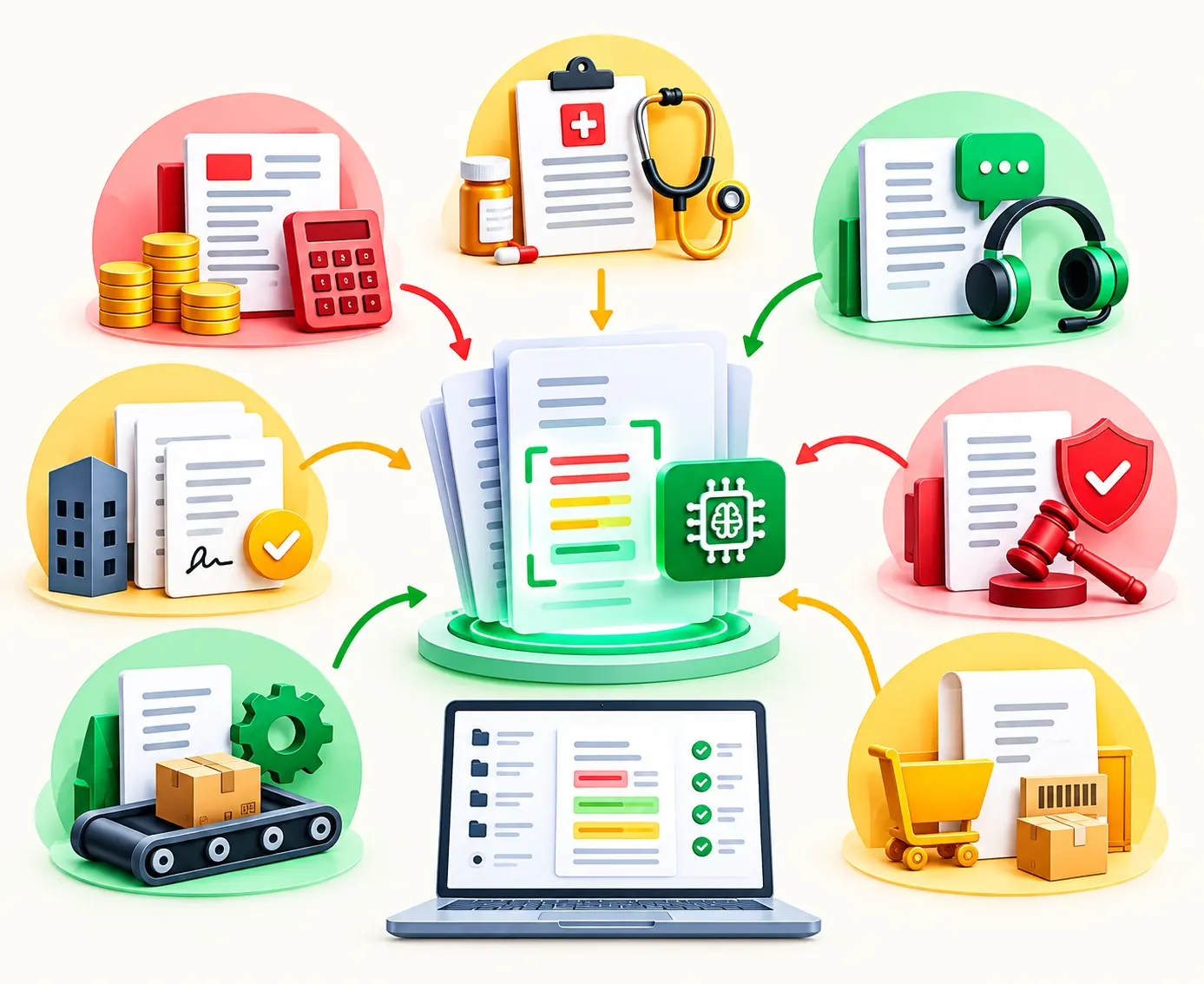
Each document doesn’t require the same degree of automation. While an application form can be well suited for traditional capture, a contract or medical document will likely require more intelligence. This basic diagram can assist management in recognizing where intelligent document processing use cases typically belong.
IDP becomes more helpful when there is more variation in the document’s structure and meaning. There will be no need for templates, as the document processing system can carry out automatic validation and extraction of information.
Companies implement automatic document processing in their back office and customer support functions to do away with manual data entry. The IDP use cases below give answers to the following questions.
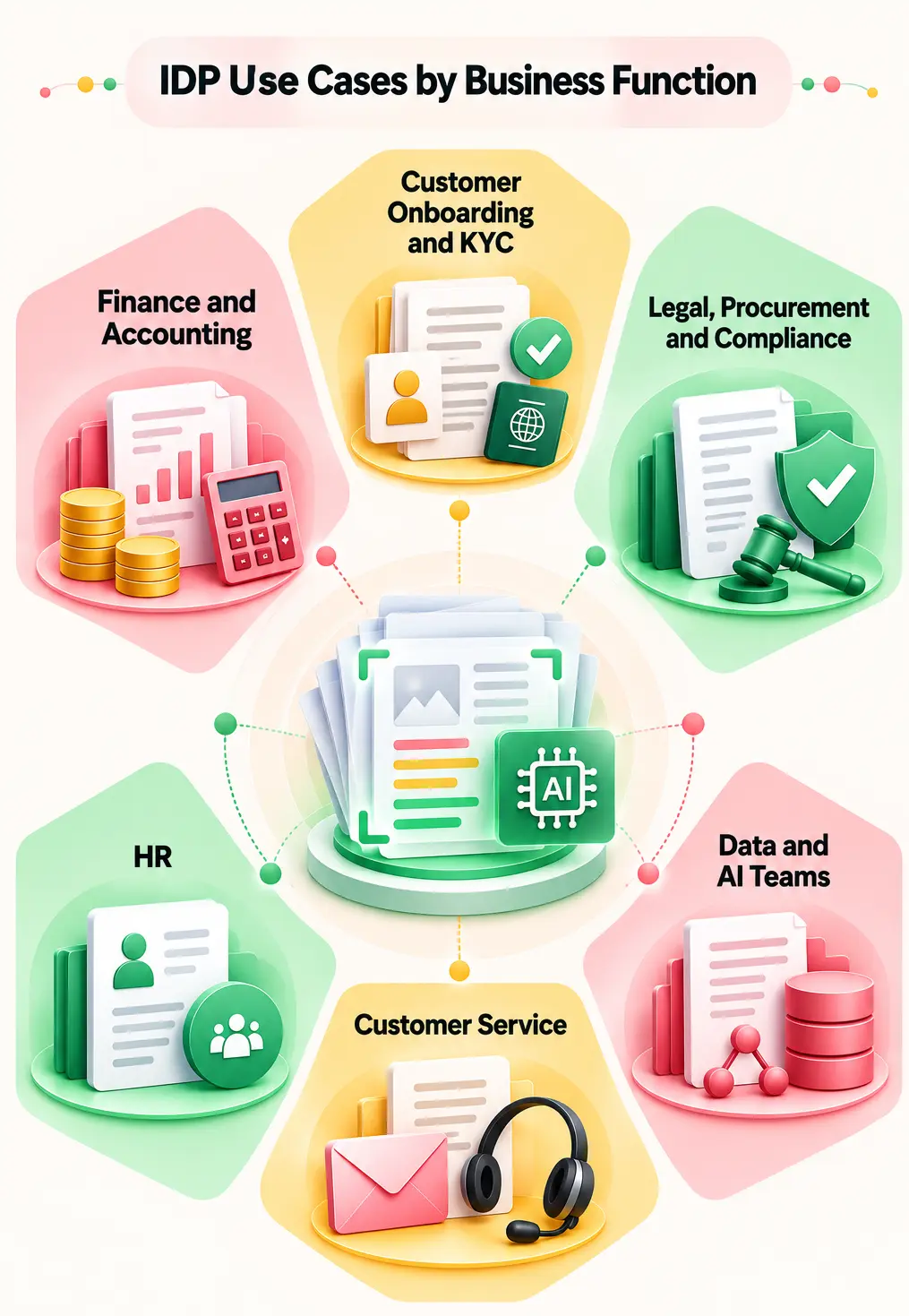
Purchase Orders (POs), Goods Received Notes (GRNs), and supplier invoices.
The IDP tool extracts the invoice data fields and compares them against purchase orders and goods receipts. According to the metrics provided in an Entrans case study, the addition of LLM extraction did not replace the ERP system but rather was incorporated into the process.
Manual reconciliation processes were shortened by 80%, while payment processing speeds increased twofold.
Instead of reviewing all documents, the employees of the finance department perform exception analysis.
Remittance advice, payment confirmation, invoice, credit note, and client communication.
The system will extract the customer name, invoice number, payment information, discount, and any reference number mentioned. The system is capable of matching any payments against the open accounts receivable and recognizing partial, short, and ambiguous references.
Days Sales Outstanding (DSO) can be reduced by 30%, and it guarantees that there will be no unapplied cash balances.
Allocates payments that are partial, short, or without reference to invoices to Accounts Receivable specialists manually.
Receipts, reports of expenses, invoices, and documentary evidence.
IDP will have information on the merchant, date, amount, tax, currency, and type of expense. This process can now check all this information in accordance with the company’s policies, duplicates, spending limits, and necessary documents.
Industry benchmarks from Grand View Research show that automating expense audit workflows slashes report approval times by up to 70% while drastically improving policy compliance.
Prompts automatic requests for review in case of exceeding budget allocation for a particular item category or alerts about restricted items (such as alcoholic beverages).
Multi-page bank statements, cash flow statements, and credit reports.
Transaction information is obtained by IDP, and the system can sort out recurring income, transfers, withdrawals, payments, and anomalies. Certain rules and anomaly detection are capable of recognizing patterns, including unknown cash flows, sudden deposit changes, duplicate transactions, and mismatch of statement/application information.
Good metrics to use include time for analysis, exceptions, reconciliation, and the percentage of statements processed without manual keying.
The investigation of suspicious transactions is done by the lending/treasury teams. The IDP helps the investigation; the IDP should not take major financial decisions independently.
Passport, driving license, address proof, company registration, and incorporation documents.
IDP gathers information on the user's identity and the user's registrations, makes sure that all necessary documents are included, and cross-verifies the information from the onboarding form. Other verifications include identification of tampered documents, questionable images, and any other flags that relate to synthetic identities.
A deepfake KYC fraud detection conducted by Entrans highlights that document verification should be accompanied by facial match, liveness, device signals, and human escalation.
Reduces onboarding process time by over 80%, while ensuring AML regulatory compliance.
The fraud compliance teams examine documents that are marked as having a synthetic identity, a deepfake, or even an expired identity.
Master Service Agreements (MSAs), procurement agreements, leases, and confidentiality agreements (NDAs).
Extracting dates, parties, obligation terms, renewal terms, termination terms, payment terms, and lots more is done by IDP. The LLM model can capture information despite variations in vocabulary and document formatting.
Saves up to 60% on contract reviews and ensures that no deadlines are overlooked.
Legal counsel analyses the extracted provisions that exceed the usual risk limits for the organization.
Certifications of Insurance (COIs), tax documents (W-9/W-8BEN), and vendor registration documentation packages.
The workflow captures the vendor information, certificate number, period of insurance coverage, policy limit, and expiry date. This is useful because it enables comparison of the documents against a list of necessary documents.
Success Metrics for the Measurement Approach Are Onboarding Time, Missing Documents Percentage, Certification Expiration, and Manual Reminders.
The procurement managers will take into consideration those suppliers who have insurance that has lapsed, insufficient insurance coverage, and no indemnity clause.
Regulatory forms, audit trail, policy, report, control documentation, and other documents.
The IDP has the capacity to classify the data input, extract the necessary data from the document, align the data using the controls, and sort the data.
Teams will be able to determine the duration for collecting evidence, missing evidence, review backlog, and preparation time for an audit or regulation.
Regulatory filing packages that are automatically generated are checked by compliance officers before submission.
Identification papers for employees, direct deposit, tax papers, and educational diplomas.
IDP collects data on employees, checks to see if the onboarding paperwork is completed, and sends the data to HR software. When it comes to the resume screening process, there is an opportunity to apply AI technologies to organize the data; however, screening standards have to be tested for possible biases.
Monitor onboarding time, data input, document absence, and exception handling.
Managers will go through sensitive information, exceptions, and candidate decisions instead of leaving everything to an automated process. This is done to prevent algorithmic discrimination.
Letters from clients, forms, invoices, policies, claim attachments, and other supporting documents.
This system classifies incoming emails, processes their attachments, extracts useful data, and puts each request into the appropriate flow. The Entrans insurance case reveals that firms have more than 200,000 customer emails annually.
In conclusion, due to automation, manual effort was reduced by 60%, average response time for frequent queries was less than two minutes, and CSAT improved by 25%.
Response time, manual work, queue, proper routing, and CSAT are effective metrics.
Sends risky customer queries to the help desk team together with context.
Unstructured PDF files, technical documents, financial statements, complicated tabular data, and image-filled documents.
Transforms messy text documents into properly structured Markdown and JSON, preserving the original reading sequence, parsing tough tables, metadata tagging, and semantic chunking for RAG vector stores. The RAG injection pipeline itself will have to have security features, update mechanisms, de-duplication features, and monitoring as well.
Evaluate parsing efficiency, data retrieval precision, outdated data, duplicated data, and traceability to source data.
Parsing problems, privacy concerns, access issues, and quality-of-retrieval-related challenges are evaluated by data and AI engineers before releasing the documents to AI.
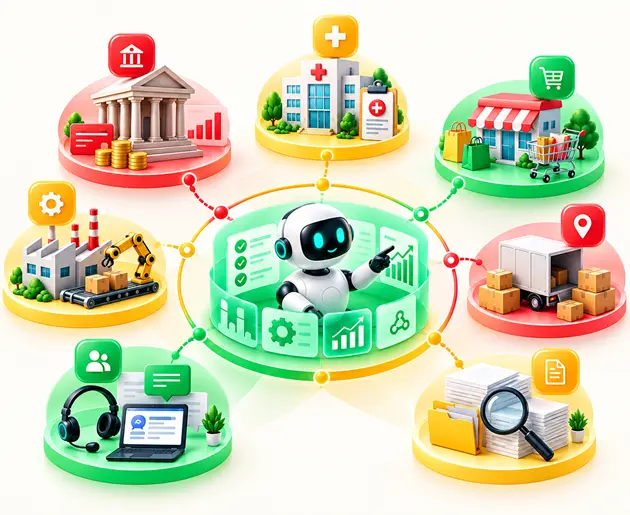
The value of intelligent document processing use cases can look very different across industries. Deploying intelligent document processing in healthcare, insurance, and banking transforms core industry workflows by eliminating document processing bottlenecks and manual data re-keying. Operational efficiency can be improved through AI-driven automation solutions.
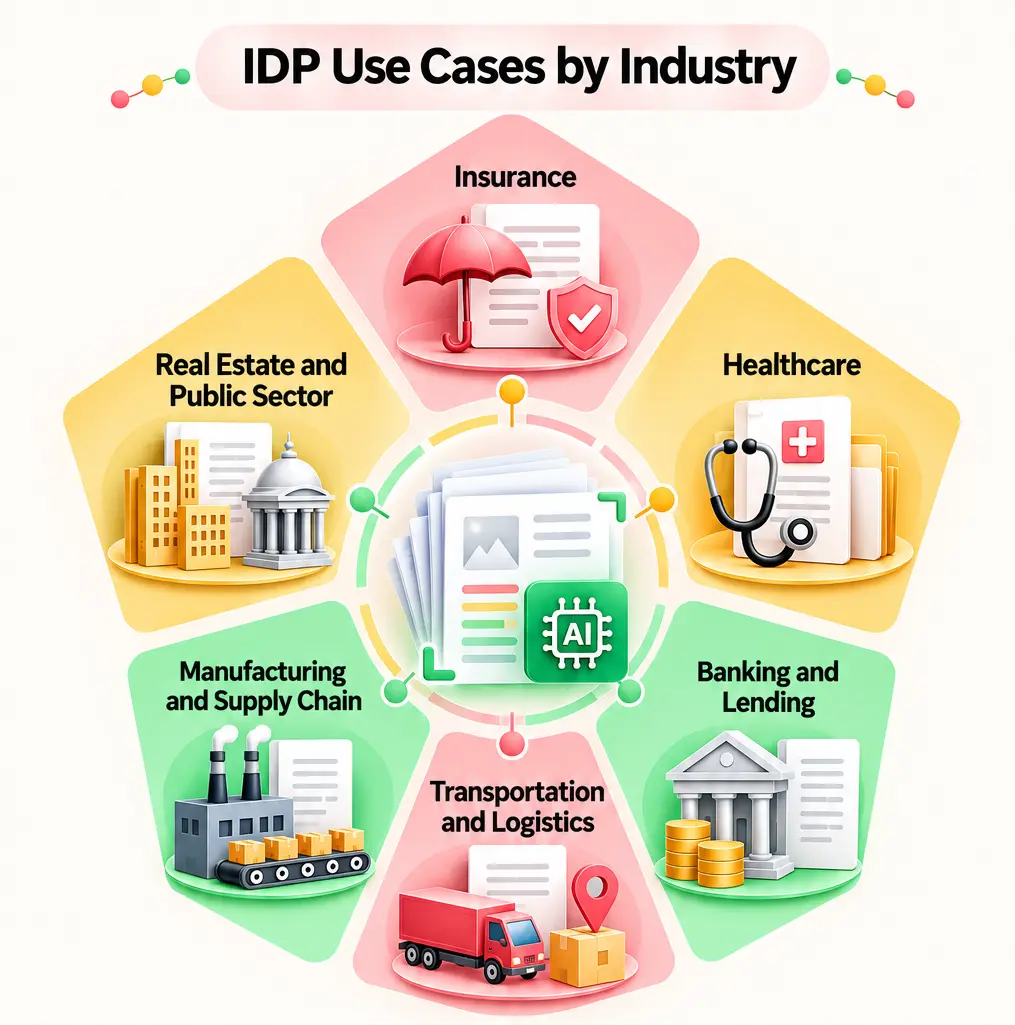
IDP can extract information from first notices of loss, claims forms, underwriting submissions, policies, and endorsements.
Processing prior authorization requests manually creates severe treatment bottlenecks. Deploying IDP enables clinical teams to instantly extract patient details, coverage fields, and clinical notes from inbound request packets.
To address this, an AI-driven workflow automation system was introduced to extract, structure, and validate data across authorization workflows. Legacy medical platforms can be helped to modernize healthcare legacy systems with generative AI.
Medical records, referrals, and Explanation of Benefits (EOB) attachments usually arrive as unstructured faxes or PDFs. IDP can turn referrals and clinical documents into structured EHR data through FHIR and HL7, while keeping human review and audit trails.
Lending teams review multi-page mortgage application packets containing bank statements, tax forms, and collateral documentation. IDP classifies each document type, validates income against tax records, and extracts key financial indicators.
Logistics hubs process complex bills of lading (BOL), customs declarations, proof of delivery (POD) notes, and freight invoices through document processing automation. IDP extracts critical cargo manifests and weight values across infinite carrier layouts to accelerate port and border clearances. Complex logistics tracking can be improved with AI automation in the supply chain.
Manufacturing IDP pipelines ingest incoming purchase orders, quality control certificates, and technical spec sheets. The system extracts line items and validates specifications directly against ERP databases before triggering production runs.
Real estate and public entities deploy IDP to extract key terms, financial schedules, and escalation clauses from complex leases and rent rolls. Government agencies utilize IDP to parse incoming public records requests and redact sensitive personally identifiable information (PII).
The true potential of intelligent document processing can be seen when the task involves not only extraction but also the workflow involving document-intensive tasks. Intelligent Document Processing (IDP) moves unstructured information from scanned invoices, clinical chart PDFs, handwritten forms, and complex emails directly into core operational databases without high manual touch.
The following examples illustrate how artificial intelligence-driven document processing has been applied to reduce manual effort, increase decision-making speed, and feed data into existing systems.
These findings further demonstrate the reason IDP should not be thought of as merely a replacement for OCR. The highest impact occurs through the relationship between extraction, validation, business rules, exceptions, and the systems that the teams currently use.
Selecting your first intelligent document processing (IDP) use case is about proving fast operational ROI. While standard industry guides suggest starting with high volume, an effective automated document processing strategy ranks candidates using a balanced scorecard.
A scoring method makes the choice easier than simply picking a process that looks suitable for document processing automation. Use a simple 1–5 scorecard to compare potential IDP use cases before you commit:
Start with workflows where document volume is high, validation rules already exist, and a human worker already verifies data. Introducing document processing automation into an existing human-in-the-loop workflow creates an instant safety net, allowing AI extraction to run alongside staff without operational disruption. This gives automated document processing a clear starting point and makes results easier to measure.
Deploying intelligent document processing (IDP) effectively requires looking past high-level document accuracy. A system can process thousands of documents quickly and still create problems if one important field is wrong, and a single incorrect line item can break an ERP workflow.
Do not rely only on document-level accuracy. Track field-level accuracy and the straight-through processing (STP) rate. Sometimes, the accuracy of a policy number or member ID may be far more important than any small formatting problem. The threshold values can be set based on the risks involved in each field; the higher the risk, the lower the threshold should be.
The extraction of values through document processing automation is not something that should be automatically trusted. It makes sense to cross-verify critical pieces of information using some trustworthy business systems, like purchase orders, insurance coverage, and membership status databases.
If document processing needs to be done intelligently in the healthcare, insurance, and banking domains, then security should be an inherent element of the process itself. Ensure that PII and PHI are protected using encryption, redaction, proper data residency controls, and deployment in the client's own cloud infrastructure wherever needed. Maintain the complete audit trail.
For a broader view of controls around AI-driven automation, see Entrans' AI automation governance framework for enterprise scale. Enterprise oversight can be helped with structured governance protocols.
Some of the IDP projects look good in a demo but struggle when they meet real documents and real workflows.
A healthcare GenAI pilot at Entrans also failed its first security review. The rebuilt pipeline included security and compliance controls from the start.
Choosing the right path for automated document processing depends on your technical maturity, regulatory constraints, and existing software stack.
The best way to begin is often the one that works for your use cases with the IDP without having to change everything around it. Complex operations can be improved through enterprise workflow mapping and AI automation.
Finding useful intelligent document processing examples is easy. Getting an IDP workflow into production is where the harder questions come up.
Entrans works with teams to address those questions inside the production workflow. Operational deployment can be helped by exploring AI automation examples. The process we follow is
Book a consultation call with us to learn more about it.

Intelligent Document Processing (IDP) uses AI, machine learning, and computer vision to automatically extract, validate, and structure data from unstructured documents like faxes, PDFs, and invoices. By transforming raw files into clean database entries without manual data entry, it allows core business workflows to run seamlessly.
Common IDP applications include accounts payable (invoice and purchase order matching), healthcare prior-authorization processing, insurance claim intake, and patient chart ingestion. It is also widely used for banking KYC/loan application verifications and logistics bill-of-lading processing.
OCR mainly converts text from images or scanned documents into machine-readable text. IDP goes further by understanding document context, extracting specific fields, validating them, and triggering the next step.
Yes. IDP typically combines technologies such as machine learning, computer vision, natural language processing, and increasingly LLMs. These technologies help the system understand different document types and handle information beyond basic text recognition.
A document pipeline ingests incoming files, cleans up scan quality, and classifies the document type before AI models extract required fields. The extracted data is cross-checked against core databases, routing low-confidence exceptions to human reviewers before updating ERP or CRM systems.
Common IDP options include ABBYY, Hyland, UiPath, and Automation Anywhere, along with cloud services from AWS, Microsoft Azure, and Google Cloud. The right choice depends on your document types, existing systems, workflow needs, and how much customization you need.
Accuracy varies by document quality, layout, field type, and the quality of the underlying model and validation rules. For important workflows, measure field-level accuracy and straight-through processing rather than relying only on an overall accuracy figure.
Start with documents that arrive in high volumes, follow known validation rules, and are already checked manually by a person. Invoices, claims, applications, and prior authorization documents can be good starting points when the business impact is easy to measure.

-1.svg)