Explore 15 vector database use cases, real-world examples, tools, performance results, and practical guidance for choosing the right vector database.

Agentic Unconference 2026 - September 19, Chennai
View Event →





CustomGPT.ai searches over 400 million vectors in under 20 milliseconds.
ZoomInfo cut its search costs by 77-97%. Vanguard raised its search accuracy by more than 12%. These are big wins for teams that build AI products.
But here’s the catch - Vector search is not the right fit for every job. The wrong setup gives you slow queries, empty results, or a shock bill.
This guide covers 15 use cases and the companies that run them. You'll also see which tools fit each job and when to skip vectors entirely.
A vector database stores embeddings. An embedding is a list of numbers that captures meaning. An embedding model creates these lists from text, images, or audio. Similar items end up with similar numbers.
This lets you run vector search by meaning instead of exact words. A search for "red leather jacket" can return a "scarlet biker coat." The words differ, but the meaning matches. This is natural language search at work.
Here's the hard part. Exact nearest neighbor search compares your query to every stored vector. Each vector may hold 768 or 1,536 numbers. At scale, that is far too slow for a live app.
So vector databases use approximate nearest neighbor search, or ANN. Two common methods are HNSW graphs and IVF indexes. They skip most of the data and check only the likely matches. You give up a tiny bit of recall. You gain a huge boost in speed.
Here's how the two database types compare.
Most teams end up using both types. The vector database handles meaning. The traditional database handles facts, orders, and payments.
Most teams start in one of four areas. Each area solves a different problem. The 15 use cases below are grouped by who benefits. Many rely on semantic search, document retrieval, and hybrid search. Some add personalization.
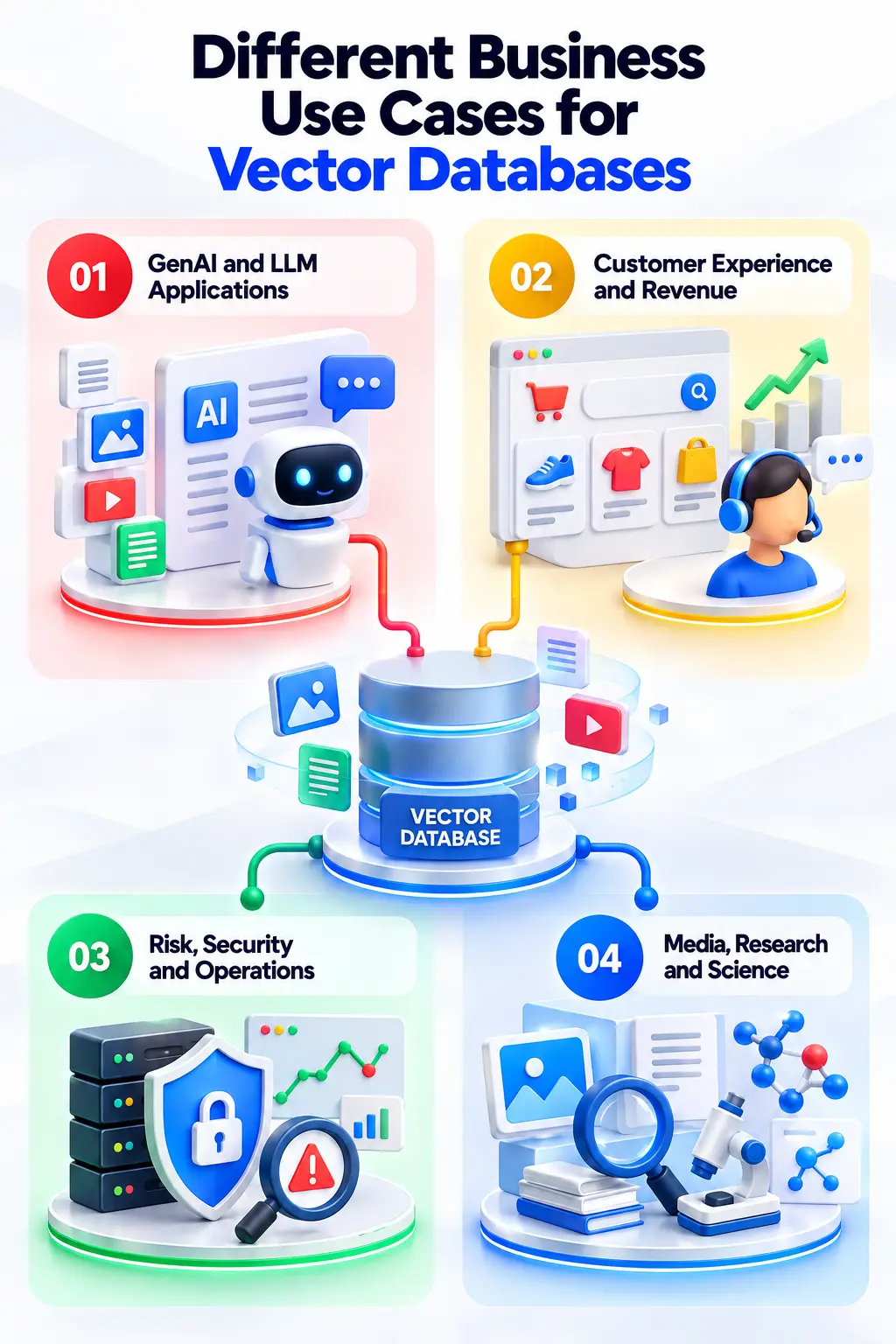
These are vector database use cases where growth is fastest. The goal is to ground a model in your own data. The database finds the right context. The model then writes the answer.
Here, vector search ties to sales and support costs. Shoppers don't know your catalog terms. Vector search reads their intent instead.
Here, the goal of these vector database use cases is to spot what doesn't belong. Teams embed events. Then they look for outliers with nearest neighbor search.
A regular database can't read an image. One major vector database use case is that a vector database can compare one image to millions of others.
Every industry has its own limits. Banks worry about compliance. Retailers worry about speed. SaaS firms worry about serving many tenants at once.
The table below maps the top vector database use cases to each industry, along with what gets embedded and what gets in the way.
Look at the constraint column first. In vector database use cases, this tells the real story. Most pain comes from filtering, tenancy, and cost. The search idea itself rarely fails. That's why one tool can win in one industry and struggle in another.
Also note the KPI column. Each number comes from a company or a vendor. Treat them as signals, not guarantees. Your data and your hardware will change the result.
These vector database use cases or deployments cover RAG, semantic search, and anomaly detection.
Some also touch recommendations, agent memory, and multimodal search. Every number below comes from the vendor or the company itself.
When it comes to tools for vector database use cases or examples, the market has three groups. Some tools are managed services. Some are open-source engines.
Others are older databases with vector indexes added on top. All of them use ANN search. They differ in filtering, hybrid search, memory use, and cost.
A few select tools for vector database use cases can tip the choice.
To implement, vector database use cases don't start with the tool. Start with the workload. Six factors decide most cases. Score your project on each one, then read across the row.
Here's a simple rule. Are you under a few million vectors, and already on Postgres? Start with pgvector.
One Hacker News developer called it a "great YAGNI solution" for 100,000 vectors. Data locality is the big win. One SQL query can join business data with vector similarity inside a single ACID transaction.
Timescale's pgvectorscale stretches that range further. It searches vectors straight from SSDs, which eases memory limits.
Past that range, dedicated engines pull ahead. Qdrant and Pinecone handle updates without locking reads. They also isolate tenants more cleanly. And they spare you from tuning memory. In pgvector, building an index for millions of vectors needs a large maintenance_work_mem setting. If memory runs short, the build can take hours or fail.
Vector search finds similar things. It does not find exact things. That gap tells you when to skip it. Here are four cases where a simpler tool wins.
When in doubt, test the simple option first. A keyword index or a SQL query costs less to run. If it hits your targets, stop there.
Demos hide problems that production exposes. Most of them trace back to memory, filtering, and cost. Here's what to watch for.
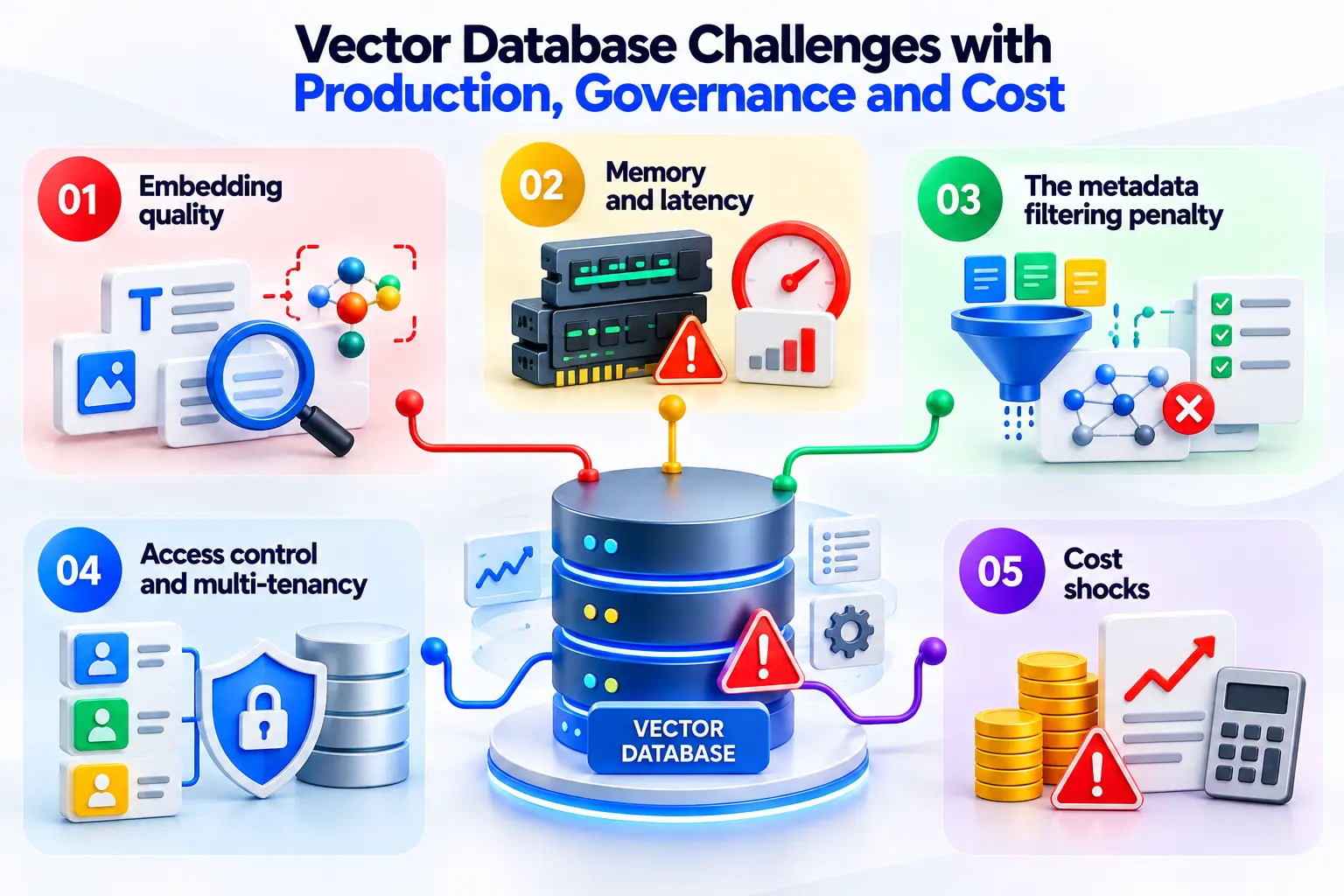
Embeddings average out fine details. Chunk size and formatting also change your similarity scores. One practitioner noted that plain English alone can produce a 40% cosine match.
So test your embeddings on real user queries. Then add hybrid search for exact terms. Vanguard's hybrid setup beat dense retrieval by over 12%.
HNSW is fast only when its graph fits in RAM. One developer indexed 20 million vectors of 1,200 dimensions.
The index grew to about 89 GiB. It overflowed the cache, and queries took 30 seconds. Quantization is the usual fix. Weaviate's binary quantization shrinks memory by 32x.
Filters clash with graph search. Pre-filtering breaks the links in the graph. Post-filtering can throw away every result.
One pgvector user raised scan settings to recover recall. But query time rose from 229ms to over 3 seconds. Weaviate's ACORN strategy was built to ease this problem.
Giving each tenant its own graph wastes memory on idle indexes. Putting all tenants in one graph needs filters, which slow queries.
Row-level security in Postgres can add more drag. Dedicated engines isolate tenants natively. Dust moved to shared collections in Qdrant. Its query times fell from 5-10 seconds to under 1 second.
Usage-based pricing can surprise you. One older Reddit thread described a $123 bill on a $70 plan. The index held 3,000 products, and the user ran nine test queries.
At steady high traffic, ZoomInfo moved to fixed hourly nodes and saved 77-97%. Also budget for people. Tuning memory and running VACUUM in Postgres takes real engineering time.
Every vector project trades accuracy, latency, and cost. You can't max out all three. Some tools let you tune the trade-off per query.
Weaviate's effort setting is one example. On hard, multi-step questions, more effort gave up to 7x better accuracy. The price was extra delay and extra tokens.
Use these six checks to rank your vector database use case:
Start with one use case. Prove it against your baseline. Then expand to the next.
Going from demo to production takes more than a database - You need clean vector embeddings and tuned semantic search.
You need a RAG pipeline that stays accurate over time. You also need hybrid search for exact terms and enterprise search that respects access rules.
Entrans Technologies brings AI-first engineering to each step. Our clients include Fortune 100 retailers. Our own enterprise AI solution is ISO 42001 certified.
Want to see how we can build the vector database use cases you want to try out?
Book a free consultation call!

It powers search by meaning. Common vector database use cases include RAG, semantic search, and recommendations. It also supports AI agent memory, anomaly detection, and multimodal search. The database stores embeddings and finds the closest matches fast, even across millions of records.
Pinecone, Weaviate, Milvus, Qdrant, and Chroma are purpose-built options. Others add vector search to existing systems. These include pgvector, MongoDB Atlas Vector Search, and Elasticsearch. Delphi and CustomGPT.ai both use Pinecone. Dust and Sprinklr use Qdrant.
There's no single winner. Pinecone is fully managed. Weaviate offers strong compression and filtering. Qdrant is known for payload filtering. Milvus targets billion-scale search. Compare them on ANN speed, HNSW memory use, hybrid search, metadata filtering, and deployment model.
Yes. RAG and AI agents both need fast retrieval by meaning. Postgres and Elasticsearch now offer vector search too. So a separate product isn't always required. But the retrieval role stays vital in modern AI architectures.
No. SQL is a query language, and relational databases store rows. The pgvector extension adds vector types and indexes to PostgreSQL. That gives you similarity search inside a familiar database. It is a vector capability, not a dedicated vector database.
Rarely. Vector databases suit similarity search. They struggle with heavy transactions and exact lookups. Most teams pair the two. The relational store keeps the facts. The vector store handles meaning. Metadata filtering links the two sides.
Not always. Under 100,000 documents, FAISS or NumPy can do the job. Up to a few million vectors, pgvector often works. Keyword search can also serve RAG. Past that size, or with many tenants, go dedicated.
A vector index is the structure that speeds up ANN search. HNSW and IVF are examples. A vector database wraps that index with storage, metadata, filtering, updates, and access control. It also manages the whole system for you.

-1.svg)