Plan your Microsoft Fabric implementation with a practical roadmap for architecture, data pipelines, capacity planning, governance, and production readiness.

Agentic Unconference 2026 - September 19, Chennai
View Event →


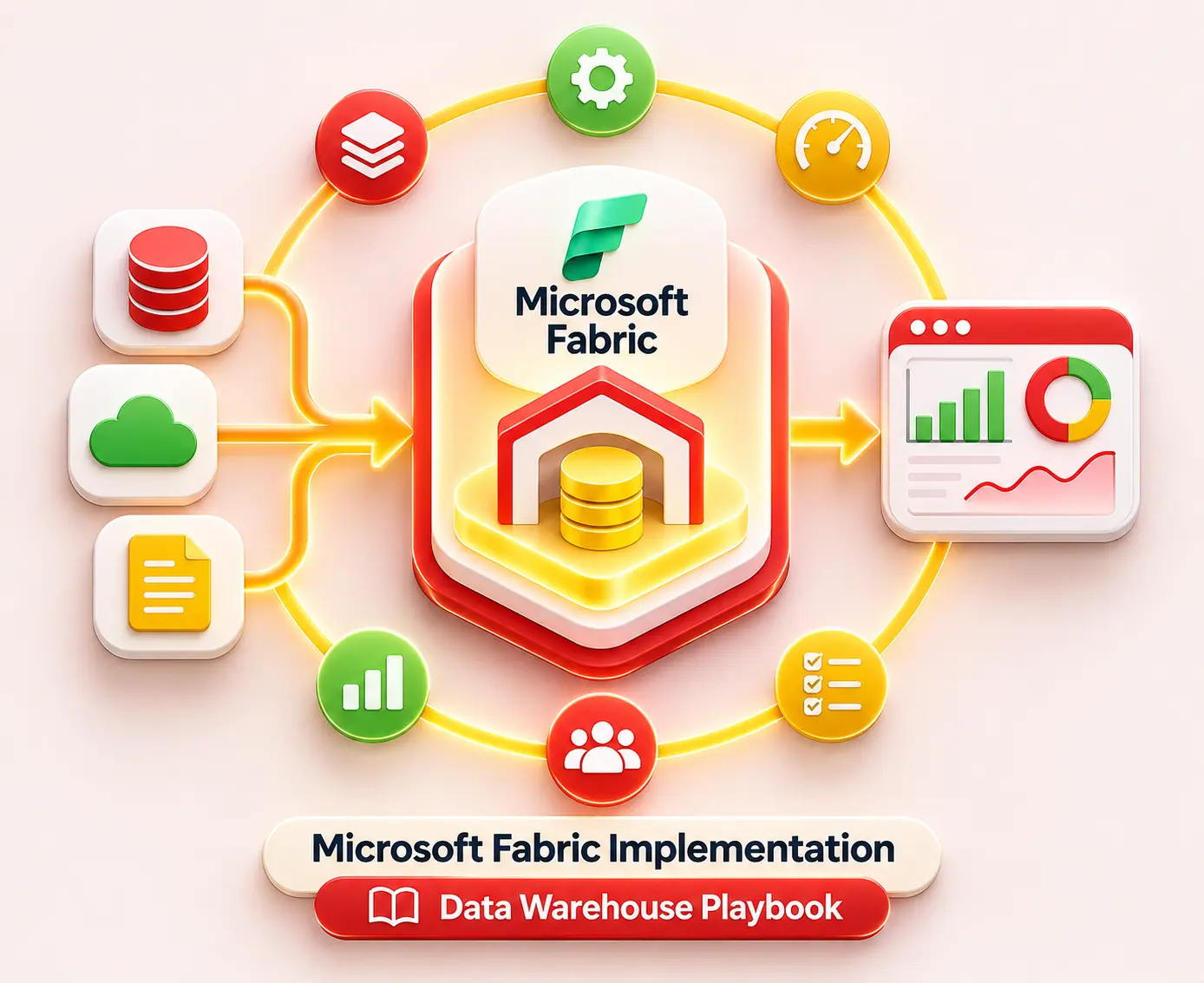


Whether you're modernizing a legacy warehouse or bringing together a patchwork of data tools, a Microsoft Fabric implementation takes far more than switching on a tenant.
Connecting Power BI is just the start.
The real work sits in the architecture, the source systems, the capacity math, and the governance.
So if you're a CTO, data architect, or data engineer planning enterprise data platform adoption, here's a practical roadmap. The roadmap runs from OneLake all the way to the challenges that stall most projects.
Fabric brings ingestion, data engineering, warehousing, real-time analytics, and Power BI together on one platform.
This is the main reason enterprises opt for it. In fact, Microsoft has reported 28,000 customers, including 80% of the Fortune 500.
So why do so many pilots stall right after the demo? Because the gap between a demo and a production build is where budgets get burned.
Yes and no! Fabric is a unified analytics platform that includes a data warehouse, but it does much more than that. For most enterprise teams, the best setup uses a Lakehouse and a Warehouse together.
Fabric combines Data Factory, Data Engineering, Data Science, Data Warehouse, Real-Time Intelligence, and Power BI on top of OneLake. OneLake is a single data lake that covers your whole tenant.
Tables sit in open Delta Lake format. According to Microsoft's platform overview, every workload shares that one storage layer. Shortcuts also let you point to data in other workspaces without copying it.
So which engine should handle which job? Here's the split:
Both feed Power BI through Direct Lake. Direct Lake reads Delta tables straight from OneLake, so you skip the scheduled Import refreshes. For teams, this means fast reports on fresher data. The IT team can feel confident, because there's only one copy to govern.
However, there's one catch. Querying SQL views in either engine pushes Direct Lake models back to slower DirectQuery mode. Microsoft documents this in its Direct Lake query processing guide. Plan for it early.
A solid Microsoft Fabric implementation roadmap follows five gated phases. Skip any one of them, and the surprises start.
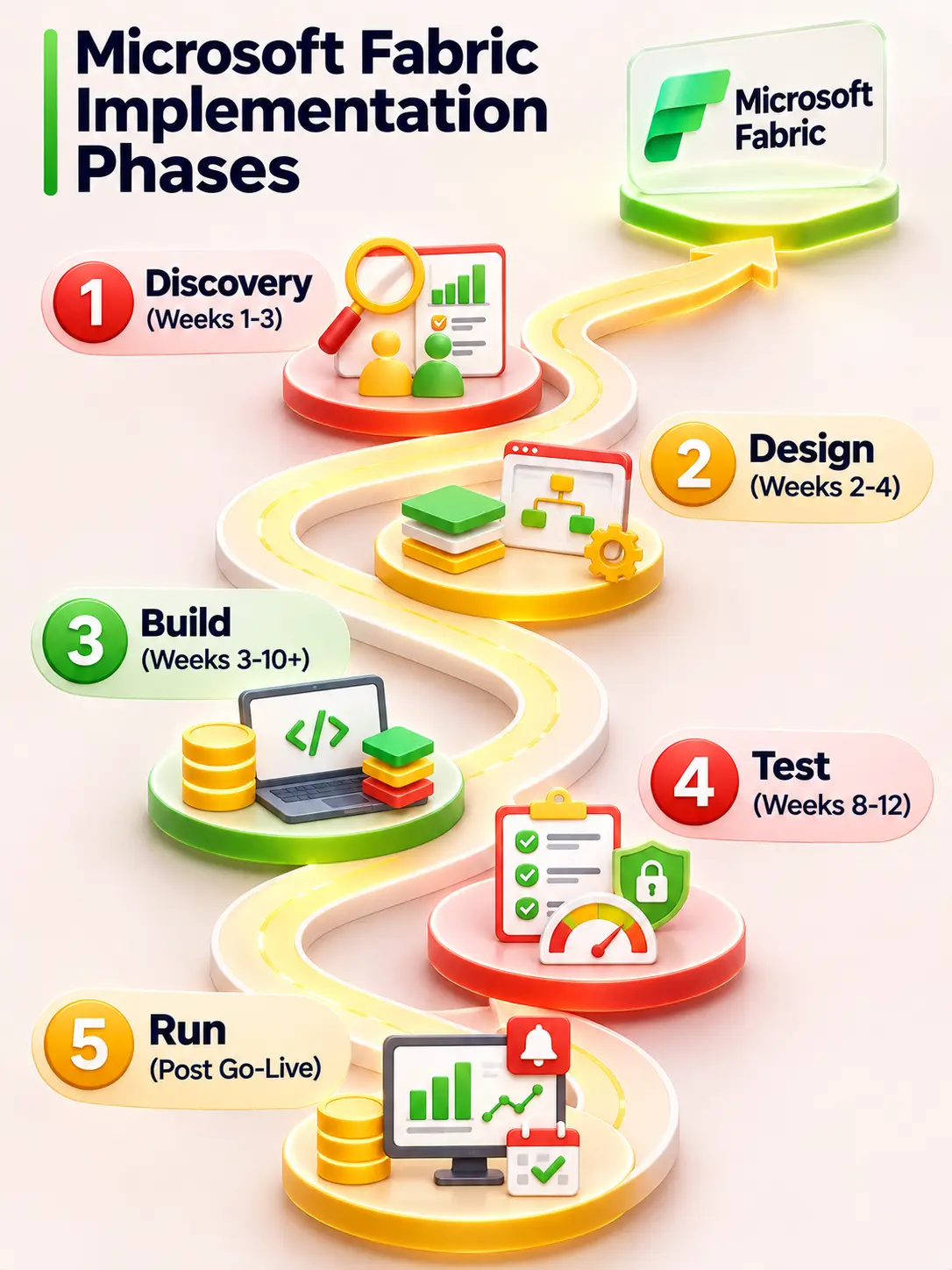
On timelines, published partner estimates point to two to three months for a focused, single-domain deployment. A three-to-four-week discovery and proof of concept (POC) kicks things off.
Imagine building a house without separating the foundation from the finishing. What would happen the first time something shifted? That's what a warehouse without clear layers feels like.
Bronze captures raw payloads exactly as they arrive. That includes API JSON, ERP and CRM extracts, and database snapshots. Store them in Lakehouse files or append-only Delta tables.
Silver is where data earns trust. Enforce schemas and standardize data types. Handle nulls, remove duplicates, and use incremental merges. That way, downstream tables stay clean and consistent. Run these Delta Lake transformations in Fabric Notebooks (PySpark or pure Python) or in Dataflows Gen2.
Does the engine really matter that much? Yes, more than most teams expect. Practitioners on Reddit report that Dataflow's Gen2 burns 16 CUs per second per query during staging and loading. Billing keeps running even while a dataflow waits on a slow API.
Some estimate that Notebooks cut CU use by more than 90%. That's practitioner telemetry, not an official benchmark. Still, the reports are consistent enough to take seriously.
Our advice is simple. Default to Notebooks for Silver. Save Dataflows Gen2 (with Fast Copy turned on) for simple gateway pulls. And validate schemas before every merge.
Gold delivers conformed star schemas. These are validated fact and dimension tables built for Power BI semantic models and Direct Lake. Serve them from Lakehouse Delta tables. Or write them into a Fabric Warehouse with stored procedures.
Weak dimensional modeling hurts both speed and budget. High-cardinality columns, huge unaggregated tables, and SQL views between storage and the semantic model all cause trouble.
Clean measures and plain business names matter for AI too. Copilot only matches your report numbers when the Gold layer is tidy. See how this works in Entrans' guide to Copilot with Fabric, Synapse and Power BI. For teams, that means answers they can trust.
Looking to build pipelines that don't break every other week? That starts with accepting that real sources are messy. Rate-limited REST APIs, on-premises databases behind gateways, and platforms like Snowflake all behave differently from day to day.
Fabric Data Factory gives you Data Pipelines, Dataflows Gen2, Copy activities, Notebooks, and Mirroring for ETL and ELT.
Even so, specialized SaaS connectors often need custom Notebook code. For data engineers, validation and automated error handling aren't extras. They're the job.
Production APIs paginate inconsistently and let tokens expire. They throw transient errors. Sometimes they even return empty or partial payloads under a perfectly normal HTTP 200. Write that data blindly, and you overwrite valid reporting history.
Stalled calls inside Dataflows Gen2 can keep billing for idle time. Default parallel loops in Data Pipelines can also spike CUs on small SKUs.
A fault-tolerant setup includes:
Schema drift means added columns, dropped fields, changed types, and shifting nested JSON. Any of these can break static mappings.
They can also cause Delta transaction log parsing failures. Blind schema evolution isn't the answer either. Changes can quietly corrupt downstream measures.
Resilient teams use data contracts and schema validation at the Bronze/Silver boundary.
They send automated diff alerts and require an approval workflow before changes reach Gold. Git and Deployment Pipelines then keep Dev, Test, and Prod in sync.
For teams, this means pipeline monitoring catches changes before executives do. The IT team can relax, knowing nothing reaches production unapproved.
Entrans Microsoft Fabric data warehouse case study shows this in practice. A leading cemetery and memorial services enterprise built its reports from fragmented sources. External REST APIs returned empty or partial payloads.
A Snowflake platform changed tables and columns without notice. Snowflake stayed in place as an upstream source.
Entrans built Bronze, Silver, and Gold layers in Fabric. The team added API validation with fallback logic that skips empty responses and logs every gap.
Automated schema change alerts send Snowflake DDL changes through a client approval gate. Everything runs on governed daily scheduling.
At Entrans, we achieved 100% pipeline continuity and no manual interventions on daily runs.
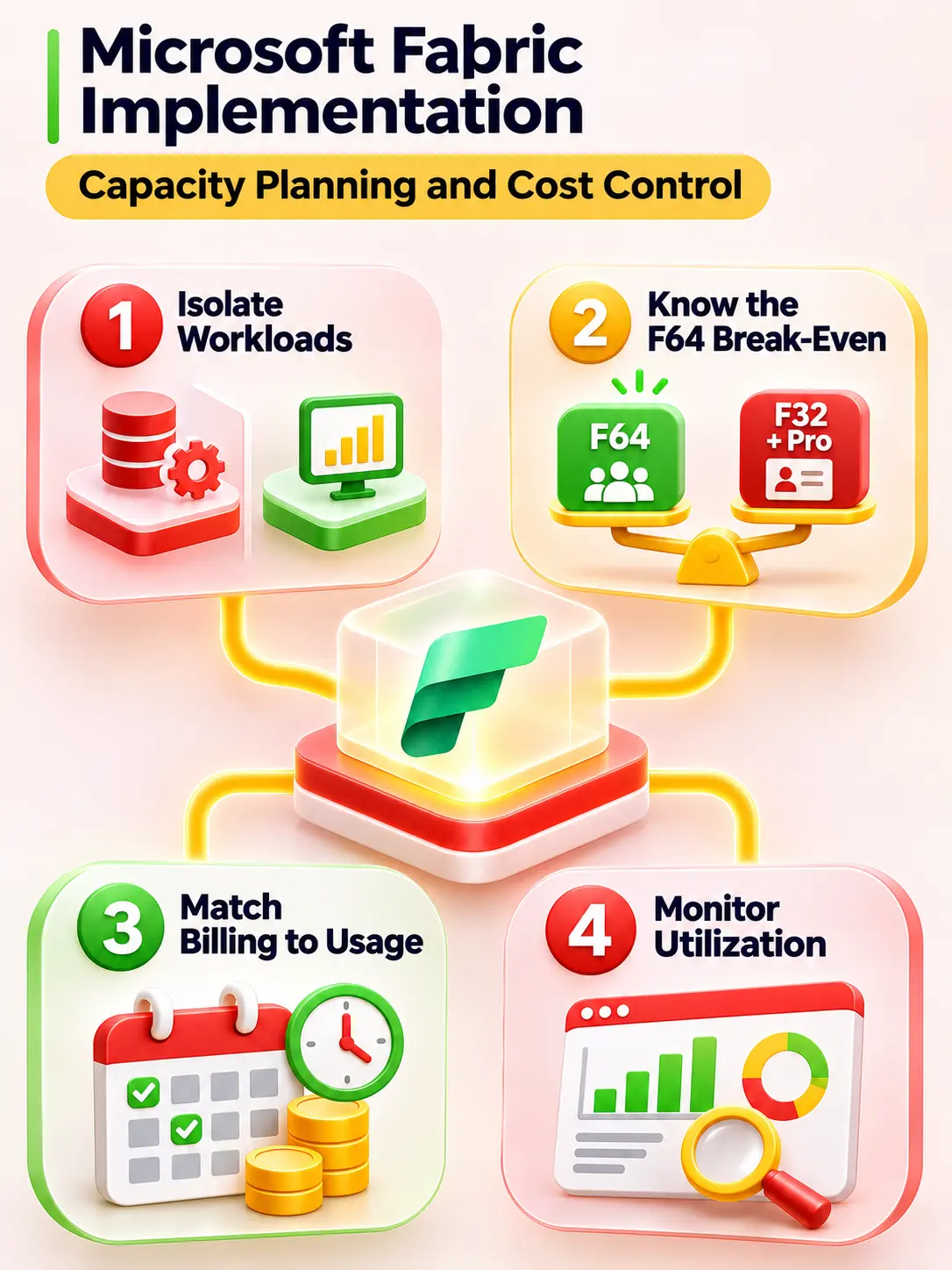
Fabric measures compute in Capacity Units (CUs) through F SKUs. Storage in OneLake and Power BI seats are billed separately. At Microsoft's US East pay-as-you-go rates, an F2 (2 CUs) costs $262.80 per month.
An F64 (64 CUs) costs $8,409.60. One- and three-year reservations cut those rates by roughly 41%. Regional pricing varies, so check your own.
Smart capacity sizing comes down to four moves:
Governance is the part everyone plans to do "after launch." Then it hurts the most. Fabric combines Microsoft Entra ID sign-in with role-based access control (RBAC) through Workspaces. You also get item-level permissions and row-, column-, and object-level security. Microsoft Purview adds sensitivity labels, auditing, data cataloging, and lineage.
Most failures trace back to four oversights:
Planning access controls and security policies? Microsoft's security and governance migration guidance is a good place to start.
Do you really need to rip and replace? Not always. Plenty of enterprises keep Snowflake or Azure Databricks for core processing. They then use Fabric as the analytics and Direct Lake layer.
OneLake shortcuts point to external storage without copying data. Azure Databricks catalog mirroring brings Unity Catalog tables into OneLake as shortcuts. Microsoft's external integration guide lays this out. Snowflake security-role mirroring is also available in preview. Here's how the options compare:
One timing note. Microsoft is retiring Power BI Premium P-SKUs at the end of current agreement terms. So look up your renewal dates before you commit to a capacity tier. For teams, a hybrid data architecture can make legacy warehouse modernization far less disruptive.
Before go-live, run your build through ten gates. Use isolated Dev, Test, and Prod workspaces. Manage them with Azure DevOps Git integration and Fabric Deployment Pipelines:
One CI/CD caveat. Test Dataflows Gen2 in your release pipelines early. Practitioners report by-design manual steps when deploying Git-synced Dataflows Gen2. So Git-native Notebooks and SQL artifacts are the safer choice for automated releases and production monitoring.
Four anti-patterns explain most production distress:
Every one of these is preventable with upfront design. For teams, this means fixing the model before migration, not after. That's a lot cheaper.
Entrans' Microsoft Fabric implementation services rest on one assumption: source systems will misbehave. So the team doesn't start with dashboards. The delivery sequence looks like this:
The reported outcome in the funeral services deployment was zero manual interventions after automated validation and deployment. That's one estate and a vendor-reported result. Don't read it as a universal guarantee. To see the wider approach, look into Entrans' data platform modernization work.
Planning a move to Fabric, or away from Power BI Premium P-SKUs and Azure Synapse?
Want a free consultation call? Reach out to our team of data engineers!

A focused, single-domain deployment typically takes two to three months, starting with a three-to-four-week discovery and proof of concept. Multi-domain rollouts and legacy migrations take longer.
At US East pay-as-you-go rates, an F2 costs $262.80 per month and an F64 costs $8,409.60. Reservations cut compute costs by roughly 41%, while storage and Power BI seats are billed separately.
Default to Notebooks for Silver-layer work, since practitioners report Dataflows Gen2 burns far more CUs. Save Dataflows Gen2 with Fast Copy for simple gateway pulls.
No. Many enterprises keep Snowflake or Databricks for core processing and use Fabric as the analytics and Direct Lake layer through OneLake shortcuts and mirroring.
Entrans starts with your least reliable sources, then builds Bronze-to-Gold layers with API validation, schema approval gates, and Purview and Entra ID governance. We hand over a monitored environment with lineage and FinOps tracking.