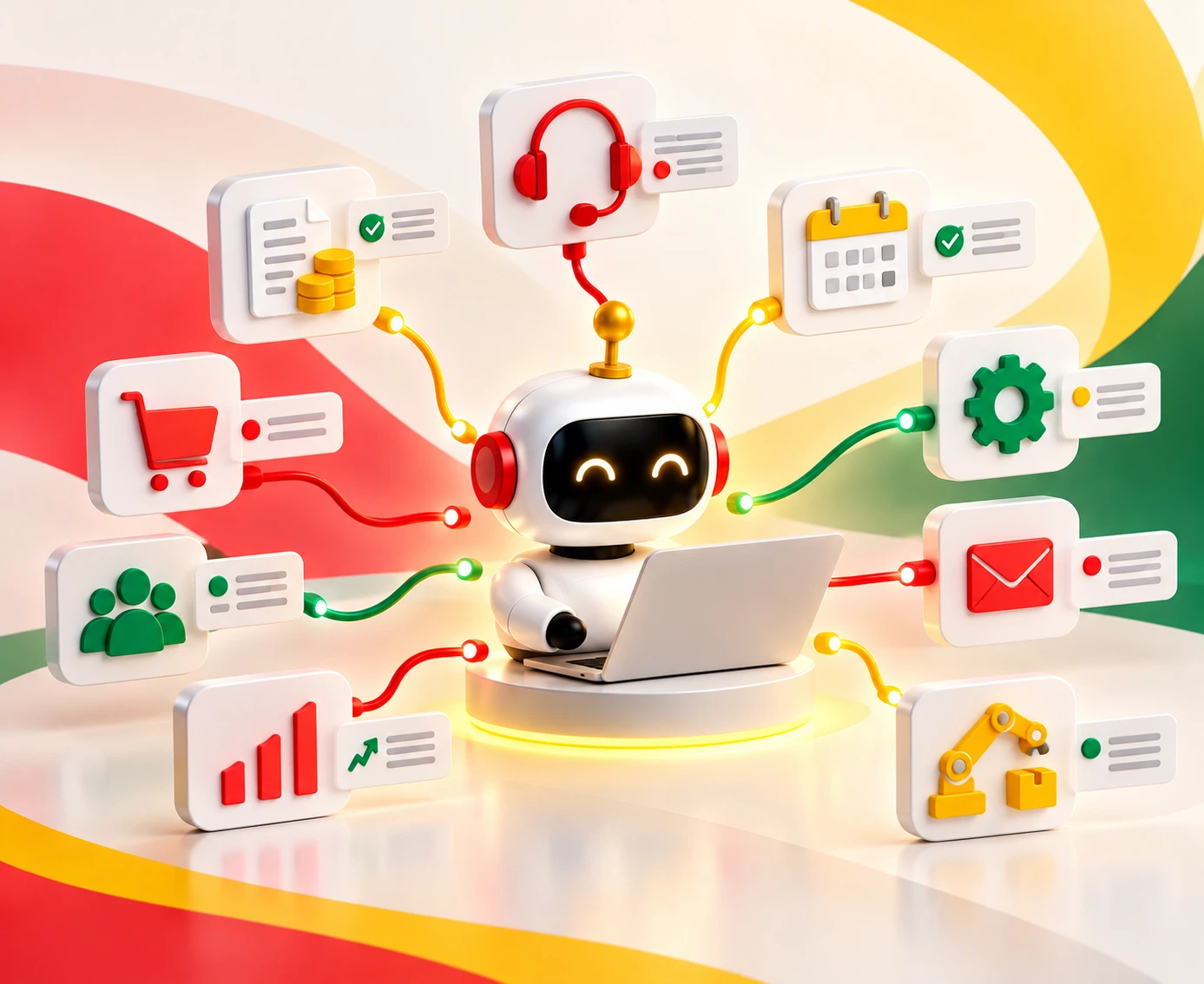
Workflow automation examples across finance, HR, IT, sales, and operations show how teams can reduce manual work, processing time, and errors.
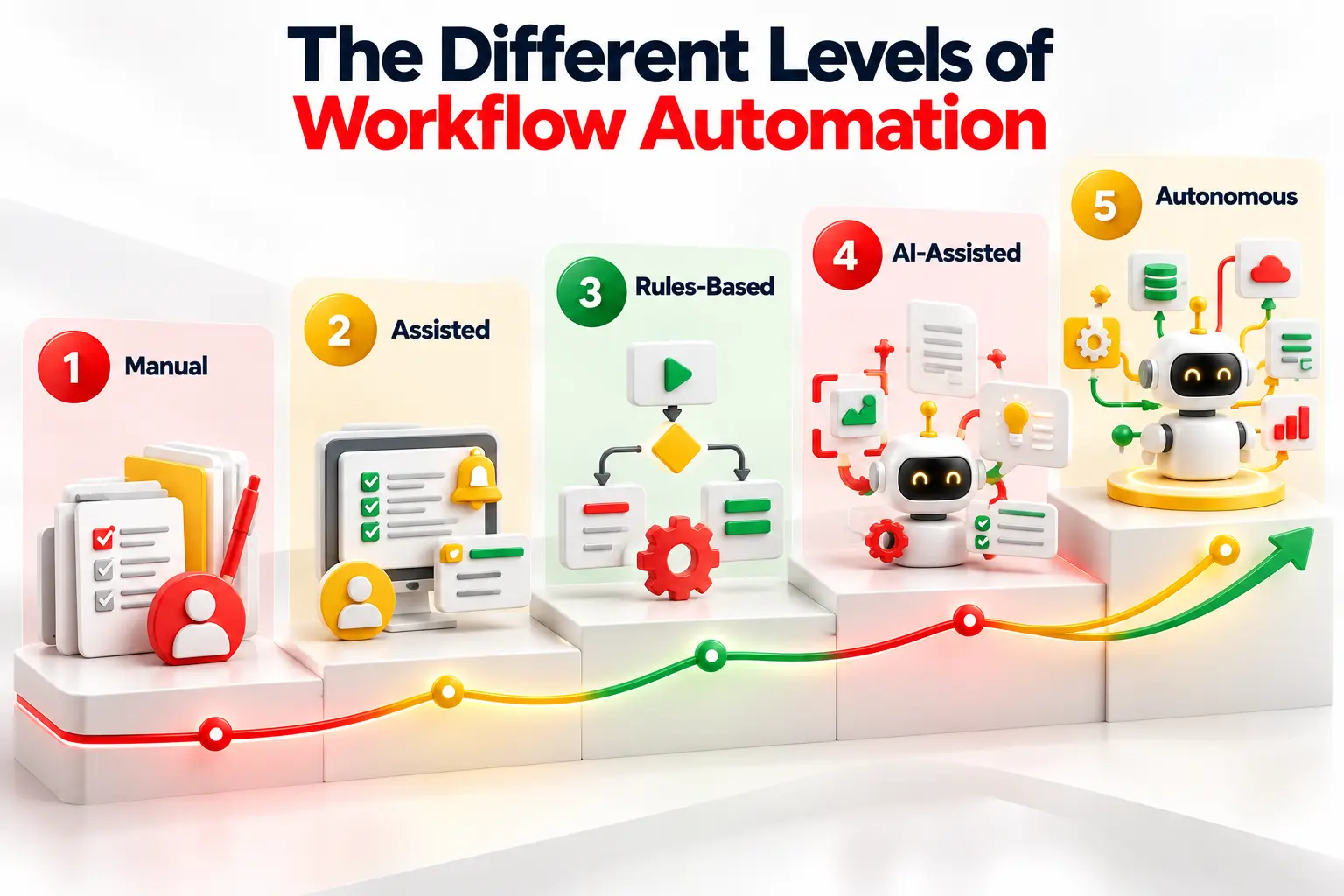
The five automation levels range from manual work to autonomous AI agents, with each suited to different levels of complexity and risk.
Rules-based automation works best for predictable tasks, while AI helps process unstructured data such as emails, invoices, and contracts.
Start with high-volume, low-risk workflows, keep humans involved in critical decisions, and measure ROI through time saved, processing speed, and error rates.
For these, most failures share one cause - A lot of the time, it’s since teams pick the wrong level of automation for the job.
Which is why, this guide walks through 20 real workflows and shows how to match each one to the right level.
Table of Contents▾
What Is Workflow Automation?
Workflow automation uses software to run a series of steps without manual work. Every automated workflow starts with a trigger, such as a form, a new record, or a date. The workflow then applies rules and takes actions. It updates records, sends messages, and routes approvals.
Manual processes depend on people to move each step along. That is slow, and errors creep in. Automation takes the repetitive tasks. People keep the work that needs judgment.
Zapier and Microsoft Power Automate suit quick app-to-app flows. ServiceNow manages enterprise workflows at scale. Task automation handles a single step. Business process automation covers the whole process.
Workflow Automation vs. RPA vs. BPA vs. AI Workflows vs. AI Agents
People mix up these terms often. That leads to the wrong tool and a stalled project.
Workflow automation moves data and tasks between apps through APIs. Zapier and Microsoft Power Automate are common examples.
RPA, or robotic process automation, uses bots that mimic clicks on a screen. UiPath leads this space. It fits old systems with no API. But it breaks when the screen changes.
BPA, or business process automation, covers a full process. Engines like Workato and ServiceNow route the tasks and approvals.
AI workflows add machine learning so the engine can read emails, scans, and free text. Many vendors call this intelligent process automation.
AI agents get a goal instead of a script. They pick their own steps and tools. They need strong guardrails.
Here is a simple rule. Use the simplest option that can handle your inputs.
The Anatomy of an Automated Workflow
Every automated workflow has the same parts. Learn them once and you can read any design.
Trigger: a webhook, a schedule, or a new record starts the workflow.
Inputs: the workflow reads structured or unstructured data.
Rules and conditions: business rules decide which path the data takes.
Actions: the engine updates records, sends messages, or calls other systems.
Integrations and APIs: connectors link tools such as Salesforce, ServiceNow, Jira, and Microsoft Power Automate.
Exceptions and approvals: bad data and risky steps go to a person. This is the human-in-the-loop step.
Orchestration and logs: the engine tracks every step for audits.
Design the exception path first. It decides whether the workflow survives real life.
The 5 Levels of Workflow Automation
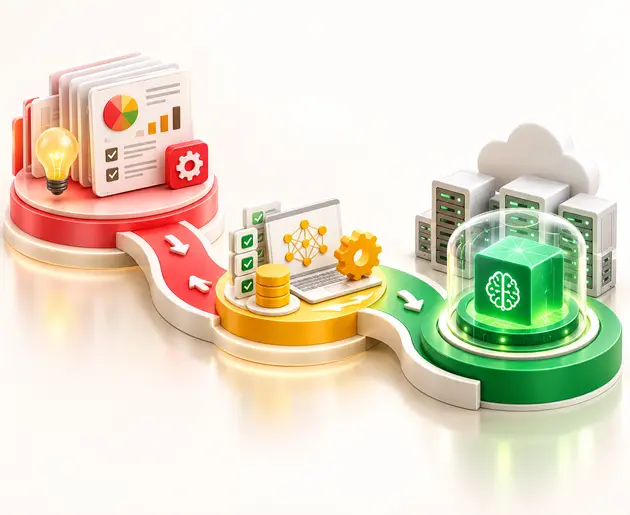
Automation is not all or nothing. It runs on five levels. Each level moves more work from people to software. Each level also adds more risk. Higher is not always better.
Level 1: Manual
People do the work and make every call. Use this level for low-volume, high-judgment work, such as strategy or sensitive talks. Someone must still own the workflow. Do not automate a process you do not yet understand.
Level 2: Assisted
Software helps, but the person stays in control. Think data collection, alerts, and recommendations. Attended bots and macros save clicks. People keep every decision.
Level 3: Rules-Based
Triggers and conditions run the process from end to end. The logic is deterministic, so the same input gives the same output. Power Automate, Zapier, and Salesforce Flow fit here. People handle approvals and exceptions.
Level 4: AI-Assisted
AI reads unstructured data, such as emails and scans. It sorts the content, pulls out key fields, and suggests actions. Rules then take over. People check anything below a confidence threshold.
Level 5: Autonomous
AI agents plan steps, call tools, and decide on their own. They work across many systems and handle exceptions. Gartner warns that agents suit variable work, not cases with one right answer. Use strict guardrails.
20 Workflow Automation Examples and the Right Level of Automation for Each by Business Function
Each example follows the same pattern: the trigger, the steps, the human role, and the right level. Figures come from vendor case studies, so read them as reported results. Where no number exists, the example names a KPI to track.
Finance and Accounting Workflow Examples
Finance work is repetitive, rule-heavy, and easy to measure. That makes it the best place to start. These four cover payables, expenses, the close, and procurement.
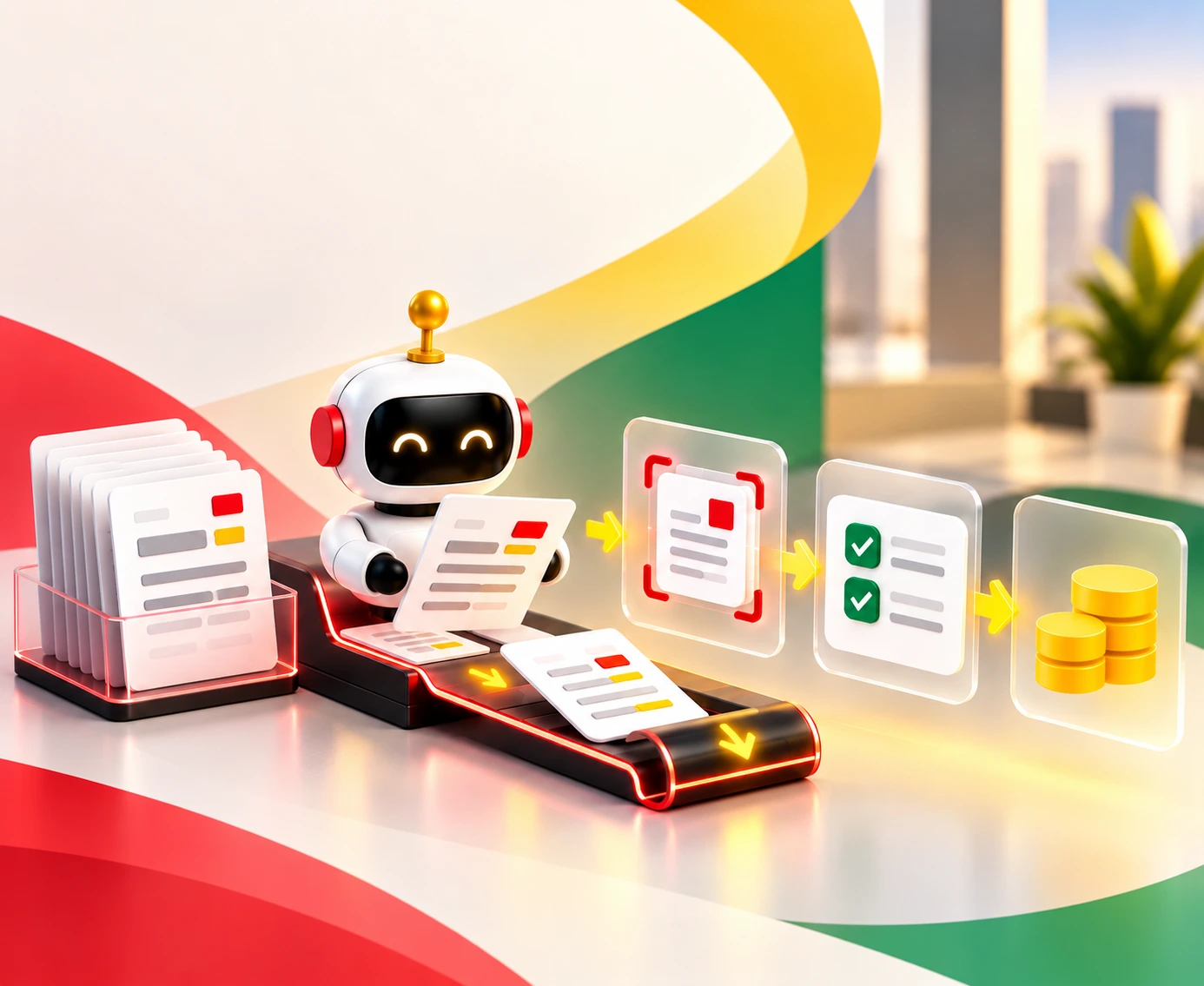
Invoice-to-Payment With Three-Way Match (Level 3-4): Invoices arrive in every format. OCR and document AI read the data. The ERP then matches each invoice to the purchase order and the goods receipt. Duplicates get flagged before anyone pays twice. Payment goes out when the amounts fit your approval limits. Staff review only the mismatches and low-confidence reads. That mix is why this spans Level 3 and Level 4. Canon saved 6,000 accounts payable hours using UiPath document AI.
Expense Reimbursement (Level 3): An employee uploads a receipt. OCR pulls the amount, date, and category. The workflow checks the claim against spending limits and travel policy. Clean claims flow straight to payroll or the ERP. Managers see only out-of-policy or unusually large claims. Every step leaves an audit trail. Track processing time and the rate of policy exceptions.
Month-End Reconciliation (Level 2-4): Reconciliation is where finance teams lose their weekends. Bank feeds and ledger lines arrive at month end. Matching rules pair the transactions after the data is cleaned. Unmatched items go to an exception queue. Accountants see only the breaks. Start at Level 2 with simple matching help. Move to Level 4 when AI suggests fixes for odd cases. Emaar reconciled 400 daily bank accounts in two hours with Automation Anywhere. That replaced four full-time roles.
Purchase Requisition Approvals (Level 3): A department head submits a requisition. The workflow checks the amount against the budget and cost center. Low-value requests get approved at once, and the ERP creates the purchase order. Larger requests follow the approval matrix to the right leader. This controls spend without stalling small buys. Track approval cycle time and policy breaches.
HR and People Operations Workflow Examples
HR work touches many systems. People repeat the same steps for every hire, move, and exit. Workflow automation links the systems and cuts the delays.
Employee Onboarding Across HRIS, IT, Payroll and Facilities (Level 3): A new hire touches four teams before day one. The trigger is an accepted offer in the HR system. The workflow creates the employee record and directory account. It assigns app access and training. It sets up payroll and sends equipment and facilities requests. HR steps in only for exceptions and the personal welcome. Cemig cut onboarding from 15 days to 21 minutes. Its filing errors fell from 20% to 1.82%.
Offboarding With Same-Day Access Revocation (Level 3): Offboarding is a security job, not just an HR task. The trigger is a termination date in the HR system. The workflow disables the directory account, SSO, and VPN access. It revokes SaaS access and flags devices for return. Privileged access gets reviewed first. Every step is logged. People handle only the exit interview and final pay. Track the time to full revocation. Rules work well because the steps never change.
Payroll Change Approvals (Level 3): Pay changes carry real financial and legal risk. A manager enters a promotion, transfer, or raise. The workflow checks pay thresholds and effective dates. It routes the change through the approval matrix. Nobody approves their own change. Approved changes sync to payroll and the employee record. Managers and finance still make the final call. Track approval time and payroll error rate.
Time-Off Requests With Calendar and Coverage Updates (Level 1-2): An employee submits a request in a chat tool or the HR portal. The workflow checks the leave balance and holiday calendar. It shows team coverage to the manager. After approval, it blocks the calendar and updates the HR system. Managers still decide, since coverage is a judgment call. That keeps this at Level 1 or 2. Track approval speed and HR inquiry volume.
IT and Security Workflow Examples
IT teams drown in tickets, access requests, and alerts. Most follow clear patterns. That makes IT a natural home for automation.
Service Desk Ticket Triage and Routing (Level 3-4): Tickets arrive as messy free text. Language models read each one and set the category, intent, and priority. Rules then route the ticket by skill and SLA in ServiceNow or Jira Service Management. Engineers handle the complex L2 and L3 issues. That blend puts this at Level 3-4. Mindsprint reported 40% incident deflection and 90% less triage effort. Track deflection rate.
Access Request Provisioning With Role-Based Approval (Level 3): A user asks for an app in the service portal. The workflow checks the user's role against your access policy. Standard requests get provisioned through the provider's API. Sensitive ones go to an approval chain. Everything is logged for least-privilege audits. Owners approve only the risky access. Refresco standardized global IT onboarding with Workato without adding headcount.
Incident Escalation and On-Call Paging (Level 2-3): When a system fails, minutes matter. A monitoring alert crosses a set threshold. The workflow finds the affected service and sets the severity. It opens the incident ticket and pages the on-call engineer. It also posts a status update for stakeholders. An SLA timer escalates the issue if nobody responds. Engineers still diagnose and fix the problem. Track means time to acknowledge and resolve. Level 2 gives alerts. Level 3 runs the whole chain.
Sales and Marketing Workflow Examples
Speed wins deals, and slow follow-up loses them. These workflows keep leads, quotes, and campaigns moving.
Lead Enrichment, Scoring and Routing (Level 2-4): A prospect fills in a web form, and the clock starts. The workflow creates a CRM record in Salesforce or HubSpot. It adds firmographic data, scores the lead, and assigns it by territory or round-robin. AI can sort the free-text fields on the form. Reps work only the qualified leads. Container Team Evolve saved 20% of inquiry time and lifted conversion 15% with automated routing. Start with rules. Add AI when the form data gets messy.
Quote and Discount Approvals (Level 3): A rep submits a quote with a discount. The workflow checks pricing rules and margin controls. Small discounts pass at once. Larger ones follow the approval matrix to sales leaders or the deal desk. Approved quotes sync to the CRM and the ERP. Track quote cycle time and margin leakage. The logic is fixed, so rules beat AI here.
Campaign and Content Request Intake to Publishing (Level 2-3): A request form replaces chat and email. The workflow assigns tasks in the project tool after each submission. Drafts move through editorial and brand review. Approved content flows to the CMS. Editors and brand leads still judge quality, which no rule can do. Track request-to-publish time and revision count.
Customer Service Workflow Examples
Customers expect fast answers at any hour. Automation handles the routine cases. Your agents focus on the hard ones.
Email Triage to Resolution (Level 4): AI reads each support email and spots the intent and mood. It finds the right knowledge article and drafts a reply. High-confidence routine cases go out as written. Others go to an agent. People review the low-confidence and emotional cases. Gartner predicts agentic AI will resolve 80% of common service issues by 2029. Keep a human review step until your confidence scores prove themselves.
Customer Onboarding (Level 2-3): A deal closes in the CRM. The workflow creates the account and sends the welcome sequence. It books the kickoff call through the calendar API. It then tracks milestones and flags stalled customers using health scores. Customer success managers run the kickoff and handle risks. Track time to first value and milestone completion rate. The steps repeat, but the relationship stays human.
Operations, Supply Chain and Compliance Workflow Examples
Operations teams live with exceptions. Compliance teams live with proof. Both gain from workflows that route problems fast and log every step.
Order Exception Handling (Level 3-4): A stock-out, a bad address, or a payment hold can stop an order. The workflow reads the cause from the ERP, inventory, and payment systems. Rules send each case to the right queue and notify the customer. AI can suggest fixes for unclear cases. Agents resolve the hard ones. Track time to resolve and the share of orders cleared with no touch.
Vendor Onboarding With Document Collection, KYC and Risk Checks (Level 3-4): Procurement adds a vendor. The workflow requests the documents and extracts the data from each file. It runs identity and sanctions checks and scores the risk. Clean vendors flow into the ERP. Compliance reviews only risky or incomplete files. Every decision gets an audit trail. Track onboarding time and exception rate.
Contract Intake and Review Routing by Clause Risk (Level 4): A contract arrives in the contract lifecycle system. OCR and language models extract the clauses and classify the contract. Risk rules flag unusual terms. Low-risk contracts take a fast lane. High-risk ones go to legal. Lawyers review the flagged clauses and decide. Amazon Logistics cut a similar document review from eight hours to minutes on AWS. AI reads. People judge.
Audit Evidence Collection and Policy Attestations (Level 2-3): A date on the compliance calendar arrives. The workflow sends evidence requests to control owners. It sends reminders and stores files in a controlled repository. It tracks missing items and flags exceptions. Policy attestations go out on schedule. Track the on-time evidence rate and open exceptions.
How to Choose the Right Level of Workflow Automation
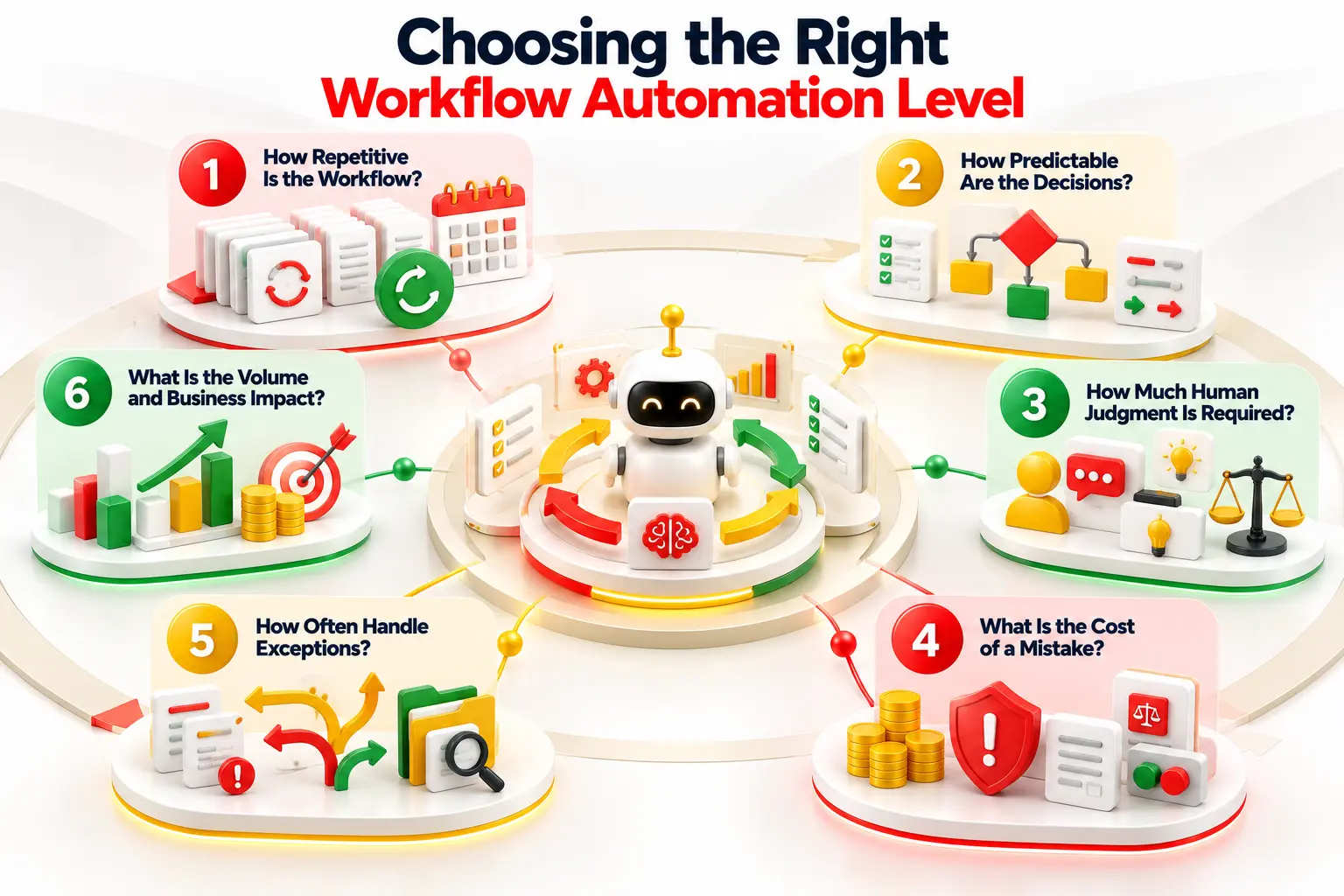
Six questions point you to the right level. Answer them for each workflow. The pattern becomes clear fast.
1. How Repetitive Is the Workflow?
Does the task repeat daily with the same steps? High repetition is the best sign. McKinsey finds that predictable manual data work has the highest automation potential.
2. How Predictable Are the Decisions?
Can you write the decision as an if-then rule? If so, use rules-based automation. If the logic keeps shifting, rules will fail.
3. How Much Human Judgment Is Required?
Does the task need empathy, negotiation, or strategy? Then keep a person in the loop. AI can still prepare the decision for them.
5. How Often Does the Workflow Need to Handle Exceptions?
Few exceptions suit simple rules. Frequent, messy exceptions suit Level 4 AI. Constant novelty may need agents, but add escalation paths and human review.
6. What Is the Volume and Business Impact?
High volume justifies the build cost. Capital One's check processing is a clear case. Estimate labor cost and processing time before you commit.
When Should You Use AI Instead of Rules-Based Automation?
Rules win when inputs are certain. If structured data moves from one system to another, use a workflow engine. It is fast, cheap, and easy to audit. Rules do not hallucinate.
AI wins when inputs are messy. Emails, scans, and free text need interpretation. AI can sort intent, pull out fields, and turn raw text into clean data.
The two work best together. AI reads the messy input. Rules run the controlled steps. Do not replace rules with AI. Put AI in front of them. Save agents for cases with no fixed path and room for error.
What Should You Automate First?
Start where friction is high and risk is low. Pick work with clear inputs and measurable outputs.
Start With High-Volume, Low-Risk Work
Password resets, invoice routing, and standard reports are good picks. They run often and follow clear rules. ServiceNow reports 26,000 hours saved yearly from a mobile self-service app.
Keep Humans in the Loop for High-Value Decisions
Keep people on approvals, large payments, and legal calls. Automation prepares the case. A person makes the final decision.
Use AI for Unstructured and Variable Work
Use AI when inputs vary a lot, such as invoices in many formats or free-text emails. Canon used document AI to save 6,000 hours.
How to Measure Workflow Automation ROI
Set a baseline before you build. Then compare after launch. Track these five numbers.
Compare error rates before and after launch. Cemig cut human filing errors from 20% to 1.82%.
Automation Rate
Track the share of runs that finish with no human touch. Many teams call this straight-through processing.
Human Escalation Rate
Track how often work goes to a person. A rising rate signals weak rules or bad data.
Company
Workflow
Reported Result
Capital One
Check processing
80% faster
Cemig
Employee onboarding
15 days to 21 minutes
Delivery Hero
Billing operations
99% fewer workflow failures
Canon
Accounts payable
6,000 hours saved
Workflow Automation Tools: Which Type Do You Need?
No single tool fits every workflow. Match the platform class to the job.
No-Code Workflow Automation Platforms
Zapier and Microsoft Power Automate let business users build visual flows. They launch fast. They struggle with complex data and strict legacy security.
RPA Platforms
UiPath and Automation Anywhere run bots on screens. They fit legacy apps with no API. They are brittle, since a small screen change can break them.
Integration and Orchestration Platforms
Workato, AWS, and Microsoft services link systems through APIs. They scale well. They also need technical skill and strong governance.
AI Workflow Platforms
Salesforce Agentforce and the ServiceNow AI Platform add intent detection and agents. They handle unstructured data. They need tight oversight to limit hallucination.
Where Workflow Automation Fails
Automation fails when teams skip the basics. The most common mistake is automating a broken process. Speed only makes bad steps fail faster. Fix and standardize the process first.
People risk follows. Gartner calls it AI lock-in. Skills fade over time. When a workflow breaks, nobody knows how to run it by hand.
Poor governance finishes the list. Gartner data shows over 70% of recent ERP projects missed their original goals.
How Entrans Helps Put Workflow Automation Into Production
A demo is easy. Production is hard. Legacy systems, messy APIs, and weak exception paths slow most teams down. Entrans Technologies helps you fix that.
We build enterprise workflow automation, AI workflow automation, and workflow orchestration. We connect your legacy systems through APIs and build custom automation where tools fall short.
With Fortune 100 retailers as clients and our own ISO 42001 certified enterprise AI platform - Thunai AI, we know what breaks at scale.
We help you pick the right level for each workflow, then take it live.
Automate Business Workflows Without Adding Complexity
Build production-ready workflows that connect your systems, reduce manual work, and scale with your business.
20+ Years of Industry Experience
500+ Successful Projects
50+ Global Clients including Fortune 500s
100% On-Time Delivery
Thank you! Your submission has been received!
Oops! Something went wrong while submitting the form.
FAQs
1. What Are Some Examples of Workflow Automation?
Invoice processing, employee onboarding, ticket routing, lead routing, and email triage are common examples. Each starts with a trigger and follows rules. People step in only for exceptions.
2. What Makes a Good Automation Use Case?
Look for high volume, clear rules, and low risk. The task should repeat often and have measurable results.
3. What Is the Workflow Automation Process?
Map the process and fix its flaws. Choose the level. Build the trigger, rules, and actions. Add exception paths. Launch, measure, and improve.
4. ,What Are the Levels of Workflow Automation?
There are five: manual, assisted, rules-based, AI-assisted, and autonomous. Each level moves more work to software and needs more oversight.
5. What Is the Difference Between RPA and BPA?
RPA bots mimic clicks on a screen. BPA automates a full process, usually through APIs. Use RPA for legacy systems.
6. What Is the Difference Between AI Workflows and AI Agents?
AI workflows follow a set path and use AI for certain steps. AI agents get a goal and pick their own steps.
7. Should You Automate Everything?
No. Keep people on high-judgment and high-risk work. Automating a bad process only creates faster errors.
Hire Workflow Automation Developers
Build scalable automation solutions with skilled developers who connect enterprise systems, streamline processes, and integrate AI where it adds value.
Free Project Consultation
Trusted by Enterprises & Startups
Top 1% Industry Experts
Flexible Contracts & Transparent Pricing
50+ Successful Enterprise Deployments
Jegan Selvaraj
Author
Jegan is Co-founder and CEO of Entrans with over 20+ years of experience in the SaaS and Tech space. Jegan keeps Entrans on track with processes expertise around AI Development, Product Engineering, Staff Augmentation and Customized Cloud Engineering Solutions for clients. Having served over 80+ happy clients, Jegan and Entrans have worked with digital enterprises as well as conventional manufacturers and suppliers including Fortune 500 companies.
Related Blogs
AI in Accounts Payable: 2026 Guide for Enterprise Finance
Discover how AI in Accounts Payable automates invoice processing, improves matching, reduces manual work, and helps finance teams measure ROI.
AI Agents Examples: 30 Real-World Use Cases Businesses Are Running in 2026
Explore 30 AI agents examples across business functions and industries, with real-world results, practical use cases, and tips to choose your first project.
The AI Implementation Roadmap That Ends in Production, Not a Slide Deck
Build an AI implementation roadmap that moves projects from idea to production with a step-by-step guide, timelines, costs, and measurable business results.






-1.svg)