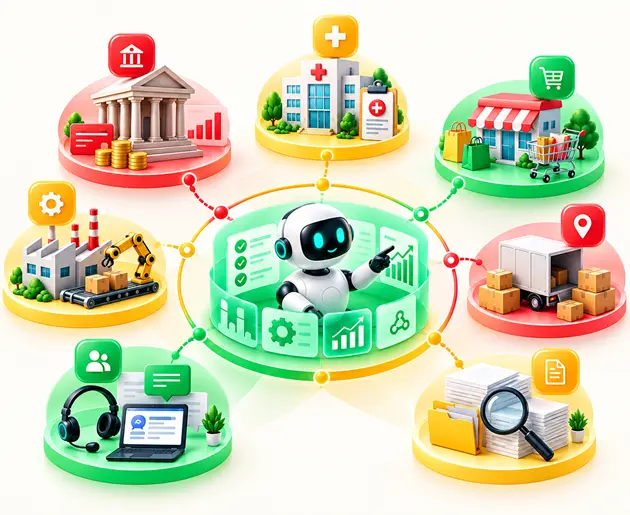
RAG use cases span customer support, enterprise search, sales enablement, analytics, compliance, and healthcare, helping teams get answers from their own data.
RAG works best when information changes frequently and answers need to be grounded in reliable sources with citations.
Start with a high-value, low-risk use case where data is accessible and results are easy to measure before expanding to complex applications.
Production-ready RAG depends on quality data ingestion, hybrid search, reranking, access controls, and continuous evaluation to reduce errors and protect sensitive information.
Most enterprise AI pilots start with a simple chat window, but few ever reach production.
For instance, a company like Rogo grounded its model in retrieved financial data. Hallucinations fell from 34.1% to 3.9%.
But there's a catch. Those wins came from careful design and steady testing.
Poor chunking, weak retrieval, and missing access controls sink many projects.
The use case you pick decides which side you land on.
This guide covers 14 retrieval-augmented generation use cases that work. You'll see where RAG fits, where it doesn't, and how to choose your first project.
Table of Contents▾
What Is RAG Used For?
Retrieval-augmented generation, or RAG, connects a language model to your own data. At query time, the system finds the most relevant content and hands it to the model. The model then writes an answer based on what it found.
Teams choose RAG for three main reasons. It reduces hallucinations by grounding answers in real documents. It keeps knowledge fresh without retraining a model. It also respects document-level access controls, which a standalone model cannot do.
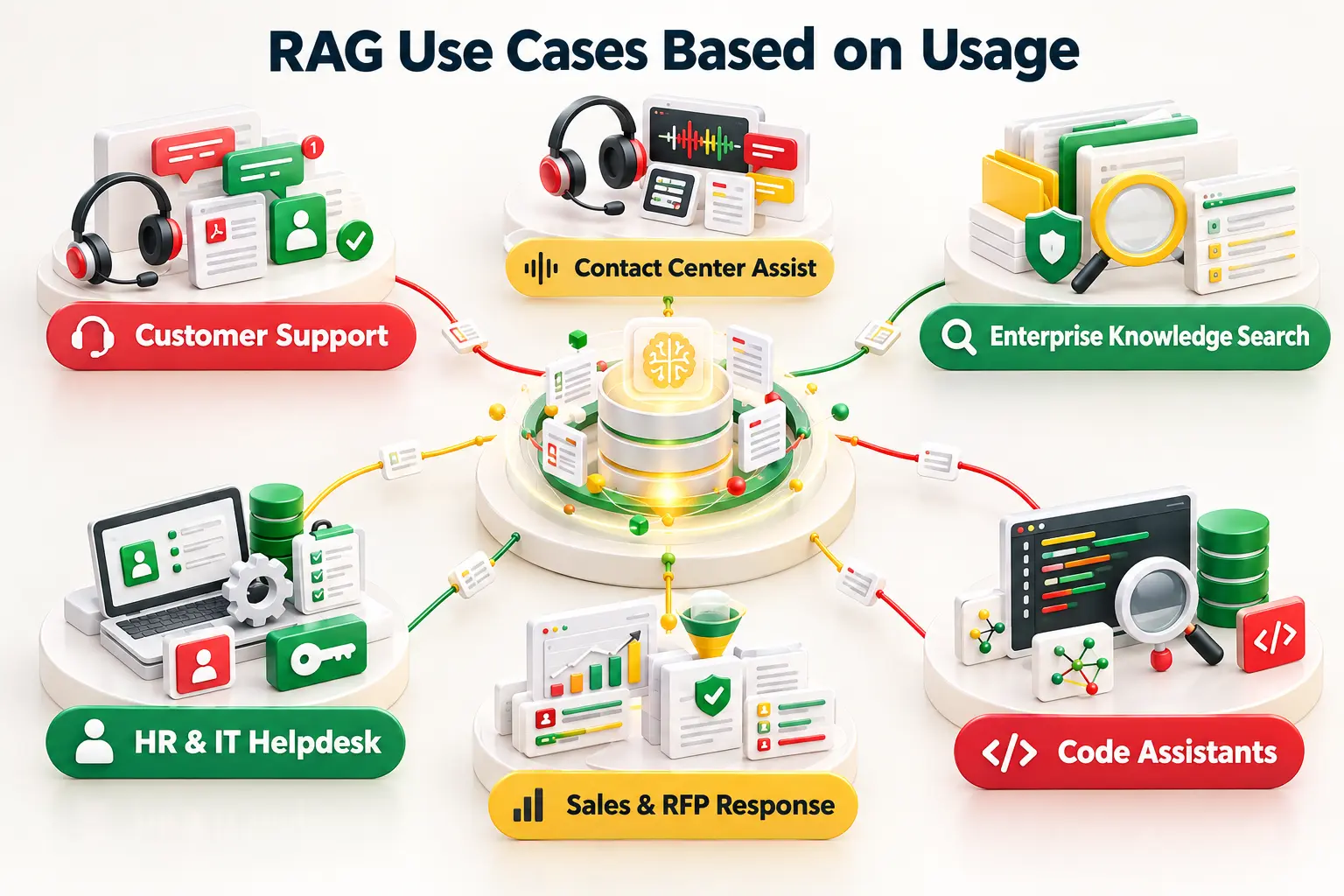
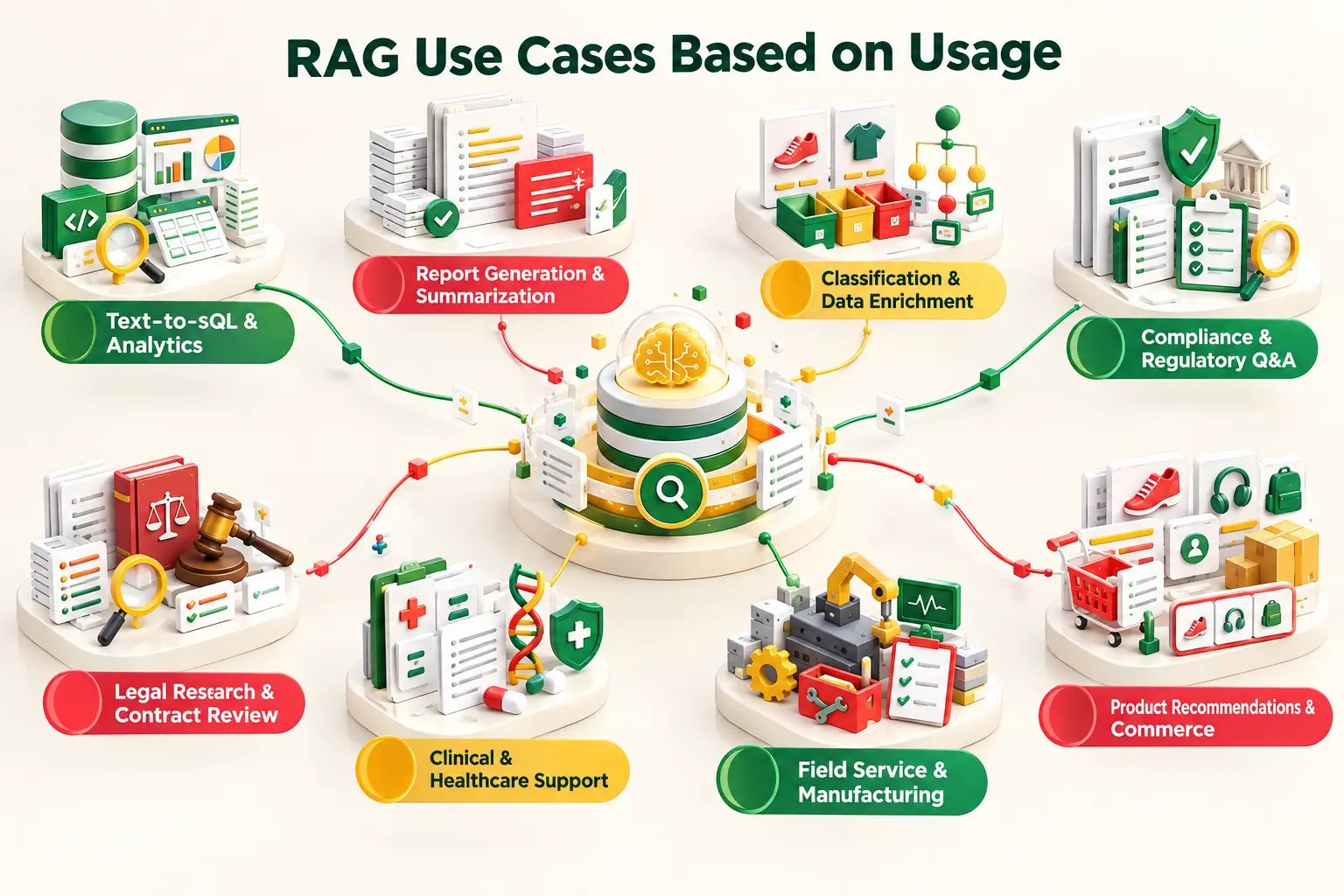
Most RAG applications fall into five groups: customer support, internal knowledge, revenue work, technical work, and regulated work. The 14 RAG use cases below sit inside these groups.
How RAG Works in Enterprise Applications
A production RAG system is a pipeline. Each stage feeds the next one in line. A single weak stage hurts every stage after it.
Data ingestion: the system pulls in files, tickets, wikis, and records.
Chunking: documents are split into small pieces. Tables should stay whole so rows keep their headers.
Embeddings: each chunk becomes a list of numbers that captures meaning.
Vector database: those numbers are stored and indexed for fast search.
Retrieval: the question is embedded too. The system finds the closest chunks.
Reranking: a second model scores the chunks again. Most of the noise drops out.
Context: the best chunks are placed into the prompt.
LLM: the model writes an answer from that context.
Grounded response: the answer cites the chunks it used.
A few terms come up again and again. Semantic search finds meaning, not just matching words. Hybrid search adds exact keyword matching, such as BM25.
Metadata filtering narrows results by date, team, or permission. Grounding ties every answer back to its sources. Citations let people check the work.
Reranking is often the highest-return upgrade. Engineers report that a small embedding model plus a reranker gives the best precision per dollar spent.
RAG vs Fine-Tuning for Enterprise Knowledge
Fine-tuning changes how a model behaves. RAG changes what a model knows. That one difference drives most of your choices. Does your data change every week? Then retrieval is the clear winner. Retraining for each policy update is slow and costly.
These 14 RAG use cases examples are grouped by the team that owns them. Each one covers what gets retrieved, a real example, and a simple rule of thumb you can apply to your own project.
1. Customer Support Assistants
These assistants pull from product docs, FAQs, policies, customer records, and troubleshooting guides.
Elezaby Pharmacy built "EzBot" on Amazon Bedrock. Store queries once took up to 24 hours.
Reported results: 70% faster responses and a 70% gain in customer satisfaction.
This RAG use case us the best place to start for CX leaders - especially when your answers already live in written documents.
2. Contact Center Agent Assist
Here, retrieval and some RAG use cases help by running live during the conversation, so it is not just another chatbot.
The result was fewer stale-metadata errors and more precise queries.
Retrieval explains what the data means. The database still supplies the numbers.
8. Report Generation and Summarization
Reports should draw on current documents, records, and research. Generic summaries won't do the job.
Adani Group used Vertex AI Search over its digitized monthly newsletters. Staff now get short summaries with citations.
Each claim links back to a source. Reviewers can check each claim quickly.
Retrieve first and then write. Never let the model write from memory alone.
9. Classification, Tagging and Data Enrichment
Retrieved context gives a model the rules, taxonomy, or reference data it needs.
Central Group matched customer images to product data with Vertex AI Search.
Manual tagging simply could not scale at that size. Retrieval mapped items to inventory automatically.
Retrieve the taxonomy at query time. Updates then need no model retraining at all.
10. Compliance and Regulatory Q&A
Sources include regulations, internal policies, compliance files, and audit evidence.
The Municipality of Panama built an Amazon Bedrock chatbot. Staff query municipal codes and legal rules.
Every answer needs a clear citation. Auditors will ask where each one came from.
Follow one rule: no source, no answer. Show the source beside every response.
11. Legal Research and Contract Review
Retrieval spans contracts, case law, precedents, clauses, and regulatory documents.
Thomson Reuters grounds AI answers in authoritative legal content. It also forces citations in every response.
That limits hallucination risk a great deal. Output stays tied to cited precedent.
Lawyers need proof, not fluent prose. Build for citations before you build anything else.
12. Clinical and Healthcare Documentation Support
Sources include clinical notes, medical literature, and patient context. Every answer must be grounded in a source.
Genentech's research agent searches 38 million PubMed papers and internal cell data. It runs on Claude 3.5 through Amazon Bedrock.
The accuracy bar is higher here. Governance rules are much stricter too.
Keep clinicians in the loop at every step. Treat each output as a draft.
13. Field Service and Manufacturing Technician Copilots
Technicians need manuals, maintenance records, service histories, and repair steps. They need that content on site, in seconds.
Nissan built a data assistant to score its engineering RAG pipelines. It cut evaluation time and cost by 90%.
Results matched human experts more than 90% of the time. Proof-of-concept time also fell by three to five times.
Real-time data matters a great deal here. A stale manual sends a technician down the wrong path.
14. Product Recommendations and Personalized Commerce Content
Recommendations draw on product catalogs, customer context, inventory, attributes, and behavior data.
Virtuals Protocol used Vertex AI Search to match users with AI agents. It went live in two weeks.
Live inventory keeps suggestions honest. Nobody wants to be shown a sold-out product.
Retrieve current stock and context on every request.
RAG Use Cases by Industry
The same RAG patterns change shape across industries. Data, risk, and success metrics differ. RAG use cases in healthcare and legal work carry the highest risk. Retail and manufacturing face the highest pressure to keep data fresh. Here is how five industries compare.
Industry
RAG Application
Main Data Sources
Retrieval Challenge
Risk
KPI
Healthcare
Record and research support
Clinical notes, journals, patient records
Unifying scattered records
Patient harm from wrong answers
Clinician time saved
Financial Services
Research and policy Q&A
Filings, policies, market data
Dense files with exact figures
Hallucination and compliance breaches
Hallucination rate
Legal
Case law and contract search
Contracts, statutes, precedents
Finding exact clauses
Fabricated citations
Citation accuracy
Retail
Catalog search and support
Product data, inventory, customer context
Fresh stock and attributes
Stale suggestions
Resolution rate
Manufacturing
Technician and engineering copilots
Manuals, test data, service logs
Linking specs to equipment
Unsafe repair steps
Research time cut
Real-World RAG Examples
Claims are cheap, but numbers are not. These examples of RAG applications each name the company, the data, the pattern, and the reported result. Most figures come from vendor case studies. Read them as reported, not audited.
Notice the pattern in the results. The biggest gains come from cutting search time. Accuracy gains come from grounding answers in real sources. Both of them start with good retrieval.
RAG is not a cure-all for every problem. Some engineers say a good search engine solves many of these problems alone. Use this table before you build.
A simple test can help you decide. Ask whether the answer lives in a document that changes over time. If it does, RAG is a strong candidate. If it doesn't, look at the other options first.
Need
Better Approach
Why
Static behavioral change
Fine-tuning
Tone and format live in model weights, not documents.
Deterministic calculation
Traditional software
Math must be exact every time. Code delivers that.
Transaction execution
API or tool calling
Booking or paying is an action. Retrieval only reads.
Simple database lookup
Direct database query
A query returns the exact record faster and cheaper.
No external knowledge required
Standard LLM
Retrieval adds cost and delay with no gain.
RAG vs Agentic RAG: Which Use Cases Need an Agent?
Agentic RAG vs RAG is not a question of which one is better. Not every use case needs an agent. Agents add real power, but they also add cost, delay, and risk. Choose them on purpose, not by default.
Standard RAG
Standard RAG runs through the pipeline once. It embeds the question, retrieves the top results, and writes an answer. It's fast, and it works well for direct lookups such as "What is our return policy?"
Agentic RAG
Agentic RAG adds a loop to the pipeline. An agent plans steps, picks tools, checks results, and tries again.
Genentech's research agent is a good agentic RAG example. It breaks hard questions into steps. It adapts as it learns more along the way.
Which Use Cases Need an Agent?
Stay with one cycle when the answer sits in one place. Move to an agent when the task needs several steps.
Look for multi-step reasoning, tool use, repeated searches, or error recovery. If an invoice lacks a vendor name, an agent can search other headers before it fails.
Standard RAG vs Agentic RAG
Capability
Standard RAG
Agentic RAG
Query handling
One question, one search
Splits hard questions into steps
Reasoning between steps
None
Checks and adjusts each step
Sources and tools
One index
Many sources, APIs, databases
Error recovery
Weak retrieval means a weak answer
Retries or switches tools
Latency
Low
Higher
Cost per query
Low
Higher
Build and maintenance effort
Moderate
High
Governance needs
Access control and citations
Adds tool permissions and audit trails
A Practical Migration Path
Basic RAG: one index, one retriever, and one prompt. Prove the value with a small group of users.
Production RAG: add hybrid search, reranking, metadata filters, and evaluation.
Tool-connected RAG: let the system call APIs and query databases.
Agentic RAG: add planning, loops, and error recovery where the task demands it.
You can't build all 14 at once. Score each idea on five factors. Then start with the winners.
Data Availability
Is the content digital, current, and owned by someone? Messy scans and outdated files slow every project.
Retrieval Complexity
Can one search find the answer? Tables, code, and multi-source questions make retrieval harder.
Business Value
Look for hours saved, faster answers, or lower risk. Pick work that people repeat every day.
Risk and Governance
What happens if the answer is wrong? Legal and clinical work needs stricter controls.
Evaluation Difficulty
Can you measure a good answer? If you can't test it, you can't improve it.
RAG Use Case Scoring Framework
Score data quality, retrieval feasibility, and business value from 1 to 5. Higher scores are always better.
Score risk and evaluation difficulty from 1 to 5. Here 5 means low risk and easy testing.
Add up the five scores. The maximum total is 25.
Start with anything that scores above 20. Revisit the rest after your first launch.
Share the scores with business owners. A shared score ends most debates about where to begin.
Book a Free Consultation
Share your details and our experts will reach out to discuss your goals.
Why RAG Use Cases Fail in Production
RAG in production fails in predictable ways. Most failures start before the model writes a word. Bad context gives bad answers every time. Watch for these common problems.
Poor chunking and bad embeddings: text is split badly, and tables lose their headers.
Weak retrieval: irrelevant chunks come back. Vector database settings and weak semantic search are common causes.
Missing metadata and stale data: the system can't filter by date or team. Old answers can linger for months.
Poor reranking and context overload: too many noisy chunks reach the prompt. The model then loses its focus.
Hallucinations and permission leakage: the model invents facts or shows restricted content.
Latency and evaluation gaps: slow answers frustrate users. Nobody notices when quality quietly drops.
Most of these problems are fixable. Teams that test each stage of the pipeline separately find the cause faster. Fix retrieval before you blame the model. Our guide on how to improve RAG accuracy covers the fixes in more detail.
Governance, Security and Evaluation for Enterprise RAG
Use RBAC and permission-aware search for every query. Isolate data by tenant.
Mask PII before indexing. Log who asked what and when.
Require source citations on every answer. Ground each response in retrieved text.
Test the retriever with contextual precision. Test the generator with faithfulness and answer relevancy.
Track quality in production. Add observability and audit trails from day one.
Auditability closes the loop on governance. Log each query, each retrieved chunk, and each answer. When a regulator or a manager asks why the system said something, you can show the exact source.
Build an evaluation set early in the project. A change to a prompt or embedding model can quietly break a stable system.
Is RAG Becoming Obsolete?
Short answer: no. It's changing fast. Long-context models can hold more text. They still cost more and can lose details in the middle. They also can't enforce who may see what.
RAG is growing new branches. Agentic RAG handles multi-step work well. GraphRAG answers big-picture questions, but it's costly to update. Hybrid search and multimodal RAG widen what you can retrieve.
Knowledge graphs add useful structure. MCP lets agents reach live tools. It suffers from slow links and has no global ranking, so central indexes still matter. Structured data retrieval links RAG to your databases.
So think of RAG as the base layer. Newer methods sit on top of it. Teams that build a strong retrieval foundation now will adopt each new method more easily.
How Entrans Helps Move RAG From Pilot to Production
Every failure in this guide is a production problem. It comes down to data quality, retrieval design, architecture, evaluation, security, and deployment. Entrans Technologies works on all six.
We build RAG systems with clean ingestion, hybrid retrieval, and permission-aware search. We set up evaluation before launch.
With Fortune 100 retailers as clients and our own ISO 27001-certified enterprise AI solution, we know what breaks at scale.
Our AI readiness assessment helps you pick the right first use case and score it against the framework above. We then take it from pilot to a system your security team can approve.
If you need extra capacity, you can bring in a dedicated LLM engineer to own the retrieval layer.
Build Production-Ready RAG Solutions for Your Enterprise
Turn enterprise data into accurate, source-grounded AI answers with secure retrieval and reliable evaluation.
20+ Years of Industry Experience
500+ Successful Projects
50+ Global Clients including Fortune 500s
100% On-Time Delivery
Thank you! Your submission has been received!
Oops! Something went wrong while submitting the form.
FAQs
1. What Is RAG Mainly Used For?
RAG grounds AI answers in your own data. Teams use it most for support, internal search, and research. It also powers code help, compliance checks, and report writing. The common thread is private data that changes often.
2. What Are Some Real Examples of RAG Applications?
Elezaby Pharmacy uses it for store support. Toyota uses it for engineering search. Rogo uses it for financial research. Genentech uses it to search biomedical papers. Each one retrieves proprietary content and cites the source in its answers.
3. What Is Not a Good Use Case for RAG?
Skip RAG for exact math, simple lookups, and transactions. Skip it when the goal is style or tone. Fine-tuning fits that job better. A standard model is enough when no outside knowledge is needed.
4. What Is the Difference Between Agentic RAG and RAG?
Standard RAG retrieves once and answers. Agentic RAG plans steps, uses tools, and checks its work. It handles harder tasks but costs more.
5. Is Agentic RAG Worth It?
Yes, it is worth it for complex research and multi-step tasks. No, for simple lookups or live calls. Start with standard RAG and add agents where it falls short. Agents pay off when the task has many steps.
6. Is RAG Becoming Obsolete?
No. Long-context models help a lot, but they don't replace retrieval for private, changing, permissioned data. RAG is adding agents, graphs, and hybrid search. Retrieval remains the base layer for all of it.
7. What Is RAG Used For in Enterprise Applications?
Enterprises use it to search policies, support customers, and answer staff questions. It also drives sales responses, analytics, and technician help. Access controls keep the data safe. Citations make each answer easy to verify.
8. Can RAG Work With Structured Data?
Yes. RAG can retrieve schema and business context. The generated SQL then queries the real tables. SkySQL runs this pattern inside its database. The model never needs to copy your data elsewhere.
Hire RAG Developers to Build Enterprise AI Solutions
Work with skilled AI engineers to build, optimize, and scale secure RAG applications using your enterprise data.
Free Project Consultation
Trusted by Enterprises & Startups
Top 1% Industry Experts
Flexible Contracts & Transparent Pricing
50+ Successful Enterprise Deployments
Jegan Selvaraj
Author
Jegan is Co-founder and CEO of Entrans with over 20+ years of experience in the SaaS and Tech space. Jegan keeps Entrans on track with processes expertise around AI Development, Product Engineering, Staff Augmentation and Customized Cloud Engineering Solutions for clients. Having served over 80+ happy clients, Jegan and Entrans have worked with digital enterprises as well as conventional manufacturers and suppliers including Fortune 500 companies.
Related Blogs
Business Process Automation Examples: 24 Use Cases Across Finance, HR and Operations
Explore 24 business process automation examples across finance, HR, and operations to reduce manual work, cut errors, and improve efficiency.
Explore top forward-deployed engineering services in 2026. Discover how FDE-as-a-service helps teams ship production-ready software inside live workflows.
Intelligent Automation Use Cases: 15 End-to-End Examples Across Industries
Explore 15 real-world intelligent automation use cases across industries to see how AI, RPA, and smart workflows cut costs and boost operational speed.






-1.svg)