Explore 20 n8n workflow automation examples that save enterprise teams 20+ hours a week across sales, HR, finance, IT, and AI operations.

Agentic Unconference 2026 - September 19, Chennai
View Event →


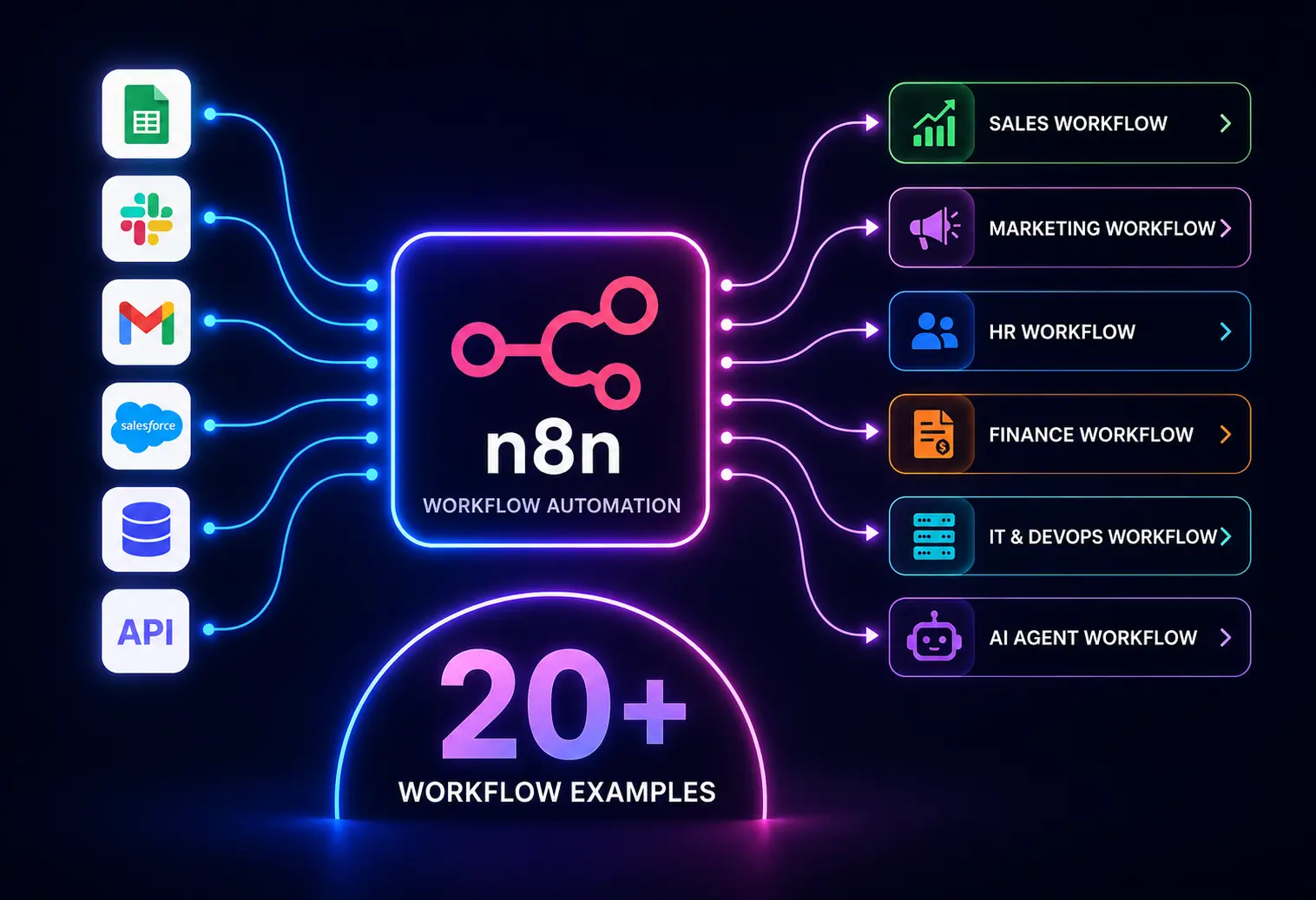


Does your team squander countless hours on manual data entry? What if you could get that time back right away? With n8n's automation workflow, businesses can link their whole tech setup—from sales to IT ops—into smooth, self-running systems.
With its flexibility, seamless integrations, and AI capabilities, n8n helps teams streamline operations across departments without building complex software.
In this post, we will see the n8n workflow automation examples that help enterprises eliminate manual work, improve efficiency, and free up teams’ manual effort.
n8n has emerged as the most commonly used automation platform. At its core, n8n functions as an automation abstraction layer; it provides a low-code visual canvas baked by developer-level engineering control. Platform evaluation processes can be helped by referencing an n8n vs Zapier vs Make vs Workato architectural comparison.
The key reasons to choose n8n are
Modern enterprises use n8n to automate repetitive processes and build AI-powered workflows without relying on multiple automation platforms. Project discovery across complex organizations can be helped by consulting with experienced n8n workflow automation companies. Below are practical n8n workflow automation examples from various industries.
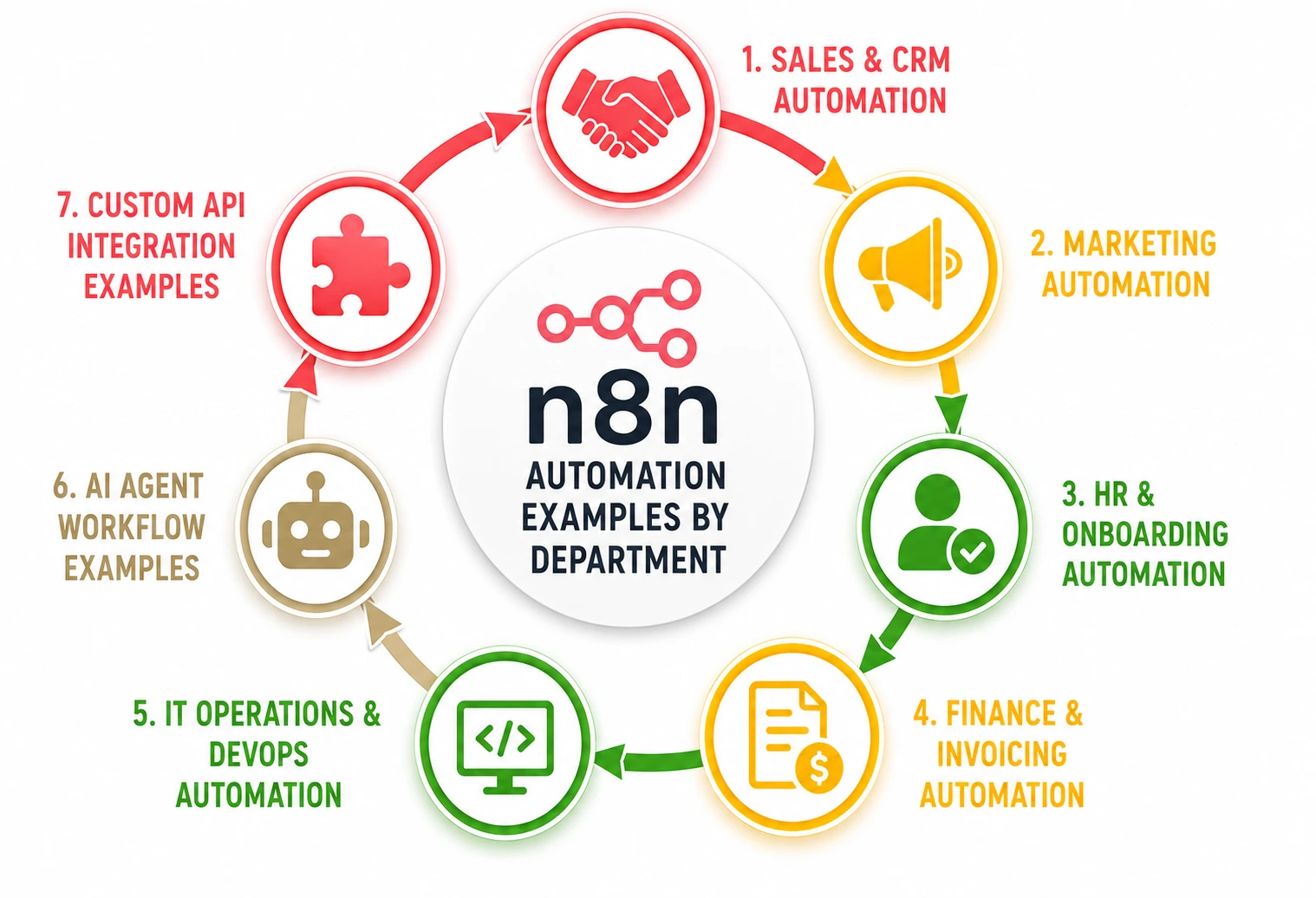
n8n automation workflows help keep leads on track without manual data entry.
When a user submits a website form, n8n automatically validates lead information and enriches company data using third-party tools. Then n8n creates a contact in CRM and assigns the lead to the appropriate sales representative, and sends a welcome email to the user.
Next, it checks the deal stage in CRM; if it hasn’t changed for 14 days, n8n itself triggers the workflow and drafts the personalized check-in email based on the client’s last active project discussion.
After the sales call ends on Zoom, the n8n grabs the AI transcript, extracts the key actions based on the conversation, and generates the notes. The notes are updated in the section inside the CRM deal, and corresponding tasks are created in Todoist, clickUp, or follow-up.
n8n helps in monitoring CRM activity and triggers. N8n keenly monitors follow-up emails after demos, meeting reminders, and proposal follow-ups. If any activity is found unattended, n8n conducts re-engagement campaigns for any inactive prospects. In this way, n8n helps in generating higher conversion rates with less manual effort.
n8n use cases help in delivering the right message at the right time without spending all day copy-pasting data.
n8n takes the responsibility of coordinating the marketing activities across email platforms, social media channels, CRM systems, and analytics tools. N8n triggers to launch the campaign across all channels simultaneously.
They handle the ActiveCampaign stuff too. If someone signs up for your Zoom or Luma webinar, n8n adds them to an ActiveCampaign nurture tag, sets a personal reminder via Twilio an hour beforehand, and keeps track of everyone on the Google Sheet dashboard.
When content is approved, n8n publishes to WordPress. N8n detects the RSS feed update and uses an AI node to rewrite the core takeaways and share on LinkedIn. After that, n8n schedules social posts, notifies marketing teams, and updates content calendars. Overall, it has improved the content distribution.
When an existing lead clicks a specific pricing link in your email newsletter, n8n tracks the webhook from your marketing tool. It bumps their lead score in the CRM and alerts the marketing team via Microsoft Teams. This happens right away to start a targeted ad campaign.
n8n gives new hires and team members a flawless experience while cutting out repetitive paperwork.
When an HR manager hires a new employee, n8n automatically spins up their corporate Google Workspace account, generates a temporary password, invites them to relevant Slack channels, and orders their laptop via a hardware management API.
n8n creates accounts in business applications and generates onboarding checklists. Orientation sessions are even scheduled for the new joiners, and are notified to managers and IT teams. Thus, the onboarding process is streamlined by n8n.
Starting from the resume collection and tracking the applicant updates, n8n takes care of the whole process. Schedules an interview and does candidate communications if the candidate is selected. N8n coordinates a 30-day onboarding drip. Starting with sending a welcoming email with the employee handbook to pinging a new hire on Slack with a check-in form, n8n does the job for you. On Day 30, it automatically schedules a 1-on-1 review on their manager’s Google Calendar.
When an employee submits a time-off or expense request via a simple Slack slash command, n8n routes the details directly to their manager via a Slack interactive button. On clicking Approve, it instantly updates the core HR system and notifies payroll.
In the finance sector, n8n keeps the cash flowing and the books balanced without the human error factor.
N8n extracts invoice data and validates information. They can route the invoice for approval and update accounting systems. After some time, the n8n archives the invoices. Overall, the manual data entry is reduced.
Employees submit expenses through firms, and n8n validates policy compliance, routes approvals, updates ERP systems, and generates reimbursement requests.
Each month, n8n scans a database of open invoices. For any invoice marked “Overdue”, it automatically calculates the days past due and sends a friendly, automated reminder email with a direct payment link to the client, logging the communication history in the CRM.
n8n keeps systems online and routine maintenance running quietly in the background.
When a server outage crops up, n8n jumps in to take care of everything. It creates tickets and gives them to the engineers. Also, n8n performs diagnostics and sends log dumps to a Slack channel. If the issue drags on for over 3 minutes, n8n uses PagerDuty to alert the on-call engineer.
n8n is integrated with development tools to trigger builds, run automated tests, deploy applications, and notify teams of deployment status.
n8n workflows run weekly to check the expiration dates of all company domains and SSL certificates. If any date seems to be expiring in 30 days, it automatically opens a ticket in Jira and assigns it to the IT security team.
n8n runs a cron job that scans cloud storage or idle testing servers. If a development resource hasn’t been accessed in 60 days, it sends a Slack message. If the response is “yes”, then n8n terminates the instance or backs up the data to cold storage automatically.
Using n8n for business automation helps to infuse intelligent decision-making into your daily operational workflows. Business efficiency can be improved when teams build AI agents to automate workflows in n8n frameworks inside their engineering pipelines.
When a customer support ticket arrives in Zendesk, n8n answers the customer's questions through an AI Language Model (LLM) node. Then n8n retrieves the information from internal systems and analyzes the sentiment (angry, frustrated, calm) and intent (billing issue, technical bug).
If the customer is highly frustrated about a billing error, n8n escalates it to top-priority and escalates it directly to a human lead. This has shown a reduction in workload as most of the support is given by n8n.
n8n can act to analyze incoming leads, generate personalized outreach emails, and recommend next actions. N8n updates CRM records automatically, which has resulted in more efficient sales engagement.
When a legal contract or NDA is uploaded to a secure folder, n8n pushes the text to an AI agent trained on company policies. The AI flags missing clauses, highlights unusual liability terms, and puts together a clean summary, marking the document as “Greenlight” or "Requires Human Legal Review”.
n8n connects tools that generally don’t have built-in plugins or pre-made connectors.
n8n can connect modern applications with legacy platforms through APIs, webhooks, databases, or custom code. Connections happen through web hooks when an event happens, but your core business relies on an older internal SQL database.
The middle layer is controlled by n8n by listening for the modern webhook, translating the JSON payload into a clean SQL query, and safely updating the legacy system in real-time.
n8n is used to connect systems that lack native integrations. Start by getting the customer data from CRM and syncing records with ERP. Update inventory or order status and notify stakeholders of the changes made. Through this, we can achieve consistent data across business systems.
An n8n workflow can eliminate repetitive tasks, but only with the right one. Choosing the best n8n workflow requires understanding your business needs, identifying the bottlenecks, and prioritizing automation opportunities to get measurable results. Enterprise productivity can be helped by establishing a solid n8n workflow automation framework across departments.
The right workflow should solve

Analyze and review the daily operations across departments. Get to know from your team members which tasks consume the most time and create a workflow for that. Common indicators that a process should be automated include
Before building any workflow, determine what success looks like. Define clear goals which will eventually increase revenue by faster lead qualification, automated follow-ups, and thereby improving sales pipeline management. Clear objectives help prioritize workflows with the highest business impact. N8n workflows improve customer experience and reduce operational costs.
First, document how the current process works, then identify trigger events, manual tasks, decision points, systems involved, and data sources. Look for bottlenecks too. Creating a visual map can uncover inefficiencies to fix before you automate anything.
n8n is really good at hooking up with lots of systems. See what integrations your workflow needs – whether CRMs, ERPs, accounting software, marketing tools, databases, or AI services – and can handle them based on your requirements.
Before building, categorize your business problem into one of the three complexity tiers. Start with workflows that deliver immediate value, require minimal development, and affect multiple users. These quick wins build confidence and demonstrate ROI.
Evaluate if the workflow can deal with more transactions, extra users, additional integrations, and new business needs, including AI upgrades. If it scales now, we'll avoid major redesigns later on.
Modern n8n workflows can incorporate AI models and intelligent agents. Potential use cases include lead qualification, customer support automation, document processing, and data extraction.
Building these n8n workflows out of the box gets you off the ground, but moving them from standard setup to a secure deployment requires a structural approach. Operational design can be helped by identifying what n8n consulting services to expect during a platform deployment. Entrans is an AI-First Digital Engineering framework that takes these baseline automations and embeds them into existing infrastructure.
Internal technical sourcing can be improved by assessing detailed n8n developer skills roles, how to hire requirements for your engineering division. For dedicated project lifecycles, project continuity can be helped when you choose to hire developers dedicated to n8n developer squads.
Entrans helps
Learn more about how we build workflows that are scalable, reliable, and aligned with business objectives. Book a consultation call with us.

The most common mistake lies in automating complex processes that happen rarely, creating a high setup for very little business return. Choosing overly complex workflows first and failing to define clear business goals is also a main mistake.
Yes. n8n can connect hundreds of applications, APIs, databases, and cloud services in a single window. One can easily design a multi-app chain where data moves seamlessly from a web form to an AI tool.
No. n8n is a low-code platform where one can build automations using pre-made drag-and-drop blocks. But programming knowledge can help with advanced logic, custom integrations, and API handling.
Standard steps follow rigid, predictable rules from one app to another. n8n AI nodes analyze information, generate content, and make context-based decisions.
n8n stores credentials securely using encryption and provides role-based access controls for workflow management. By self-hosting n8n, we can maintain greater control over data security, privacy, and compliance requirements.
Start with repetitive, high-volume tasks that involve multiple systems and manual data entry across teams. Prioritize processes that have clear requirements, measurable business value, and stable process rules.

-1.svg)