MCP Server Examples: 25 Real-World Use Cases, From Reference Servers to Enterprise Workflows
Explore 25 real-world MCP server examples across DevOps, CRM, and enterprise tools. Learn how Model Context Protocol connects AI to live business workflows.
MCP Server Examples: 25 Real-World Use Cases, From Reference Servers to Enterprise Workflows
Connect AI to Live Systems: Model Context Protocol (MCP) servers give AI agents a unified way to interact directly with databases, developer tools, and business workflows instead of basic chat.
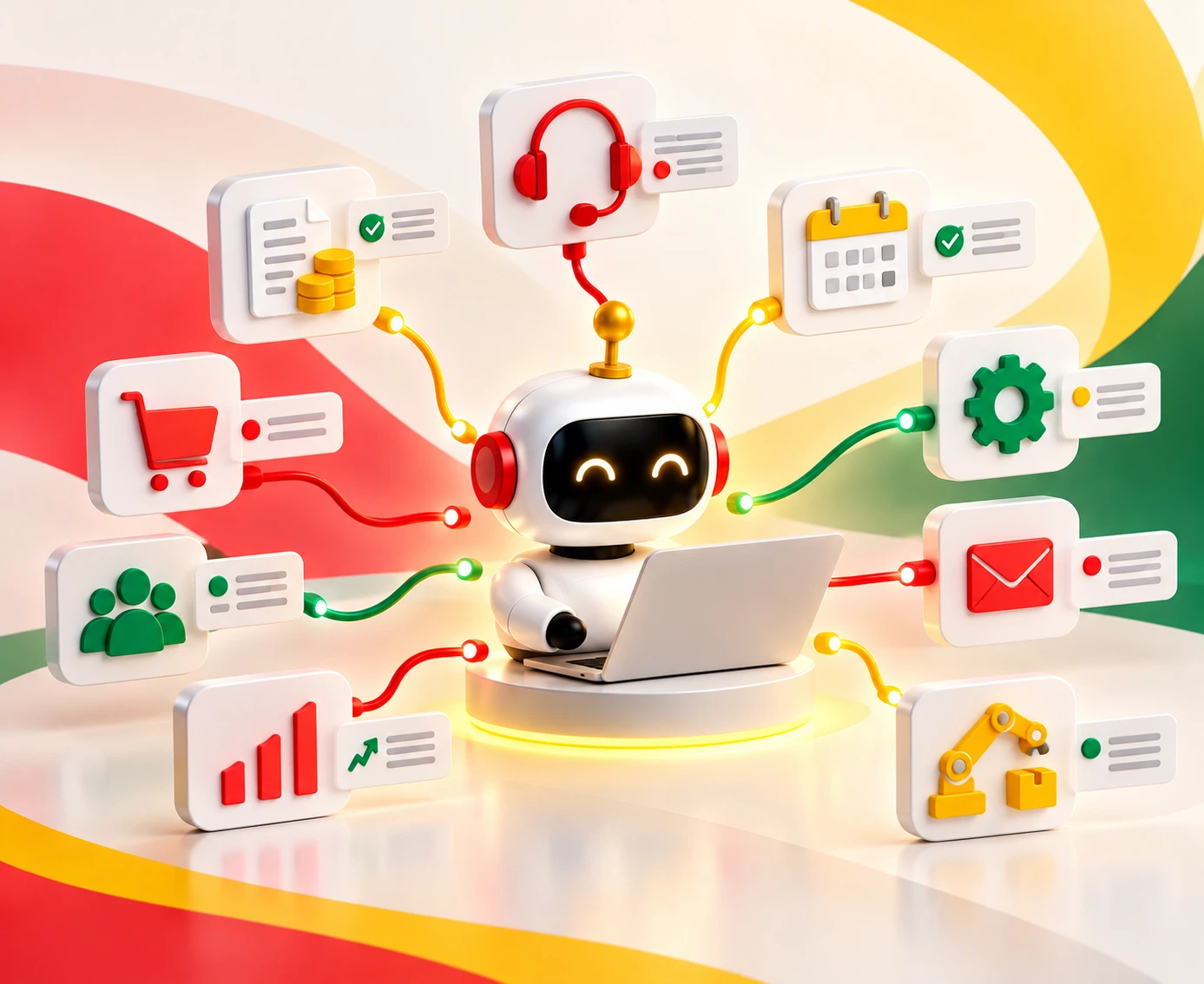
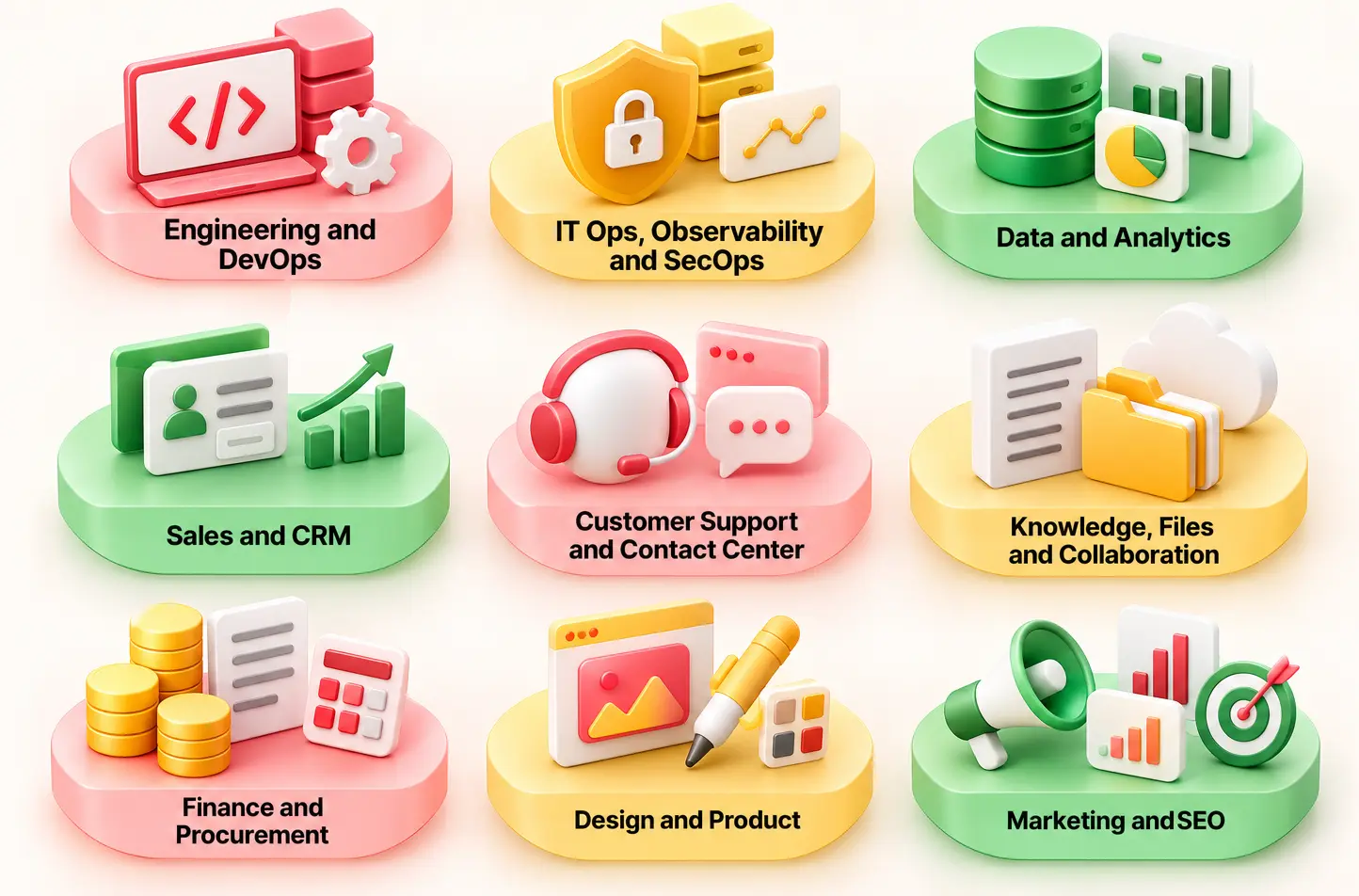
25 Practical Enterprise Examples: Real-world implementations span 9 core functions, including automated code fixes with GitHub, observability with Datadog, analytics via Snowflake, and CRM syncs.
Built-in Security & Risk Tiers: Enterprise rollouts require mapping servers to Low, Medium, or High risk tiers with read-only scopes, token validation, and mandatory human-in-the-loop approvals.
Safe 5-Step Pilot Strategy: Start by connecting 3 read-only servers for high-friction tasks, add controlled write actions, and evaluate token efficiency before scaling across teams.
What if your AI agents could move past simple conversational chat and seamlessly interact with live production databases, developer workflows, and enterprise tools? That’s where Model Context Protocol (MCP) servers come in. They give AI applications a standard way to connect with external tools and information.
This guide covers 25 MCP server examples, showing how developers can move from basic reference servers to enterprise workflows. It also explains what popular MCP servers do, where they fit, and how to choose the right ones for your needs.
Table of Contents▾
What is an MCP Server?
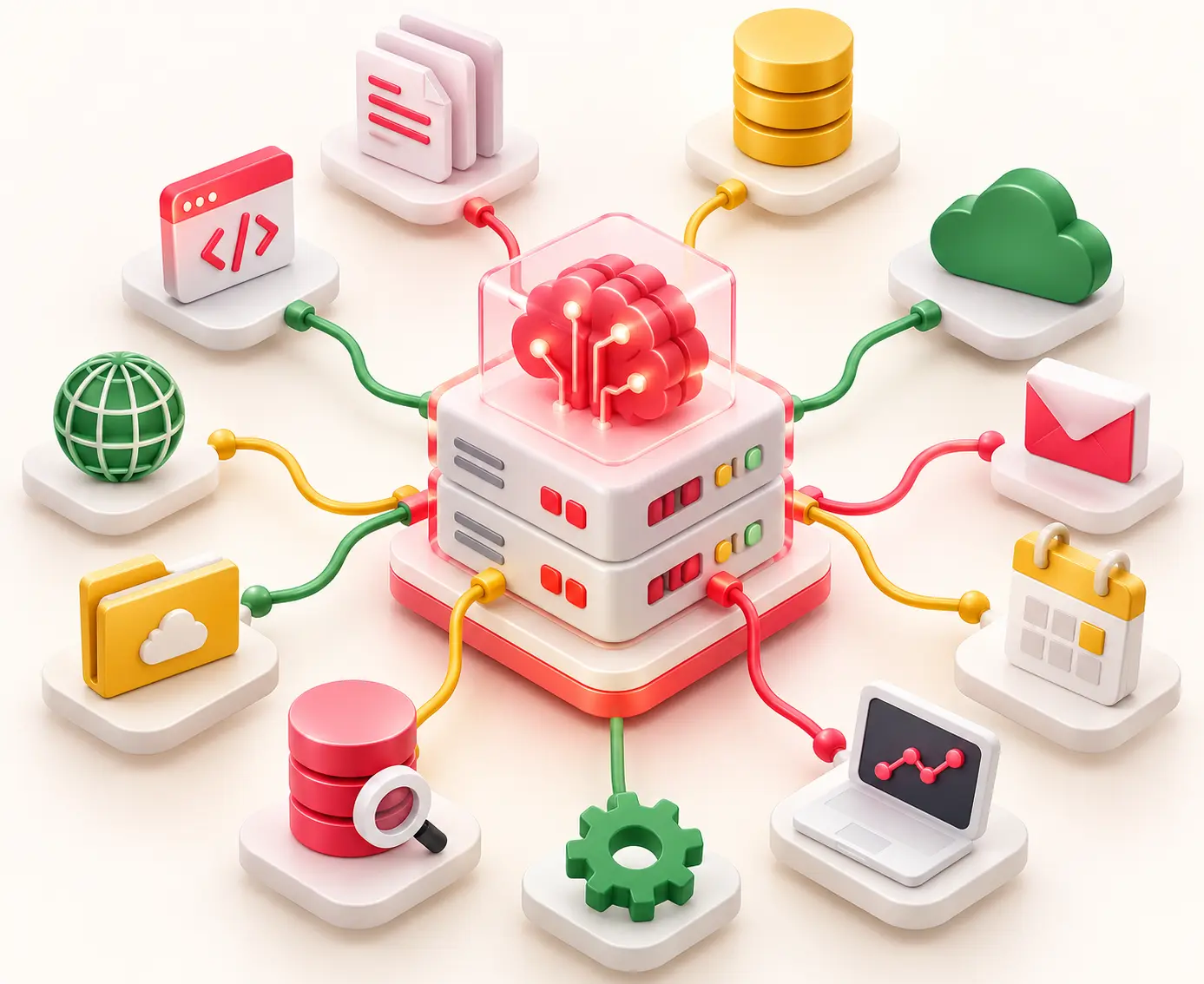
The MCP server is an application that makes available the data and functions of the system (resources, tools, prompts) to AI applications via the open Model Context Protocol.
This may make resources, tools, and prompts that will aid the AI assistant in finding the necessary information and performing required functions readily available. Rather than making a connection for each AI application, connections between the client and systems using the common protocol can be created.
MCP history and adoption
MCP was introduced by Anthropic on November 25, 2024. In 2025, support for MCP reached products developed by OpenAI, Google, and Microsoft. Anthropic contributed MCP to the Agentic AI Foundation at the Linux Foundation on December 9, 2025.
How does an MCP server work?
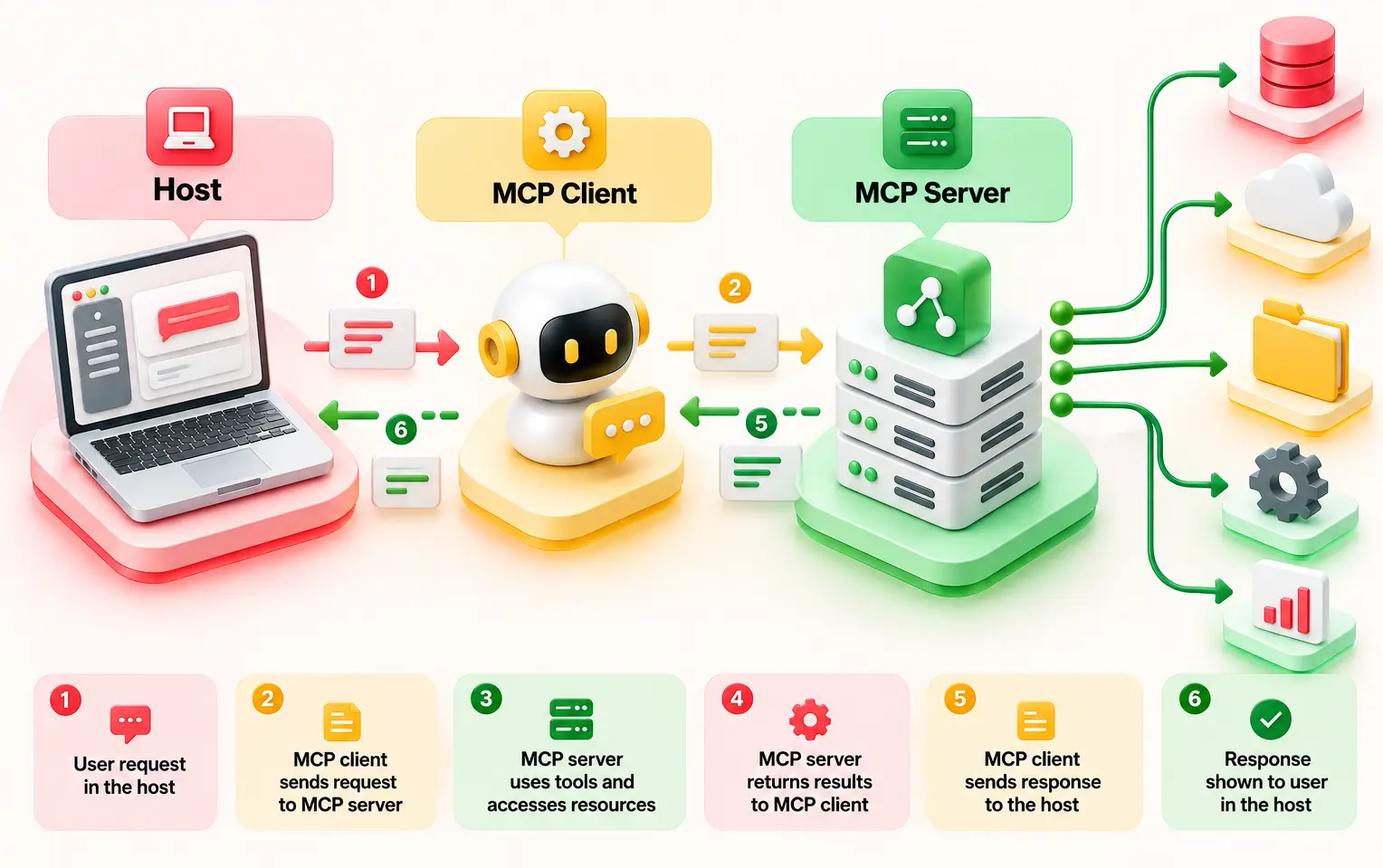
MCP is a client/server architecture and has three basic components.
Host: AI application, e.g., a desktop assistant, Code editor like Claude, ChatGPT, and Cursor, where the user works.
Client: Part of the host software that interfaces with the server and communicates with it by passing messages.
Server: Interface with GitHub, databases, files, or applications. The application that makes available data, services, or prompts for the system, such as a database, file storage, or business application.
A simple example is a GitHub MCP server:
Host: The AI coding assistant, including Claude Desktop or an IDE-based AI assistant, that the user uses to interact with the AI.
MCP Client: The part in the AI app that communicates with the GitHub MCP server through the MCP protocol.
MCP Server: The GitHub MCP server that provides the tools to get information about the repositories, view the issues, and take GitHub actions permitted by the tools configured in it.
Example of workflow: The user queries the AI assistant to summarize the open issues on GitHub.The host gets the request, the MCP client passes the request to the tool, and the GitHub MCP server gets the issues.
The three things an MCP server can expose
Tools: Actions that an AI model performs, like searching GitHub issues, accessing databases, and creating a ticket. Such tools will be dependent on what tools are available on the server and the permissions of the user.
Resources: The read-only context that is provided to an AI application, such as files, documents, and records.
Prompts: Templates that are reusable by an AI application for performing various jobs such as code reviews or summaries of a document.
Most of the MCP server examples mentioned in this post contain a lot of tools, as they provide an understanding of an AI application's interaction with other systems.
Local and Remote MCP Servers
Local stdio: The AI program runs a local server and uses standard input and output to communicate.
Remote Streamable HTTP: The client connects to a server using the HTTP protocol. The 2025 MCP protocol specification superseded the older HTTP+SSE transport, although some older MCP servers use SSE.
MCP server vs API vs function calling
All three work together but serve different roles.
API is used to connect software systems.
Function calling is used by the AI model to call a function.
The MCP server provides services and context to AI clients using common protocols.
Similarly, Cisco makes a distinction that MCP does not replace the existing APIs but adds a standard method to discover and invoke them.
Comparision
MCP Server
API
Function calling
Who Builds It
Standardized contributors or vendors
Internal development teams
App developers per integration
Reuse Across AI Clients
Universal reuse across any compatible AI client
Custom code per platform
Tied to specific vendor SDKs
Tool Discovery
Discovered dynamically via standardized protocol contracts
Static documentation & manual setup
Provided dynamically via LLM provider schemas
Auth Model
Normative security boundaries and token validation
Standard web auth (OAuth, API keys)
Inherited from the host application
MCP Server Examples at a Glance
The following 25-row comprehensive matrix covers reference implementations, vendor-official releases, community integrations, hosted/gateway options, and custom architecture patterns.
Server
Team/Function
Server Type
Local or Remote
Read-only or Write
Risk Tier
Filesystem
Local file operations
Reference
Local
Write
Medium
Git
Repository history & inspection
Reference
Local
Read-only
Low
Fetch
HTTP content retriever
Reference
Local
Read-only
Low
Memory
Persistent knowledge graph
Reference
Local
Write
Low
Sequential Thinking
Advanced structured reasoning
Reference
Local
Read-only
Low
Time
Current clock/timezone utility
Reference
Local
Read-only
Low
GitHub
Source code & issue management
Vendor-official
Remote
Write
High
Sentry
Error tracking and debugging
Vendor-official
Remote
Read-only
Low
CI/CD Terraform
Infrastructure deployment
Custom
Remote
Read-only
High
Datadog
Metrics and log monitoring
Vendor-official
Remote
Read-only
Medium
Snowflake
Cloud data warehouse
Vendor-official
Remote
Write
Medium
BigQuery
Enterprise data analytics
Vendor-official
Remote
Write
Medium
Postgres/Supabase
Relational database management
Community
Remote
Write
High
Salesforce
CRM & customer records
Vendor-official
Remote
Write
High
HubSpot
Marketing & sales automation
Vendor-official
Remote
Write
High
Zendesk/Intercom
Help desk & support tickets
Vendor-official
Remote
Write
Medium
Slack
Team communication
Vendor-official
Remote
Write
Medium
Notion
Workspace documentation
Community
Remote
Write
Medium
Atlassian
Project tracking & docs
Vendor-official
Remote
Write
High
Google Drive
Cloud file storage
Vendor-official
Remote
Write
Medium
Box
Secure enterprise content
Vendor-official
Remote
Write
Medium
Stripe
Payment processing
Vendor-official
Remote
Write
High
Figma
Design system inspection
Vendor-official
Remote
Read-only
Low
Semrush
SEO and marketing analytics
Community
Remote
Read-only
Low
Firecrawl
Web scraping & data extraction
Hosted / Gateway
Remote
Read-only
Low
MCP Server Examples by Business Function
Bringing Model Context Protocol integrations into an enterprise environment requires mapping specific tools directly to operational workflows. To make these model context protocol examples actionable for engineering, IT, and business teams, each scenario below uses a consistent structured breakdown:
What it Exposes: Commit history, pull requests, and the issues board within the repository.
Example Prompt: "Go through the log of the crash that occurred in the past week and find out which function is causing the bug within the repository and create a pull request for it."
Outcome: The bot finds out which module has failed and corrects it by making a pull request along with commenting on the code.
Guardrail: Human code review before releasing to the main branch.
What It Exposes: Schema of the database, read-only query processor, and metadata tables of the data warehouse.
Example Prompt: "Run a query in our data warehouse showing the trend of MAU (Monthly Active Users) by different enterprise levels."
Outcome: Returns a summarized data structure in the form of a Markdown table without disclosing schema information of tables.
Guardrail: Never connect any agent with a production database having write or drop access enabled.
Sales and CRM
Server(s) used: Slack MCP server and an approved CRM or help desk MCP server.
What It Exposes: Contact Details, Transactions, Account Notes, and Activity Logs.
Example Prompt: "Develop an executive summary for the next synchronization meeting for the account of Acme Corp, with details of any prior transactions."
Outcome: Executive summary developed with all latest tickets, opportunities, and emails.
Guardrail: Remove Personally Identifiable Information from Customer Data before entering it into the LLM.
Customer Support and Contact Center
Server(s) used: Helpdesk and Knowledge Base Servers
What It Exposes: Ticket queue management system, customer interaction log, approved documentation articles.
Example Prompt: "Queue up your support tickets and answer them by following the official documentation provided."
Outcome: Ticket backlog managed, customers are answered appropriately, hardware-related issues escalated to human experts. (For complex deployments, see proven implementation patterns in Entrans case studies on AI customer service agents for a global retail brand).
Guardrail: Always ensure that human sign-off is available for customer communication
What It Exposes: Wiki pages in the workspace, structured project files, and cloud storage directories.
Example Prompt: "Find our internal product specifications regarding Q3 security compliance needs and itemize the important action items."
Outcome: Provides instant access to the documents found in different locations. Important to note that there is a limit to operation in this case: MCP fetches data via APIs and does not have a RAG vector index for enterprise-scale corpora. Operational efficiency may be achieved by studying use cases of RAG operations in practical scenarios.
Guardrail: Strict workspace permissions inheritance should be adopted such that agents can only access files permitted to the user.
Finance and Procurement
Server(s) used: An approved ERP or payment MCP server.
What It Exposes: Billing data, subscription data, invoice journal, and transaction information.
Example Prompt: "Find all the credit cards that haven’t been billed today and generate emails for their recovery."
Outcome: Billing problems are recognized repeatedly, and automated recovery emails are generated. Since financial systems involve high risk, every transaction involving money should be approved explicitly.
Guardrail: Multilevel verification for all financial systems.
What It Exposes: Keyword rankings, competitor backlinks, and scraped webpage markdown.
Example Prompt: "Scrape price comparison pages for our top three competitors and produce a table comparing feature parity."
Outcome: Provides pure competitor intelligence straight to the workspace chat interface.
Guardrail: Ensure scraping schedules respect target site rate limits and terms of service.
Model Context Protocol Use Cases by Industry
Model Context Protocol implementations vary among industries since each company uses different kinds of data and systems. With the help of the Model Context Protocol (MCP), the AI assistant will be able to access information sources and tools using just one protocol.
It has the capability of retrieving the records, checking their status, and performing many other tasks. It will be easier to understand how these protocols relate to the bigger picture of automation when the wider context of agentic AI is considered.
Banking, Financial Services, and Insurance (BFSI)
Exposed Systems: Core Bank data, KYC verification, and Document Management System (DMS) provide functionality for search, fetch, and tag via MCP servers, which can be reached through the network by means of the Streamable HTTP protocol.
Human Approval: Human approval is needed for final underwriting, risk exception, and loan dispatch.
Compliance: Audit Trail for SOC 2 Type II and PCI-DSS compliance with cryptographic signatures for logs.
Healthcare and Insurance
Exposed Systems: EHRs and Claims Management Systems serve as MCPs to facilitate context-driven record access. The implementation of self-governing workflow processes will be facilitated by defining the various kinds of AI agents needed for specific clinical or operational activities.
Human Approval: Only licensed professionals should be authorized to approve decisions involving coverages, prior authorizations, or bill overrides.
Compliance: Adhering strictly to HIPAA standards, implementing Field-Level Encryption (FLE), as well as having limited PHI scopes.
Manufacturing
Exposed Systems: The SCADA telemetry and ERP maintenance modules provide read/write capabilities for monitoring the condition of machines and drafting the work ticket.
Human approval: The work orders sent by the maintenance managers are to be checked and approved.
Compliance: Runs under the standards of ISO 27001 and SOC 2 for preventing any unauthorized writing into the industrial control systems.
Retail and E-commerce
Exposed Systems: Order tracking and inventory tracking system functionalities are exposed through the MCP portal, just as is the case with e-commerce platforms (such as Shopify, OMS).
Human Approval: Human approval is required to make refunds above thresholds and for personalized inventory management.
Compliance: Compliance with the GDPR right to be forgotten and PCI DSS transaction security requirements.
Multi-Server Workflow Examples (Where MCP Pays Off)
An individual MCP server can do only one job, but by linking many servers together, it can provide an entire business process. It enables AI agents to perform intricate cross-system jobs with ease.
1. Incident to Automated PR Fix
Detect: Datadog MCP server captures an error spike and passes the log trace to the agent.
Locate: GitHub MCP server searches the repo, identifies the commit introducing the bug, and drafts a targeted patch PR.
Notify: Slack MCP server alerts the on-call engineer with a summary and a link to the fix.
Resolve: A human engineer reviews and approves the pull request merge.
Workflow: Monitoring → GitHub → AI Agent → Slack → Human Approval
2. Lead Discovery to CRM Pipeline
Find: Prospecting MCP server fetches qualified enterprise target accounts.
Dedupe: Salesforce MCP server checks records to ensure no open deals already exist.
Draft: Email MCP server pre-populates personalized outreach drafts in the sales rep's review queue.
Ingest: Google Drive MCP server detects a newly uploaded vendor contract.
Extract & Update: Agent parses key payment terms, updating the ERP system record.
Schedule: Calendar MCP server automatically sets a contract renewal reminder for the procurement lead.
Workflow: File Storage → Data Extraction → CRM/ERP → Calendar
These MCP server examples show how connected tools can support real business tasks. Test each chain with sample data, logs, and approval checks before using it in production.
When MCP Is the Wrong Choice
From the above MCP server examples, we can understand MCP might not fit for every task.
Fixed deterministic workflows: For standardized tasks like lead routing or employee onboarding, direct API integrations or dedicated workflow automation engines are far cheaper, faster, and more predictable than an LLM.
Large-scale document search: Enterprise search over vast document repositories requires an indexed Retrieval-Augmented Generation (RAG) vector database, not live dynamic API calls through MCP.
High-volume processing: Batch jobs and tasks that need sub-second responses may work better with direct system connections.
Too many tools: Each connected server adds tool definitions to the AI's context. Start with 3–5 targeted servers and add more only when needed.
Choosing an MCP Server: Reference vs. Vendor-Official vs. Community vs. Hosted vs. Custom
Selecting the right server type requires balancing operational control against maintenance overhead:
Type
Best suited for
Reference
Learning and testing MCP
Vendor-official
Direct access to supported products
Community
Specialized tools and niche use cases
Hosted
Managed access with less server maintenance
Custom
Specific business rules and internal systems
Before selection, evaluate the owner of the server, server security measures, compatibility with OAuth 2.1, cost, and server update schedule. Consider also the availability of tools, required access levels, data transport, and logging facilities.
The official MCP Registry and verified vendor directories provide ways to discover servers. Neither official nor hosted servers guarantee security and stability. Organizations evaluating external builders can be helped by partnering with specialized custom MCP server development companies to handle custom server creation.
Security and Governance Behind Every MCP Example
Every MCP server connection needs the right security controls. Tool poisoning can hide harmful instructions in tool descriptions, while prompt injection can exploit retrieved content. Over-scoped credentials grant excess access. Untrusted community servers, scattered credentials, and missing audit trails add further risks. Security and compliance strategy can be improved by applying foundational AI security governance principles across all tool-calling layers.
Top Risks
Tool poisoning: Malicious alterations to tool definitions or expected behaviors.
Prompt injection through retrieved content: Hidden instructions smuggled via fetched external data.
Over-scoped credentials: Access tokens carrying excessive or unnecessary permissions.
Untrusted community servers: Integrating unvetted third-party code into your environment.
Credential sprawl: Scattered, poorly managed secrets across multiple independent integrations.
Missing audit trail: A lack of clear visibility into what tool actions were executed.
To maintain strict operational governance across all model context protocol examples, every integration must be mapped to a clear risk tier based on its potential impact and capabilities. This ties back directly to your master table architecture:
Low Risk (Read-Only): Encompasses operations like querying internal documentation, searching knowledge bases, or reading public repositories. These require minimal oversight beyond basic authentication and read-only token scopes.
Medium Risk (Semi-Autonomous Operations): Covers actions such as creating support tickets, drafting emails, or updating non-critical metadata. These tasks benefit from human-in-the-loop review before final dispatch or execution.
High Risk (Destructive or Financial Actions): Involves production database writes, financial payments, executing infrastructure changes, or modifying access controls. These demand strict sandboxing, mandatory human approval gates, and comprehensive audit trails.
Utilize the above tiers of risk in the list of master MCP servers. Implement controls depending on the action being performed, data sensitivity, and level of access. Sensitive data exposure and prompt injection checks should be implemented even in the case of read-only usage of MCP.
How to Pilot Your First Three MCP Servers
Ready to bring model context protocol use cases into your day-to-day workflow? Launching your initial setup doesn't need to be overwhelming. Following a structured pilot program ensures you validate real value while keeping security tight from day one. Enterprise teams setting up these architectures can be helped by consulting a full MCP server development guide to structure their initial build.
A Simple 5-Step Pilot Plan
Pick 1 high-friction workflow: Identify a repetitive, manual pain point in your daily operations.
Choose 3 core servers: Select a system of record, a collaboration tool, and a data source from the popular MCP servers list.
Start read-only: Connect your tools using read-only permissions to test information retrieval safely.
Add one approved write action: Introduce a single controlled action requiring human confirmation.
Measure and expand: Track key metrics before rolling out additional integrations.
30 / 60 / 90-Day Roadmap
Day 30: Connect three read-only MCP server examples, establish baseline metrics, and ensure full observability across your team.
Day 60: Enable your first approved write action behind human guardrails while optimizing token efficiency.
Day 90: Evaluate total time saved and expand across broader model context protocol examples and team workflows.
How Entrans Helps Teams Put MCP Servers Into Production
Deploying MCP applications involves more than just hooking up the AI engine to the tool. Security in accessing business information, protocols for using the tool, and integration with existing systems are required. Entrans bridges the gap between proof-of-concept demos and secure, scalable rollouts.
Specializing in custom MCP server development for internal and legacy systems, agentic AI framework integration, and rigorous governance reviews, Entrans helps engineering teams turn complex model context protocol use cases into reliable daily operations.
Build Secure, Production-Ready MCP Server Integrations
Connect AI agents to enterprise tools and internal systems with custom MCP server development and security controls.
20+ Years of Industry Experience
500+ Successful Projects
50+ Global Clients including Fortune 500s
100% On-Time Delivery
Thank you! Your submission has been received!
Oops! Something went wrong while submitting the form.
FAQs
1. What is an MCP server example?
A GitHub MCP server lets an AI assistant access repositories, issues, and pull requests through approved tools. Other examples connect AI to databases, Slack, Google Drive, and business apps.
2. What are the most popular MCP servers?
The most popular servers include the GitHub MCP server for repository management, Postgres and Supabase servers for database querying, and Slack/Brave Search servers for communication and live web context. Cloud and workspace tools like Google Drive, Notion, and AWS Labs servers are also widely used.
3. Is GitHub an MCP server?
GitHub itself is an enterprise platform, but there is an official GitHub MCP server created to bridge it with AI models. This server exposes GitHub APIs as standardized tools, allowing AI assistants to open pull requests, search issues, and read code directly.
4. How much does an MCP server cost?
Many MCP servers are free to use, but hosting, API usage, and maintenance may add costs. A custom server costs more based on its features, security needs, and the systems it connects to.
5 . What are the main use cases of the Model Context Protocol?
MCP connects AI assistants to business tools, databases, files, and external services. Common use cases include coding, data analysis, customer support, workflow automation, and enterprise search.
6. Is MCP still relevant in 2026?
Yes, MCP remains useful for connecting AI assistants to tools and data through a shared protocol. Teams still need to check security, access controls, and support for their chosen AI platforms.
7. What companies are using MCP?
Companies such as Anthropic, OpenAI, Microsoft, and Google are part of the MCP ecosystem through protocol support or related tools. Businesses also use MCP servers to connect AI assistants with platforms such as GitHub, databases, and collaboration apps.
8 . How many MCP servers can I connect at once?
There is no limit. The number of connections depends on your AI client, available context, and system resources. Start with a few trusted servers, then add more as needed to manage performance and security.
Hire MCP Server Developers
Build custom MCP servers and connect AI agents to enterprise systems with skilled developers and secure integration workflows.
Free Project Consultation
Trusted by Enterprises & Startups
Top 1% Industry Experts
Flexible Contracts & Transparent Pricing
50+ Successful Enterprise Deployments
Aditya Santhanam
Author
Aditya Santhanam is Co-founder & CTO of Entrans Technologies, spearheading AI-driven cloud and data solutions. A 13-year tech veteran, he leads innovation in generative AI, AI agents and MLOps. He also co-founded Infisign (identity security) and Thunai.AI (enterprise AI agents)
Related Blogs
AI in Accounts Payable: 2026 Guide for Enterprise Finance
Discover how AI in Accounts Payable automates invoice processing, improves matching, reduces manual work, and helps finance teams measure ROI.
AI Agents Examples: 30 Real-World Use Cases Businesses Are Running in 2026
Explore 30 AI agents examples across business functions and industries, with real-world results, practical use cases, and tips to choose your first project.
The AI Implementation Roadmap That Ends in Production, Not a Slide Deck
Build an AI implementation roadmap that moves projects from idea to production with a step-by-step guide, timelines, costs, and measurable business results.






-1.svg)