> Blog >
Agentic Process Automation: What It Is, How Agentic Automation Works, and Where It Beats RPA
Discover how agentic process automation goes beyond RPA. Learn how AI agents handle complex workflows, adapt to changes, and scale enterprise tasks.

Agentic Process Automation: What It Is, How Agentic Automation Works, and Where It Beats RPA

5 mins
October 16, 2026
Author
Aditya Santhanam
Talk To Our Experts
TL;DR
  • Agentic process automation (APA) moves beyond static RPA scripts by using self-reasoning AI agents that can adapt to complex, unpredictable enterprise workflows in real time.
  • A robust enterprise setup relies on a six-layer architecture that cleanly separates AI reasoning from core system actions, ensuring predictable execution, data logging, and strict auditability.
  • Scaling requires setting clear human-in-the-loop approval gates based on transaction value, confidence scores, and compliance risks to safely manage autonomous decision-making.
  • AI agents do not outright replace RPA—instead, they collaborate with existing bots and APIs to handle complex exceptions, reduce manual oversight, and maximize long-term ROI.
  • Why do even business automation projects still struggle once the workflow moves beyond deterministic, rule-based processes? While software vendors endlessly tout their “agentic” features, few bother to explain how it changes anything in your architecture, risk model, or finances.

    Agentic process automation fills this gap by advancing beyond scripting into employing self-reasoning intelligent agents capable of dealing with complex and unpredictable workflows.

    This guide offers: a clear definition, a six-layer reference architecture, and a simple test of your readiness.

    Table of Contents ▾

      What Is Agentic Process Automation?

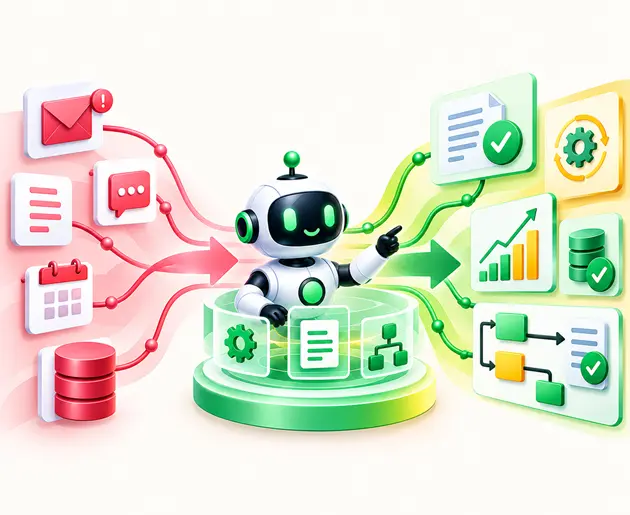
      APA, or agentic process automation, employs AI agents to take care of business processes from beginning to end. They interpret the requests, create plans, operate business applications, and deal with unpredicted situations.

      APA differs from traditional RPA in that it is capable of adapting to changes, but only within the predefined boundaries and with people’s input.

      Decoding the Buzz: What Does Agentic Automation Mean? 

      Agentic Automation involves the execution of tasks through AI agents, where the behavior of these agents is modified based on the situations at hand.

      Is ChatGPT an agentic AI?

      However, a typical conversational AI is not agentic in its own right since it only responds to prompts using its training data. But when provided with access to enterprise tools and APIs and the ability to take actions on your behalf, it can be considered agentic AI.

      Agentic Automation vs. Agentic AI: What Is the Difference?

      The concepts are related but distinct from each other:

      • Agentic Process Automation: Employing AI agents in business processes with very little human intervention.
      • Agentic Automation: Typically used as a synonym for APA by firms like Automation Anywhere, UiPath, and Salesforce.
      • Agentic AI: The overall concept that includes planning, making decisions, and taking actions. Find out more about agentic AI in our agentic AI guide and explore the different types of AI agents.

      How Agentic Process Automation Works

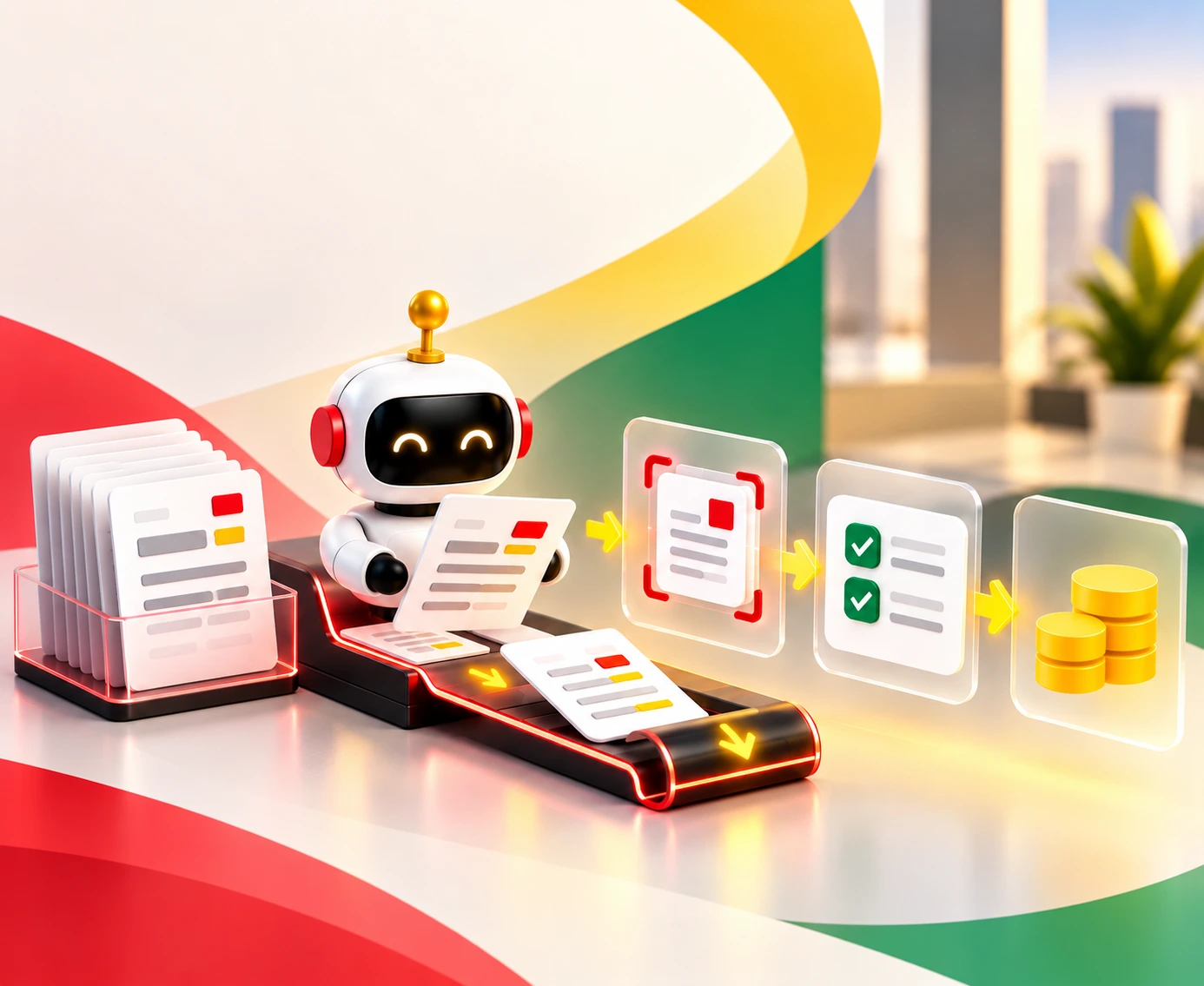
      With the help of AI agents, Agentic process automation moves a business task from start to finish. The process of how agentic process automation works can be illustrated by using a scenario of a supplier invoice that doesn't match its purchase order.
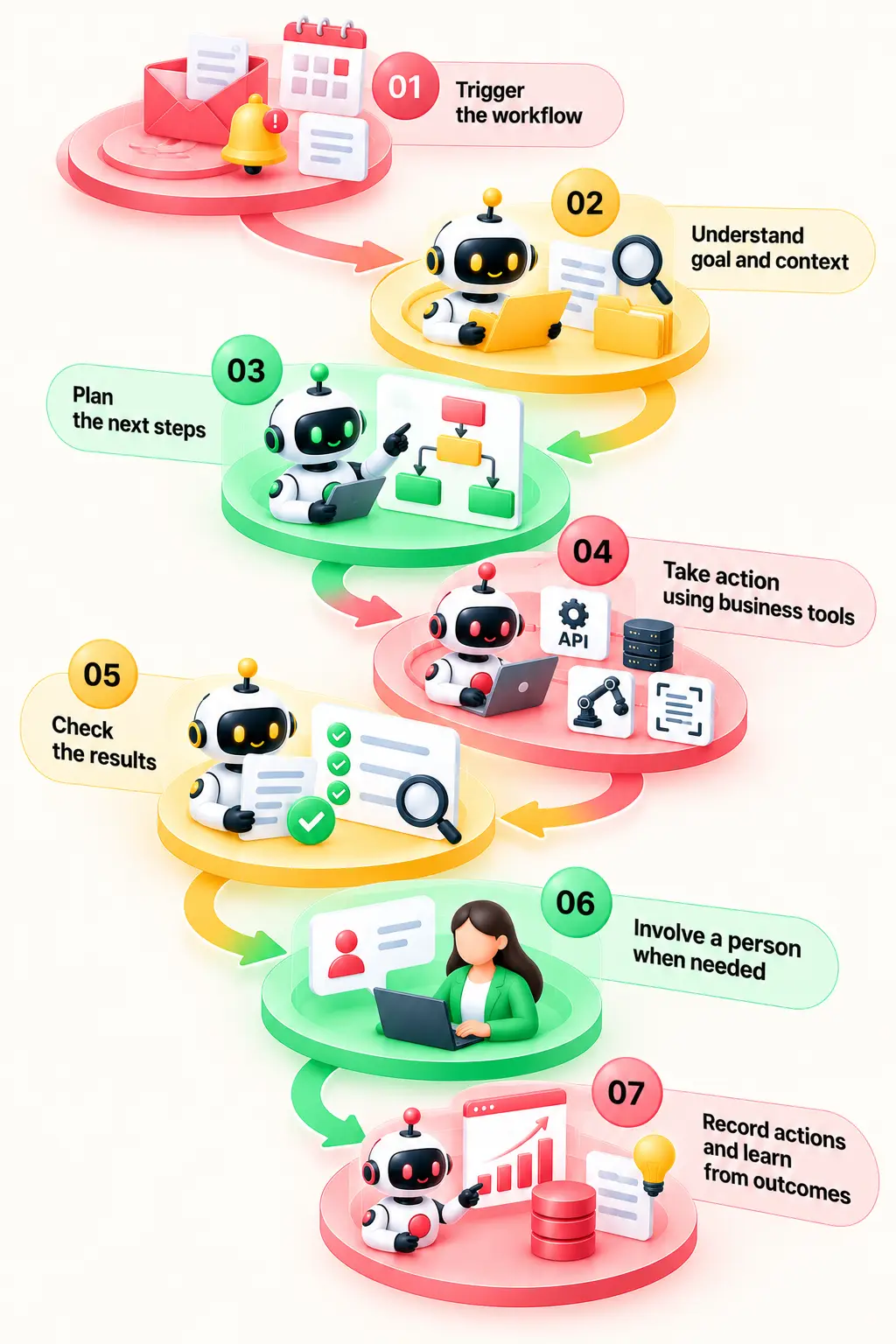
      How AI agents automate invoice processing workflows
      1. Trigger the workflow: The first action in initiating the process flow will be an event that may comprise receiving emails, creating a ticket, or a time period that is already planned.
      2. Understand the goal and context: The AI system will learn what is to be done and obtain all necessary information regarding the problem.
      3. Plan the next steps: The next step will be for the agent to use its discretion and plan the next course of action as per the information collected. In case of any discrepancy in amount between supplier invoices and purchase orders, it will find out the reason for it. System efficiency can be improved when using loop engineering AI agents to refine iterative execution. 
      4. Take action using business tools: The agent can use API connections, MCP servers, RPA bots, and IDP tools to access records, read emails, and update the systems.
      5. Check the results: The agent compares the invoice with the purchase order and goods receipt. It checks the records against company rules before moving forward.
      6. Involve a person when needed: Where there is a pricing dispute noted in the supplier’s invoice exceeding the threshold, the person passes the invoice to the finance department without making any decisions.
      7. Record actions and learn from outcomes: Actions have been taken and tests performed. The results are documented.

      A Reference Architecture for Agentic Automation

      Why does agentic automation go beyond just an artificial intelligence solution? It all comes down to how agents can interact with business data, applications, processes, and security features. A vendor-agnostic architecture enables businesses to create such interactions without being tied to any one agentic automation technology.

      Here is the architecture composed of six layers:
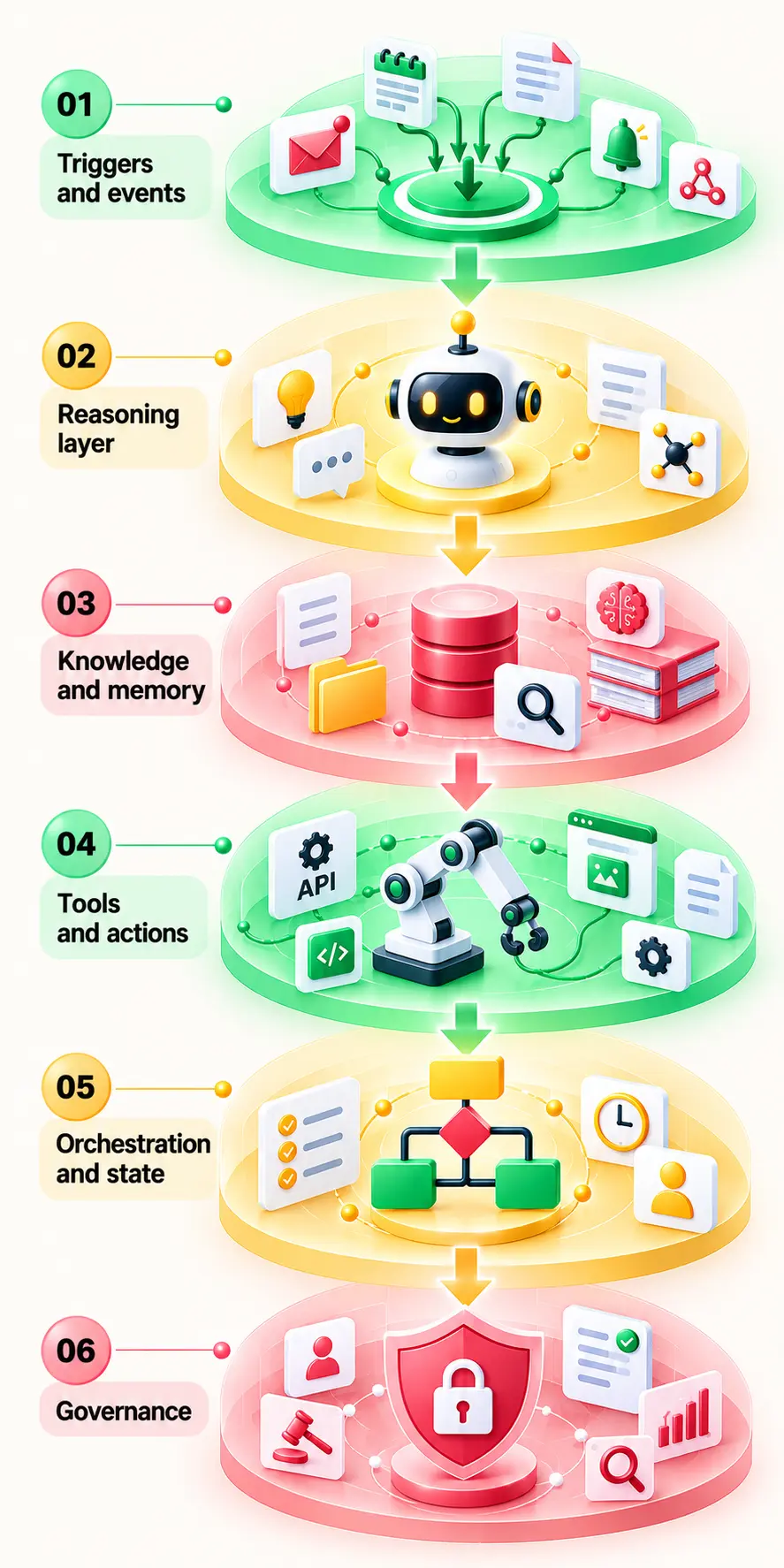
      Six-layer architecture of agentic process automation
      1. Trigger and Event: The workflow begins due to the presence of certain triggers, such as receiving an email, generating tickets, or scheduling events.
      2. Reasoning layer: The LLM agent knows what tasks should be performed and how the next task will be accomplished; sometimes even working in conjunction with other agents.
      3. Knowledge and memory: RAG, vector searches, corporate policies, and past cases assist agents in accessing useful information. Retrieval systems can be improved through tailored RAG use cases and targeted vector database use cases. 
      4. Tools and actions: Agents use APIs, MCP servers, RPA bots, and intelligent document processing (IDP) tools to retrieve information and update business systems. System connectivity can be facilitated through the use of standardized protocols, as discussed in our guide for MCP server development and MCP server development custom services.
      5. Orchestration & State: The Workflow Engine helps with monitoring and controlling human approvals, allocation of work to the agent, and SLA monitoring.
      6. Governance: The identity of the agent, permissions based on the least-privilege principle, guardrails, performance testing, and cost management help ensure that the actions are done within the required bounds.

      The idea behind this is very simple; the agents determine what actions have to be performed while the workflow engines and current systems execute them. Such segregation simplifies the analysis and auditing of agentic process automation as organizations integrate more AI agents into their business operations.

      Agentic Process Automation, RPA, and Intelligent Automation

      There is a distinction between RPA, intelligent automation, and agentic process automation in that each technology deals with business operations differently. This difference is based on their response to change and decision-making. Knowing when autonomous systems add value may benefit from an analysis of intelligent automation use cases.

      Factor RPA Intelligent Automation Agentic Process Automation
      How it works  Software scripts based on inflexible rules  RPA with ML, OCR, and NLP  Autonomous LLM agents with multi-step reasoning 
      Inputs  Structured data and exact UI fields  Semi-structured data, invoices, forms  Unstructured text, messy emails, goals 
      Exception handling  Fails immediately; requires human fix  Rule-based fallback or basic confidence routing  Dynamic self-correction and adaptation 
      Decision-making  Strict conditional logic (If/Else) Pattern recognition and probabilistic routing  Context-based decisions and multistep planning 
      Setup Effort Low to moderate for stable tasks  Moderate, depending on the process  Moderate to high, with added testing and controls 
      Run cost per transaction  Usually low for stable, repetitive tasks  Varies with AI and workflow usage  Varies with model calls, tools, and task complexity 
      Auditability  High (fully deterministic logs)  Moderate  Lower (requires advanced reasoning tracing) 
      Best fit High-volume, repetitive, stable tasks  Document processing and data ingestion  Complex, ambiguous, end-to-end dynamic enterprise workflows

      Will RPA be replaced by AI?

      This is not quite right. RPA is applied to stable and rule-based processes. RPA bots are used by AI agents when dealing with legacy systems that do not have API connectivity. The combination of intelligent automation and RPA is also possible with the help of AI and workflow management. 

      The choice will depend on the type of task, its exceptions, and the costs of implementation. For the full decision map, read our guide to RPA use cases. 

      Processes Are Suitable for Agentic Process Automation?

      Not all processes require the use of AI agents; therefore, it is important to determine where agentic process automation would be appropriate. When assessing RPA vs. AI agents, look for these operational signals: 

      Good signs

      • Many variations and exceptions to handle.
      • Unstructured inputs, such as emails, documents, and chats.
      • Multiple systems involved in each case.
      • Clear goals and measurable success checks.
      • Reversible, low-risk actions with human oversight.
      • A few seconds of extra processing time is acceptable.
      • Data and tool access are already available.

      These things make it ideal for AI agents for business processes.

      Red flags

      • Avoid automated execution for irreversible high-value transactions
      • Strict regulatory decisions requiring human sign-off
      • Undocumented processes lacking ownership
      • Extremely low-volume tasks.

      Prioritization

      Score candidate processes on a 1-5 scale for value and readiness to create a prioritization 2x2 implementation matrix. 

      Apply this readiness assessment to determine which process works best - an AI agent, RPA, or a hybrid workflow. See Entrans' agentic AI data foundation for the next steps.

      Agentic Automation Examples

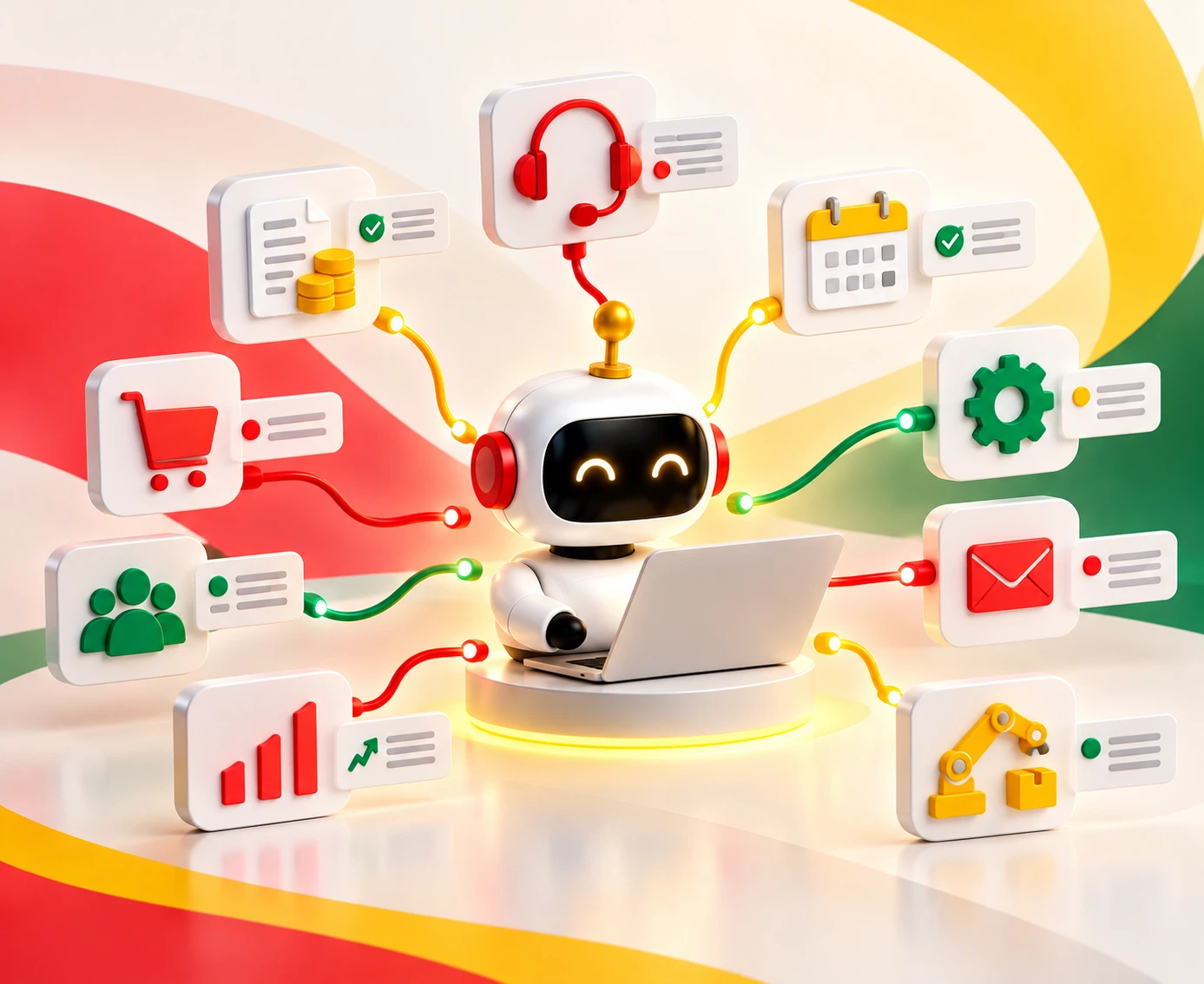
      What does agentic automation mean? This is a system that can receive a request, collect information from various applications, make a decision on how to proceed further, and execute the approved action. The system may also identify situations that require human involvement.

      The below-mentioned examples of agentic automation serve as an illustration of cases where AI agents can come in handy to facilitate dealing with dynamic input data and exceptions. In most cases, it is advisable to begin with simple and repetitive back-office jobs like email-to-ticket conversion, PDF parsing, or updating the business infrastructure.

      Here is how agentic process automation transforms everyday operations across departments. 

      1. Customer service resolution

      Goal

      Resolve routine complex customer inquiries across order management and catalog systems end-to-end.

      Tools Used

      Customer relationship management (CRM), OMS, product catalog, live chat API, vector database.

      Human Checkpoint

      Escalate to human agent level only when the order policy takes precedence or a high-value refund is necessary.

      KPI

      First Contact Resolution (FCR), average resolution time, and customer satisfaction.

      Entrans took AI customer service agents from pilot to production on a global retail brand’s live catalog, order, and customer data. The combination of the agent reuse platform and the handoff to human was the key to improving response time and boosting customer satisfaction. Read the case study (Optionally powered by Thunai for contact center deployment).

      2. Finance: invoice and payment exceptions

      Goal

      Match vendor invoices against purchase orders and process variance approvals automatically.

      Tools Used

      PDF Invoices, Purchase Orders, Goods Received Notes, ERP, and Payment systems.

      Human Checkpoint

      Before payment processing, the finance department performs analysis of amounts payable, duplicate invoices, and vendor-related problems.

      KPI

      Invoice processing cycle time and exception resolution cost.

      Entrans implemented the LLM Extraction & Matching Layer on its ERP system to reduce manual reconciliation by 80% and double payment processing speed. This intelligent data foundation serves as the bedrock for AI agents for business processes built upon it to handle end-to-end exceptions. Read the finance case study.

      3. Healthcare - Prior Authorization

      Goal

      Collect patients’ clinical information and insurance eligibility for submitting prior authorization requests.

      Tools Used

      EHR platform, payer portals, document parsers.

      Human Checkpoint

      Clinical reviewer signs off before submitting to the payer.

      KPI

      Prior authorization approval rate and submission turnaround time.

      Prior authorization automation at Entrans produced three times faster processing, 70% less manual labor, and more than 95% extraction accuracy. The above statistics provide the foundation for document processing and validation that can be used by an agent to create an automated process.

      4.IT operations: incident triage and remediation

      Goal

      Diagnose system alerts, assemble diagnostic context, and execute pre-approved fix scripts.

      Tools Used

      Monitoring tools (Datadog), ticketing (Jira/ServiceNow), SSH/APIs.

      Human Checkpoint

      Approves high-impact service restarts or production code rollback actions.

      KPI

      Mean Time to Resolution (MTTR) and ticket escalation rate.

      Here’s a real-world instance of using AI agents for processes in business. The teams can begin with ticket enrichment and troubleshooting before letting the agents execute the pre-defined remedies. Here are some more use cases of Entrans AIOps.

      5. Employee onboarding orchestration across HR, IT, and facilities

      Goal

      Provision accounts, equipment, and training schedules across HR, IT, and facilities.

      Tools Used

      HRIS (Workday), Active Directory, ITSM, ticketing, and equipment inventory. 

      Human Checkpoint

      The IT Manager approves special hardware access requests.

      KPI

      Time to readiness, missed tasks, and onboarding completion rate. 

      6. Procurement and Supplier Onboarding

      Goal

      Collect supplier documents, check required fields, and route missing information. 

      Tools Used

      Procurement software, ERP, document extraction, and supplier portals. 

      Human Checkpoint

      Compliance officer reviews flagged risk profiles.

      KPI

      Supplier setup time, incomplete applications, and exception rate. 

      7. Insurance claims intake and follow-up

      Goal

      Read claim forms, organize supporting documents, and request missing details. 

      Tools Used

      Claims management software, document analysis models, email gateway.

      Human Checkpoint

      Adjusters review coverage disputes, suspected fraud, and complex claims. 

      KPI

      Intake time, claim turnaround, and first-pass completeness. 

      8. Sales operations (lead research, CRM updates, meeting follow-ups)

      Goal

      Research inbound leads, enrich CRM records, and schedule follow-ups.

      Tools Used

      CRM (Salesforce), LinkedIn Sales Navigator, calendar scheduling tools.

      Human Checkpoint

      Sales representatives review personalized messages and approve external communications. 

      KPI

      Time spent on admin, CRM completeness, and follow-up speed. 

      9. Supply chain disruption response (re-sourcing suggestions with planner approval)

      Goal

      Identify shipment bottlenecks and propose re-sourcing routing options.

      Tools Used

      Logistics APIs, ERP, inventory management systems.

      Human Checkpoint

      Supply chain planner confirms inventory reallocation.

      KPI

      On-time delivery rate under disruption.

      10. Compliance monitoring and evidence collection

      Goal

      Audit access logs and gather regulatory proof for framework assessments (for example, SOC 2, ISO).

      Tools Used

      Cloud audit logs, GRC platforms, security tools.

      Human Checkpoint

      Auditor reviews flagged policy exceptions.

      KPI

      Audit readiness posture and zero unaddressed compliance gaps.

      11. Public sector case processing

      Goal

      Organize applications, find out missing details, and send follow-up inquiries.

      Tools used

      Case management systems, document repositories, and approved communication tools.

      Human checkpoint

      Decision-making is done by caseworkers for the determination of eligibility.

      KPI

      Case backlog, processing time, and incomplete applications. See StateTech's coverage of agentic AI in government.

      What These Examples Tell Us

      The best possible cases for agentic automation involve having a business objective, data availability, and tasks that are measurable. It is important to begin with tasks that carry less risk, and then build on the successes by providing more autonomy. The two forms of automation can also coexist where there is a need for adaptive decisions and dependable system behavior.

      Autonomy Levels and Human-in-the-Loop Design

      Freedom in agentic automation is not the same for every task. In the case of a certain risk, the system may make suggestions, ask for permissions, or make decisions by itself. What the correct degree of freedom is will depend on the value of the transaction, confidence score, effect on the customer, and regulatory risk exposure. 

      How to Set Approval Gates

      Approval gates define when an agent can act and when it must stop and ask for human input. Set them using four factors: 

      • Transaction Value: Let the agent handle low-value invoices up to certain limits. High-value invoices should be manually approved by humans.
      • Confidence Score: Give the agent responsibility for dealing with positive matches with high confidence. Uncertain matches should be referred for review.
      • Customer Impact: Whether a failure affects internal systems or directly degrades the end-customer experience.
      • Regulatory Exposure: Presence of sensitive data, strict compliance mandates (like SOX or GDPR), or cross-border tax implications.

      For instance, an invoice that matches the PO and GRN, is within the approved amount range, and has passed all necessary checks can go through Level 3. 

      On the other hand, an invoice with a high value, a questionable match, or a transaction with compliance issues can be sent for manual review.

      The intention is to allow agents the room to deal with normal transactions while at the same time keeping the human in charge of risky decisions.

      Here is how an invoice processing workflow scales across each level based on these gating rules:

      Automation Level Operating Model Invoice Processing Example
      Level 0: Suggest Analyse the data and suggest an action. The decision-making lies in the hands of an individual. The agent notices a discrepancy between the invoice and the purchase order (PO). He brings the anomaly to light and recommends that the invoice be reviewed.
      Level 1: Act with approval Take action but make sure to wait for human authorization first. The agent discovers a discrepancy between the PO and the invoice prices and creates a query for the vendor, waiting for approval from one of the AP employees.
      Level 2: Act and notify Take action within defined permissions and notify the responsible team. The agent spots an insignificant discrepancy within the accepted threshold, verifies the GRN, changes the status of the invoice, and informs the accounts payable department.
      Level 3: Autonomous Perform the pre-approved low-risk activities without seeking approval each time. The agent then compares the invoice to the PO and GRN, verifies that all values lie within the permissible range, and records the invoice in the ERP system.

      Risks, Security and Governance

      Moving from static RPA to agentic process automation introduces dynamic decision-making, shifting the primary debate from RPA vs AI agents to managing autonomous behavior safely. Implementing a proper automation governance framework for enterprise scale can be helped by establishing standardized oversight protocols. Scaling agentic automation requires addressing unique operational risks with robust guardrails: 

      • Key Risks: AI agents for business processes can generate hallucinated actions, loop uncontrollably to burn compute budgets, experience permission creep, suffer prompt injection via compromised documents/emails, cause data leakage, or leave teams with unclear operational accountability.
      • Essential Controls: To manage these risks, give every agent a separate identity and only the permissions it needs. Use approved tool lists, validate data before writing to business systems, and keep full audit trails. 

      Test agents for security gaps and unexpected behavior before release. Set spending limits, rate limits, and kill switches to stop unsafe actions quickly.

      Strong governance helps businesses scale agentic automation without losing control. Explore Entrans' agentic AI governance framework for banking and automation governance to learn how to set access rules, approval gates, and accountability for AI agents.

      The Economics: What Agentic Automation Costs and Saves

      Transitioning to agentic process automation redefines enterprise operational costs:

      • Costs: Agentic automation involves more than AI model fees. Businesses must account for development, system connections, testing, monitoring, and ongoing maintenance.
      • Initial & Ongoing Investment: Deploying an agentic automation platform requires upfront capital for specialized agentic automation tools, LLM inference tokens, vector memory stores, custom API integration, and continuous governance auditing.
      • The sources of savings: Business process AI agents can make routine decisions, take care of exceptions, and shift workloads between systems with fewer manual interventions.
      • Long-Term Financial Return: Unlike standard rules-based RPA vs. AI agent setups, deploying AI agents for business processes drastically reduces manual exceptions. Autonomous workflow execution drives significant long-term ROI by optimizing labor allocation, eliminating repetitive administrative overhead, and scaling operational throughput without proportional headcount growth. 

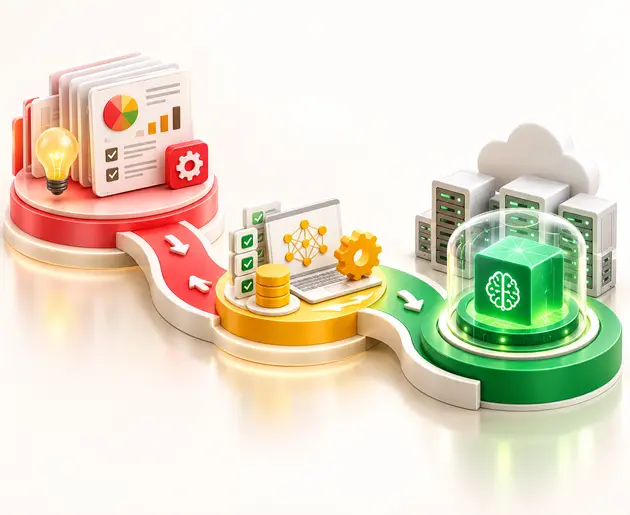
      How to Implement Agentic Process Automation: A Five-Phase Roadmap

      Adopting agentic process automation is more than just adding AI agents to existing workflows. We need a clear plan to execute it so that we can measure results. A five-phase roadmap helps teams move from small trials to wider use without taking unnecessary risks.

      Phase 1: Assess Your Readiness

      Review your automation maturity, data quality, existing systems, and tool access. Assessing operational readiness can be improved by aligning with an established automation maturity model for enterprises. 

      Exit criteria: A documented readiness assessment with clear gaps and priorities.

      Phase 2: Select the Right Workflows

      Start with one to two workflows that have frequent exceptions, decisions, and business ownership. Invoicing exceptions and customer service escalation are great agentic automation workflows. 

      Exit criteria: A defined use case, baseline metrics, and a named owner.

      Phase 3: Build and Connect

      Use existing systems, orchestration tools, and APIs to connect agents to business processes. Add human approval steps, logging, and clear limits on what agents can do. 

      Exit criteria: A working pilot with traceable actions and approval gates.

      Phase 4: Test and Improve

      Measure precision, red-team security threats, and test the agent’s ability to process unforeseen information. Only increase autonomy if results justify it.

      Exit criteria: The agent meets agreed performance, security, and safety targets.

      Phase 5: Scale Across the Business

      Create reusable agent components and set up a center of excellence (CoE) to manage standards, ownership, and ongoing reviews. 

      Exit criteria: A repeatable process for deploying, monitoring, and improving agents across teams.

      Entrans forward-deployed engineers can help build and test agents within your environment. Explore its forward-deployed engineering services, loop engineering resources, and automation maturity model to plan your next steps.

      Agentic Automation Platforms and Build Options

      Selecting the right architecture for agentic process automation depends on legacy system dependencies, data sensitivity, and internal engineering capacity. Modern enterprise deployments typically fall into five distinct platform categories:

      • Automation platforms: UiPath, Automation Anywhere, and Microsoft Power Automate with Copilot Studio add AI-driven capabilities to existing workflows. These can suit teams that already use RPA and want to bring AI agents into selected processes.
      • Business application platforms: Agentforce and ServiceNow platforms for agents are found within business application platforms. They work best when the task requires customer, service, or operational information available in the system.
      • Integration platforms: Boomi connects applications and data, helping agents work across business systems.
      • AI platforms: C3 AI supports enterprise AI applications, including solutions for business operations and decision-making.
      • Custom builds: Open-source agent frameworks and Model Context Protocol (MCP)-based tool access give development teams more control over agent behavior, system connections, and workflow rules.

      Build vs. Buy vs. Partner

      Buy (Off-the-shelf platform)

      • Best when: Standardizing common business processes within established vendor ecosystems (e.g., CRM/ITSM). 
      • Key Watch-outs: Vendor lock-in, rising consumption-based API costs, and restricted customization.

      Build (Custom Infrastructure)

      • Best When: Core processes require proprietary algorithms, unique security constraints, or complex cross-system orchestration. 
      • Key Watch-outs: High ongoing maintenance overhead, potential for permission creep, and specialized talent demands.

      Partner (Specialized Engineering) 

      • Best When: Scaling quickly while establishing robust governance, safety protocols, and tailored agent architecture.
      • Key Watch-outs: Dependency on external resources; requires clear IP handoff and internal CoE enablement. 

      For deep dives on execution and vendor selection, explore our guides on top agentic AI development companies and enterprise AI agent development services. 

      How Entrans Helps You Move From Agent Pilots to Production

      AI agents must easily handle live business tasks, connect with existing systems, and work safely with real data. Production transition can be improved by leveraging tailored AI agent development strategies and robust AI-driven automation solutions. Entrans helps businesses move from pilots to production with hands-on engineering and agentic automation services.

      • Our forward-deployed engineers embed directly within client teams to accelerate deployment. Rather than replacing core infrastructure, we integrate an enterprise-grade agentic automation platform directly into your existing ERP, CRM, and EHR systems. 
      • By developing custom Model Context Protocol (MCP) servers and robust orchestration pipelines, our dedicated developers build resilient AI agents for business processes that operate securely within established IT environments. Team capacity can be improved by bringing on a dedicated agentic AI developer to focus on integration details. 
      • Agents can work with existing ERP, CRM, and EHR systems through APIs and orchestration.
      • Testing, access controls, human approvals, and ongoing monitoring help keep agents safe and accountable.
      • Add specialist engineering support to build and maintain AI agents for business processes.

      Entrans brings experience from 150+ AI projects and 200+ enterprises. Its retail customer service agent case study shows how a pilot can move toward production with human handoffs and a reusable framework for future deployments.

      The goal is to build agents that work within real business processes, not just controlled demos.

      Ready to Scale Your Agentic AI Deployment? Book a consultation call with Entrans engineers.

      Share :
      Link copied to clipboard !!
      Build Agentic Process Automation That Works in Production
      Connect AI agents with enterprise systems to automate complex workflows, handle exceptions, and maintain control over critical decisions.
      20+ Years of Industry Experience
      500+ Successful Projects
      50+ Global Clients including Fortune 500s
      100% On-Time Delivery
      Thank you! Your submission has been received!
      Oops! Something went wrong while submitting the form.

      FAQs

      1. What is agentic process automation?

      Agentic process automation uses AI agents powered by large language models to pursue a business goal across a process. The agents interpret inputs, plan steps, call systems and tools, handle exceptions, and hand off to people when needed, adapting to variation within guardrails instead of following fixed scripts like RPA.

      2. What does agentic automation mean?

      Agentic automation uses intelligent AI agents to independently analyze data, make decisions, and execute multi-step workflows. It can adjust its actions based on new information and changing situations. 

      3. How is agentic process automation different from RPA?

      The difference between RPA and agentic process automation is that RPA operates according to predefined rules, whereas agentic process automation can make decisions based on situational awareness and adapt to different situations. The use of AI agents to do tasks using RPA bots is also possible.

      4. Will AI agents replace RPA?

      No, AI agents will not replace RPA entirely. RPA still works well for routine, rule-based tasks, while AI agents handle workflows that need more judgment and flexibility. 

      5. What are examples of agentic automation?

      Examples include processing invoices, handling customer support requests, checking claims, and managing IT incidents. AI agents can review information, take approved actions, and ask for human help when needed. 

      6. Is ChatGPT an agentic AI?

      Not exactly. ChatGPT is mainly an AI assistant, but it can act more like an agent when it uses tools to complete multi-step tasks. Its level of autonomy depends on the tools and permissions available. 

      7. What are the risks of agentic automation?

      Key risks include unintended actions caused by hallucinations, runaway API loops that raise compute costs, and permission creep. Without strict governance, autonomous systems can also suffer from prompt injection attacks or data leakage. 

      8. How do you get started with agentic process automation?

      Begin by mapping your high-volume, exception-heavy business workflows to evaluate data and system readiness. Start with a small, supervised pilot using clear human-in-the-loop approval gates before scaling up autonomy.

      Hire Agentic AI Developers
      Build and integrate production-ready AI agents with skilled developers experienced in enterprise systems, workflow orchestration, and AI governance.
      Free Project Consultation
      Trusted by Enterprises & Startups
      Top 1% Industry Experts
      Flexible Contracts & Transparent Pricing
      50+ Successful Enterprise Deployments
      Aditya Santhanam
      Author
      Aditya Santhanam is Co-founder & CTO of Entrans Technologies, spearheading AI-driven cloud and data solutions. A 13-year tech veteran, he leads innovation in generative AI, AI agents and MLOps. He also co-founded Infisign (identity security) and Thunai.AI (enterprise AI agents)

      Related Blogs

      AI in Accounts Payable: 2026 Guide for Enterprise Finance

      Discover how AI in Accounts Payable automates invoice processing, improves matching, reduces manual work, and helps finance teams measure ROI.
      Read More ↗

      AI Agents Examples: 30 Real-World Use Cases Businesses Are Running in 2026

      Explore 30 AI agents examples across business functions and industries, with real-world results, practical use cases, and tips to choose your first project.
      Read More ↗

      The AI Implementation Roadmap That Ends in Production, Not a Slide Deck

      Build an AI implementation roadmap that moves projects from idea to production with a step-by-step guide, timelines, costs, and measurable business results.
      Read More ↗